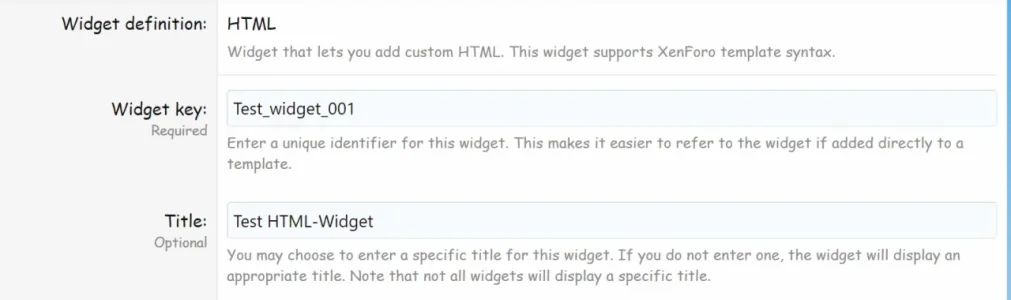
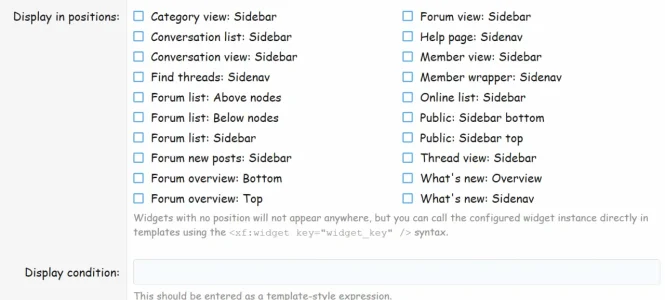
Widgets with no position will not appear anywhere, but you can
call the configured widget instance directly in templates using the
<xf:widget key="Test_widget_001" /> syntax.


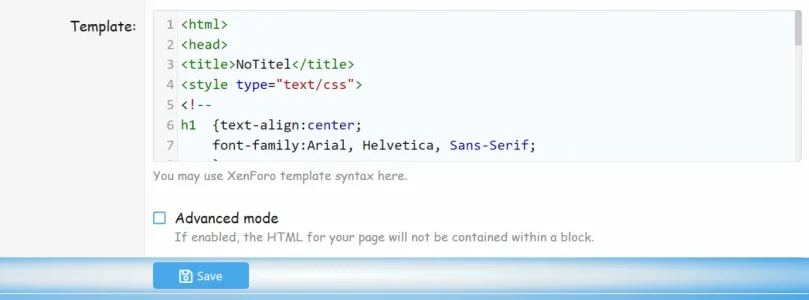
<html>
<head>
<title>NoTitel :(</title>
<style type="text/css">
<!--
h1 {text-align:center; font-family:Arial, Helvetica, Sans-Serif;}
p {text-indent:20px;}
-->
</style>
</head>
<body bgcolor = "#ffffcc" text = "#000000">
<h1>Hello, World! My first Widget/WebPage is online :)</h1>
<p>You can modify the text in the box to the left any way you like, and
then click the "Show Page" button below the box to display the
result here. Go ahead and do this as often and as long as you like.</p>
<p>You can also use this page to test your Javascript functions and local
style declarations. Everything you do will be handled entirely by your own
browser; nothing you type into the text box will be sent back to the
server.</p>
<p>When you are satisfied with your page, you can select all text in the
textarea and copy it to a new text file, with an extension of
either <b>.htm</b> or <b>.html</b>, depending on your Operating System.
This file can then be moved to your Web server.</p>
</body>
</html>
Hello!
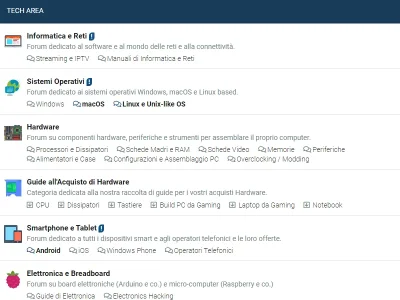
I have a question about widgets for Xenforo 2.1, is possible to add them between nodes?
View attachment 227401
Id like to change the "Guide all'Acquisto Hardware" category forum with a Widget with icons and links to the threads? Is possible to do so? And how?
Thanks for the reply!

<xf:if is="{$node.node_id} === 1"> <xf:widget key="test_widget" /></xf:if>
We use essential cookies to make this site work, and optional cookies to enhance your experience.