.p-body {
background-image: url("styles/default/xenforo/your-background-image.png");
}
Thank you for the help. But it's not working...You can use Extra.less template to add that.
Use this code to add a background image but before you do make sure you upload whatever image you want to use to your server, typically in styles>default>xenforo>upload image here.
Code:.p-body { background-image: url("styles/default/xenforo/your-background-image.png"); }
Replace the "your-background-image.png" part with your file name.
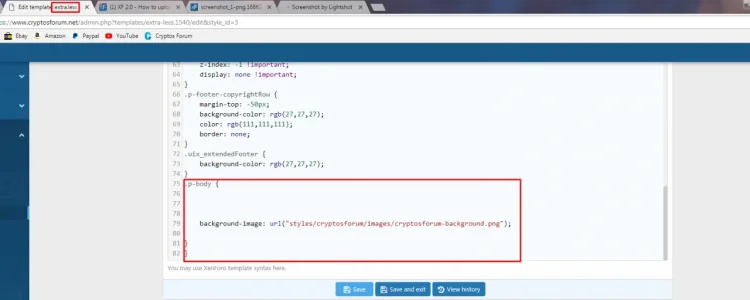
I put it in extra.lesswhere you put that code and how your code looks like please tell us?
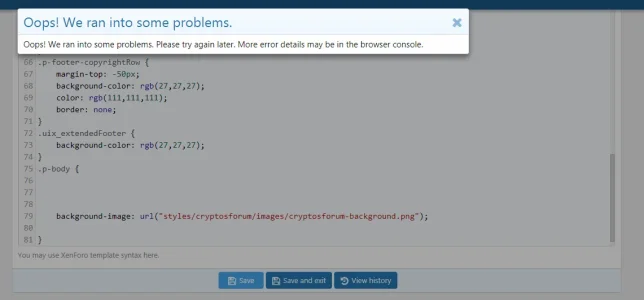
.p-body {
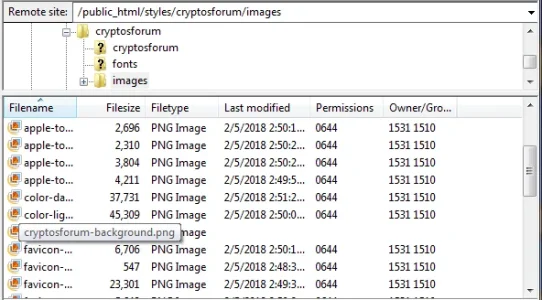
background-image: url("styles/cryptosforum/images/cryptosforum-background.png");
}
This is in extra.less...if your attach image is extra.less
It's set to the correct style, and I just made it the default style and tried it... still getting an error.default style?
nope to me thanks, open ticket inside customer area ,and ask help.
Can you help with this then?We specifically do not cover styling and customization in ticket support.
Can you help with this then?
Ill shoot you a pm.Post a link to your forum so we can see what is going on.
No...Have you got it working?
We use essential cookies to make this site work, and optional cookies to enhance your experience.