

Hello,
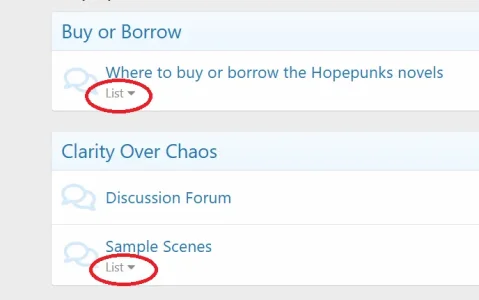
I customized the 'sub_forums' Phrase text to read 'List' because that better matches the situation.
That works, but it could be a little clearer if I could customize it for particular Categories. I know they are using the same Template, so I was wondering if there is some sort of if-then statement that could be inserted in the appropriate template to get it to select a different Phrase for specific Categories while leaving the default in place for all the others.
Thanks!
I customized the 'sub_forums' Phrase text to read 'List' because that better matches the situation.
That works, but it could be a little clearer if I could customize it for particular Categories. I know they are using the same Template, so I was wondering if there is some sort of if-then statement that could be inserted in the appropriate template to get it to select a different Phrase for specific Categories while leaving the default in place for all the others.
Thanks!


