XF 2.3 Highlight Color in Page Node

Donske

Active member
Licensed customer
f.e., I have a _page_node.123 that has text that I need to edit. When using the mouse to highlight text, i want this to be a different color. Is there a code, maybe in the templates section, to change this? I have done my research and tried different markups in the extra.less templates. Maybe I am entering the wrong code data - not sure. I would like to change this to a darker blue if possible.

Kindly
Donnie
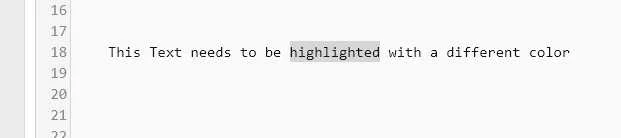
Image2.webp
 
try over-riding the default style set in editor.less
with something you want in extra.less

Code:
.fr-wrapper ::selection {
  background: hsla(var(--xf-editorSelectionBg));
  color: hsla(var(--xf-editorSelectionColor));
}


::selection pseducode is the highlighting
 
So, in trying this specifically:
Code:
.fr-wrapper ::selection {
  background: hsla(120, 100%, 50%, 0.5)(var(--xf-editorSelectionBg));
  color: hsla(120, 100%, 50%, 0.5)(var(--xf-editorSelectionColor));
}

Still does not produce the intended result. I am sure I am doing something wrong. I save my changes and do the usual.

When I am editing (using mouse to swipe to highlight text) in "pages" in templates. I have a very light blue color, which makes it almost impossible to see which text is highlighted. I need either a green or a darker blue to differentiate.

My version is 2.3. Also, in the styles section, I do not see any xf-editorSelectionBg nor xf-editorSelectionColor available. Maybe this is not available in my latest version.

kindly,
 
I did some more digging.

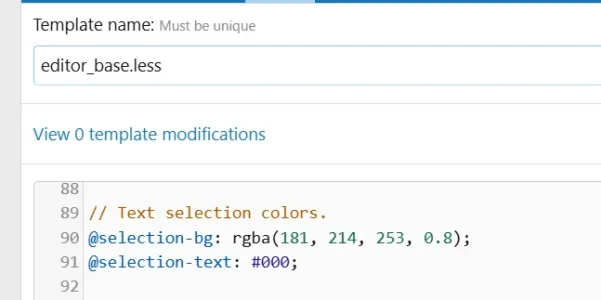
These are set as vars in
1780951927717.webp


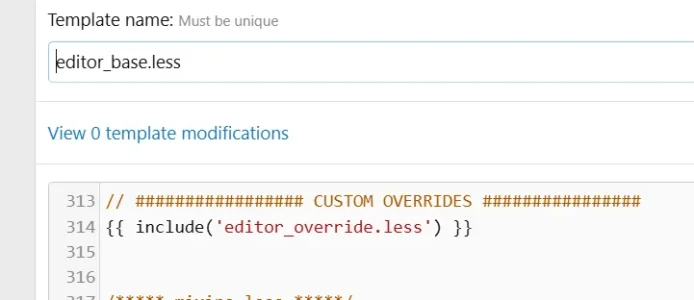
and it allows for an over-ride file:

1780951957169.webp

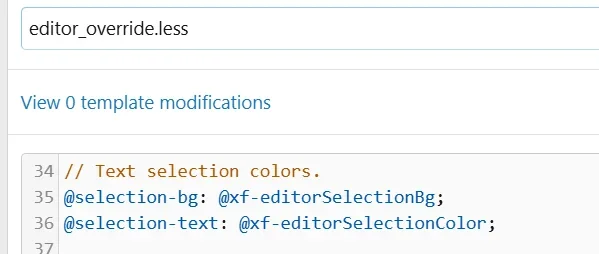
which leads us to:

1780952020362.webp


Maybe you can use an xf:set template override to those vars? i'm not sure....

hope this helps a little bit at least
 
Back
Top Bottom