
XF 2.3 direct messages wont load.

DarkGizmo

Well-known member
Licensed customer
So out of nowhere, my direct messages won't load on my site. I'm not sure what may have changed or what could be causing this but I now get this screen when trying to read PM's.
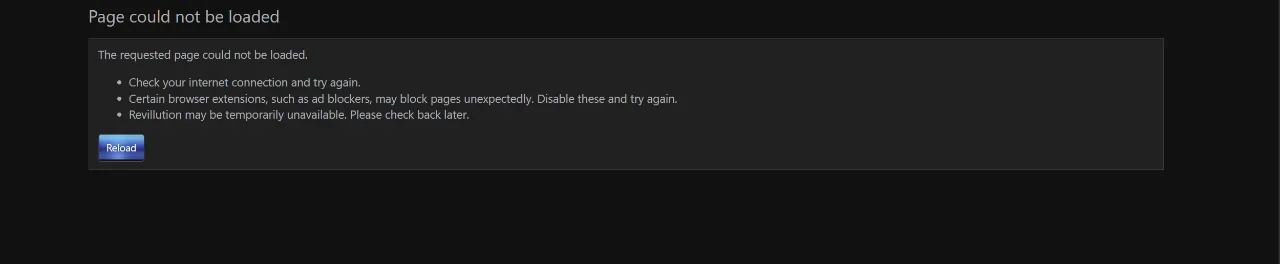
PMs_give_pagecannotbeloaded.webp

How would I go about fixing this or rather finding out what could be causing it? I haven't added any add-ons recently or made any changes to my site.

I doubt this is a host issue because this is the only page that does not seem to be working.

 
Upon further investigation, this might actually be a bug......its only 1 specific PM it would seem:
zoldosPMnotworking.webp

I wonder if it's cuz of the characters he used in the PM? shouldn't matter but they are the only PM's that do not seem to be working....


Looking through the DB, this is what the PM said, i can't see how it could possibly break the way it has?

Normally I wouldn't disclose a PM but, i'm unsure why this would cause the PM to not open?

PM content:
Here is my banner:

cropbanner.jpg


And link: https://acropolismortis.com

Please let me know when it is on-line! :)
]

The only thing I can think of is maybe the IMG BBcode somehow caused the issue? otherwise maybe the PM title which was shown above?
 
Last edited:
Are there any errors logged in either at the forum's error log page or the server error log pertaining to this?

Do you have a test forum installed? If you do, you can try to send an exact test dm like the pm that's having the issue and see if the issue at hand can be reproduced there too.
 
Well i marked it as read and then deleted the PM and sent the user another PM and it seemed to work, but i should be able to recreate what he posted to test.

Edit: I was able to recreate the issue.....it would appear it's either the PM title OR the content of the PM causing it.....

here is the content of the PM:
Code:
Here is my banner:

 [IMG size="728x90"]https://acropolismortis.com/cropbanner.jpg[/IMG]

And link: [URL]https://acropolismortis.com[/URL]

Please let me know when it is on-line! :)

title:
728x90 banner ad space purchased for 1 month (10.00)
 
Last edited:
Then I would investigate if this is potential cause. It exhibits the usual hallmarks of a ModSecurity issue with specific content being caught in the filter. (thus, you can't load a specific page with specific content that the filter doesn't like...)
Do you got any ideas on what to look for? I haven't touched anything within Mod_Security so i'm not sure what could be causing it if it is something to do with Mod_Sec and not an overall bug within the software.
 
Do you got any ideas on what to look for? I haven't touched anything within Mod_Security so i'm not sure what could be causing it if it is something to do with Mod_Sec and not an overall bug within the software.
You don't necesarily have to have changed anything, you'd just have to check the configuration and see if there is any conflicting rule.
If possible, I would simply disable modsecurity first and see if the issue continues. If the issue continues with it disabled, then you'd have to look elsewhere. However, there's nothing in that message that would conflict with a default XF install. I ran the same message through a test site and it processed normally. I don't see see how it could be an XF issue unless it's caused by an addon or external issue like modsecurity. (I tested against xf 2.3.9, 2.3.10 php 8.14.19 on vanilla nginx)
 
It wouldn't be an add-on because I have no add-ons except the official ones on a test site, so if it was an add-on causing it, it'd have to be say the media gallery but that doesn't make sense.
 
It wouldn't be an add-on because I have no add-ons except the official ones on a test site, so if it was an add-on causing it, it'd have to be say the media gallery but that doesn't make sense.
What was the result of disabling modsecurity?

The error page indicates that the connection is blocked before it gets to Xenforo. That's the default page you get when the browser cannot connect with a XF site that you have loaded previously. That pushes the theory that something is intercepting the connection before XF can handle the request.
 
Have you tried disabling your adblocker first? Sometimes those will cause problems.
Yes i have, i've set it to not use adblock on the site, still has an issue.

What was the result of disabling modsecurity?

The error page indicates that the connection is blocked before it gets to Xenforo. That's the default page you get when the browser cannot connect with a XF site that you have loaded previously. That pushes the theory that something is intercepting the connection before XF can handle the request.
turned off modsecurity, same issue.
 
  • Like
Reactions: ENF
it's the dot in the price. it thinks that the 0 cents is the pm ID.

that should be url-encoded to %2e

report it as a bug.

try it without the cents in the title and watch it work :)
 
Back
Top Bottom
