Crazy amount of guests

Damn, you had to ban linux users huh :(


If they are using real browsers, then yes, they can get around almost anything. The more people who use anubis, the higher the cpu tax will be on these bot farms and we could theoretically make the job too expensive if tons of people use something like anubis, so it's a good thing your site is making them pay the tax. I think the only way it could work is that everyone has to pay the tax, though.

We may join you in helping deliver 1 of the 1000 tiny cuts needed soon.

View attachment 334014

I notice they are getting more clever and more distributed too.
The number of guests on my site no longer affects volume less and frequency of rotation more.
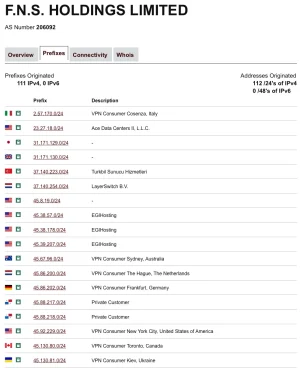
I have yet to go in there and look for more subnets to ban. I'm thinking of writing something that automatically bans those..
I wouldn't say that I've banned Linux users, but filtering out HeadlessChrome UAs. That's a version of chrome that has absolutely no GUI. Which generally translates to a bot/scraper.

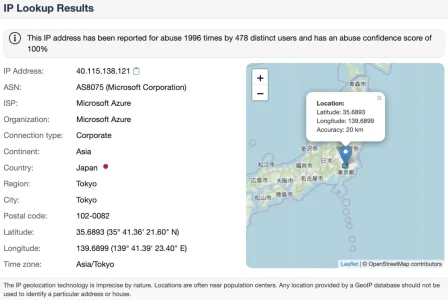
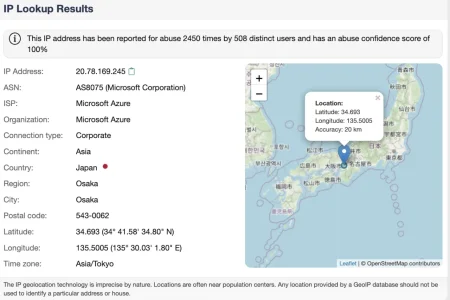
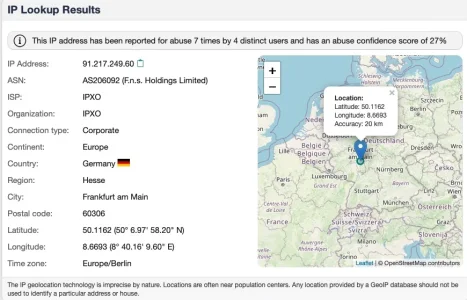
Unfortunately, todays event wasn't a good sign to see. Primarily due to how Anubis was being solved for some clients on a challenge level of 5. Going higher in these levels tends to become problematic for legitimate users. Guess I can make much more surgical challenge levels to certain clients matching certain browser criteria. Upping challenge levels to those CIDR blocks aren't an ideal method any more when it comes to Residential Proxies getting used.

Ugh... just ugh.
 
I don't expect any UA identification to work in the future. The majority of bots i see are randomizing theirs.

The way i would configure anubis:
  • users submit 5 seconds of CPU time
  • we retain the 'user passed the check' for 30 days so a real user only needs to pass it rarely
  • rework the anubis UI to resemble a welcome screen so it's more friendly

You can't differentiate between logged in users and not on a webserver level, but if you could, you could have one standard for guests and a super lax one for people who are logged in.

I think this involves the custom software i've been thinking about.
 
You can't differentiate between logged in users and not on a webserver level, but if you could, you could have one standard for guests and a super lax one for people who are logged in.
Well you could check for the login cookie. Granted you'd not be validating its contents, but the lack of one certainly indicates a guest, even if the presence of one doesn't 100% mean logged in valid member. I tend to do that in our (nginx) logs so I can idly grep out member or guest traffic depending on what I want when I'm watching it.
 
You can't differentiate between logged in users and not on a webserver level, but if you could, you could have one standard for guests and a super lax one for people who are logged in.

IP Tread Monitor does that and it is indeed very helpful:


While from architectural point of view it is not optimal to have the protection layer run within the application that shall be protected itself and (also expectably) with very high traffic forums one might run into load issues if this is your first and only filter point it seems a good solution for smaller forums and is very helpful if you are i.e. on shared hosting and thus can't i.e. install a dedicated firewall.
 
Well you could check for the login cookie. Granted you'd not be validating its contents, but the lack of one certainly indicates a guest, even if the presence of one doesn't 100% mean logged in valid member. I tend to do that in our (nginx) logs so I can idly grep out member or guest traffic depending on what I want when I'm watching it.

Interesting. How do you accomplish this? do you have a custom log format?

While from architectural point of view it is not optimal to have the protection layer run within the application that shall be protected itself and (also expectably) with very high traffic forums one might run into load issues if this is your first and only filter point it seems a good solution for smaller forums and is very helpful if you are i.e. on shared hosting and thus can't i.e. install a dedicated firewall.

I'm still in the middle of building my thing, but i thought about this a lot and it turned me off from this plugin. It's interesting otherwise.

I have a little script now that can write all the data for a web hit to PHP in about 0.02ms, then use a background job to bulk insert it into a database, and another background process to periodically analyze the agregate of the data on a long term and short term basis.

This gives us a 0.02ms hit on our web script and the worst thing that can happen is that the analysis part runs behind ( if that happens, your webserver is close to being hosed anyway )

The shared webhost problem is cured by copying the xenforo/wordpress design of keeping track of when the cronjob was last run and initiate it in a background process when the user hits the page next

If someone told me they had a close to zero impact protection system, i'd use it instead of have to build it :D


On that note, in times of high traffic, fail2ban runs behind since it's single threaded.
With fail2ban being built with python, which is 4-5x slower than PHP, i think it is very possible to do in-app protection with my idea, maybe something less intensely focused on moving the overhead out of the PHP script.
 
do you have a custom log format?
Well a slightly tweaked one in this case just replacing the remote user with either guest or member. The snippets from our Nginx config are just a new log format and a map for the cookie:
NGINX:
  log_format  xen  '$remote_addr - $member [$time_local] "$request" '
                    '$status $body_bytes_sent "$http_referer" '
                    '"$http_user_agent" "$http_x_forwarded_for"';
NGINX:
  map $cookie_xf_user $member {
    default  guest;
    '~[a-z]' member;
  }

I'm still in the middle of building my thing
I must get back to building my own system, best laid plans and all that. Taking a similar approach to you it sounds, but mirroring requests (minus the HTTP body) to another server and recording them there, then feeding that data into a database for analysis. We also honeypot some URLs to quickly identify the probing scripts and proxy those requests off to a different location for analysis banning :)
 
I have a small forum, usually a few hundred guests at most. The last days the number of guests have been unusually high, around 3000 and climbing. We now have over 4800 guests. That's not normal. Many "Viewing unknown page" or "Latest content", with a warning sign. IP addresses are from all corners of the world. Many from south America, Brazil mostly. Also saw quite a number from Vietnam of all places, but everywhere else too.

We're on Cloud and I don't know what to do. Could we be under attack? We have been in the past, a few times I think. For reasons I cannot possibly fathom; we're a small photography forum for crying out loud.
Go for cloudfare free dns and setup your site with Security Rules.
Give a managed challenge for all unverified bots (90% of your issue will be resolved)>
 
Go for cloudfare free dns and setup your site with Security Rules.
Give a managed challenge for all unverified bots (90% of your issue will be resolved)>
Maybe you should have read more than just the start posting of the thread but rather the 11 pages followig it until now. Then you'd have realized that your ill-led "advice" does not work at all.
 
Back
Top Bottom