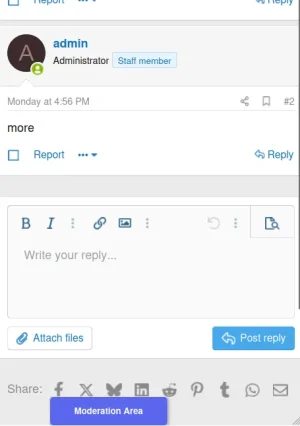
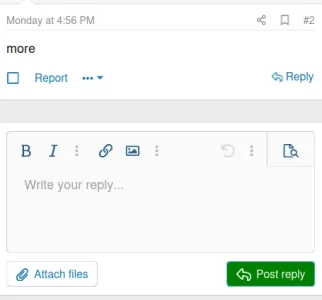
I was thinking it would be good to be able to clearly visually mark all the moderator's private forums, so that there's little chance of accidentally posting moderation-related discussion in public areas.
My first thought was to use the
The problem is that some moderators on the forum, by default, might use a "Dark mode" user style or one of the other custom styles we have, and as far as I can tell,
Edit: I realized a forum's user style can have dark mode and light mode colors. But still, some moderators on the forum, by default, might use one of several user styles, and it could be jarring if the whole color scheme of the page changes. I was hoping for only changing one specific element.
Does anyone have any thoughts on a better way to go about this? Ideally, the only thing that would change about the style is the color of one region of the reply box while in a specific node category. Preferably it would be something like the border around the text area, since the avatar area to the left of the reply box, as above, is not visible on mobile. (Though I'm not sure if I could find a color where it would look okay no matter the style. Maybe just a small indicator that appears somewhere around the reply box?)
My first thought was to use the
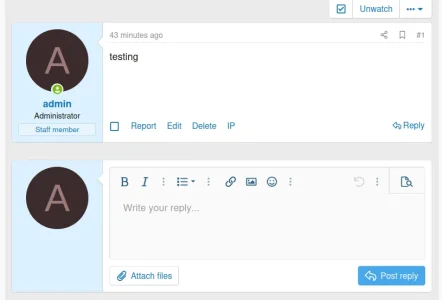
Override user style choice option on the category which includes all the moderation forums. After experimenting with the Style Properties of the custom style, I got this. Notice the blue background for the user avatar area. On public forums, it would be white.Override user style choice would make all users have the same style while they are on a specific forum, which could be quite jarring if they typically have dark mode.Edit: I realized a forum's user style can have dark mode and light mode colors. But still, some moderators on the forum, by default, might use one of several user styles, and it could be jarring if the whole color scheme of the page changes. I was hoping for only changing one specific element.
Does anyone have any thoughts on a better way to go about this? Ideally, the only thing that would change about the style is the color of one region of the reply box while in a specific node category. Preferably it would be something like the border around the text area, since the avatar area to the left of the reply box, as above, is not visible on mobile. (Though I'm not sure if I could find a color where it would look okay no matter the style. Maybe just a small indicator that appears somewhere around the reply box?)
Last edited: