XF 1.2 Change new post indicator icon

kella

Member
Licensed customer
How would I make the new post indicator (currently a small blue dot) a little larger, or change the icon entirely? (XF 1.2.5)
 
The image itself is part of xenforo-ui-sprite.png.

You can either edit the sprite or upload a new image and use EXTRA.css to change .LoggedIn .discussionListItem .unreadLink, .LoggedIn .discussionListItem .ReadToggle
 
Ok, where do I change those? I'm not a technical idiot, I assume those are in the templates? Not familiar with extra.css. Can I edit that in the admin panel or do I need to SSH into my box and do it with a txt editor?
 
The sprite is in the style directory: styles\default\xenforo

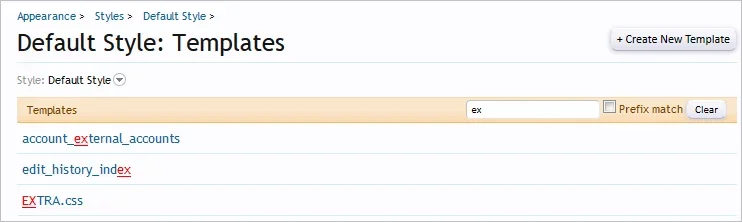
EXTRA.css is a template which can be edited from within the ACP.
 
Which image are you referring to?
The unread marker?

If so, you can use this in EXTRA.css: .LoggedIn .discussionListItem .unreadLink, .LoggedIn .discussionListItem .ReadToggle
 
Yes, the unread marker. Where do I put my new image URL in the context of that? Is this what I post in EXTRA.css:

Code:
.LoggedIn .discussionListItem .unreadLink, .LoggedIn .discussionListItem .ReadToggle
http://example.com/bigbluedot.jpg
 
That markup isn't correct.

It should be something like:
Code:
.LoggedIn .discussionListItem .unreadLink,
.LoggedIn .discussionListItem .ReadToggle
{
    background-image: path/to/image.jpg
}

This is a good resource for learning HTML and CSS: http://www.w3schools.com/
 
Back
Top Bottom