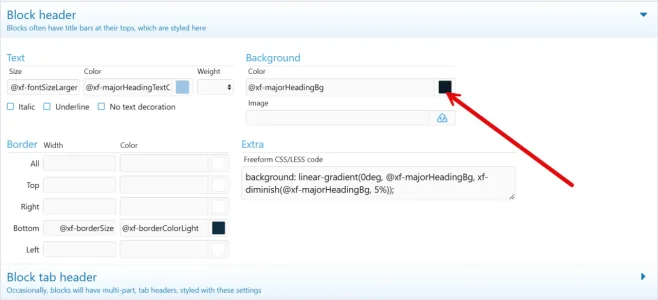
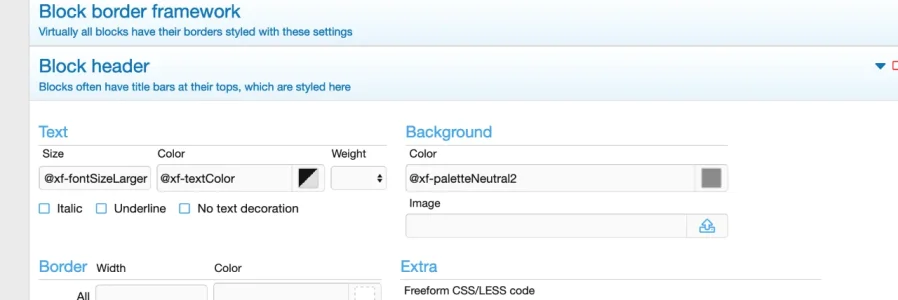
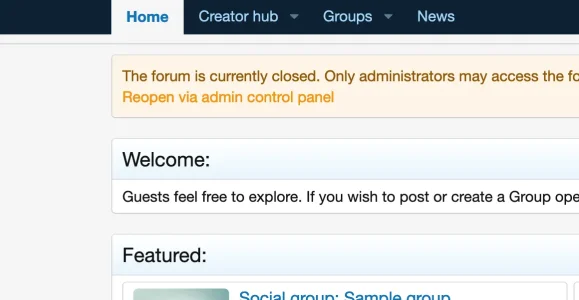
This is weird. I can change the text but not the background.Search in the ACP for Block Header, or find it in the menu list of style properties under Blocks and change the colour where the arrow is pointing; whilst there you can change other properties such as font colour and size, etc. Play around with it and see what you can come up with

View attachment 313961


I do have custom themes but this is the Xenforo default.Are you using a custom theme? If so, perhaps that theme's CSS is overriding the stock commands.
Still that happy blue color.Try using a direct Hex Colour such as #000000 for black or #FF0000 for red and see if that works.
.block-header {
color: #ffffff !important;
background: #37444e !important;
}
I created a new default style and it doesn’t work either. Very strangeHow weird - it works fine for me. Try putting this in your extra.less template file.
Code:.block-header { color: #ffffff !important; background: #37444e !important; }
Play with the colors to suit. If this doesn't work I'm at a loss as to why it's not working.
I’ll try this. ThanksHow weird - it works fine for me. Try putting this in your extra.less template file.
Code:.block-header { color: #ffffff !important; background: #37444e !important; }
Play with the colors to suit. If this doesn't work I'm at a loss as to why it's not working.
Yes that did it. Thank you!I've just realised. In the blockheader section where it states Freeform CSS/LESS remove the code in there as it's overriding the other directive.
We use essential cookies to make this site work, and optional cookies to enhance your experience.