
![[XTR] Development Log](/community/data/resource_icons/10/10758.jpg?1789080201)
- Compatible XF 2.x versions
- 2.3
- License
- 1 licence = 1 site
- Updates duration
- 6 Months - US $25 / 1 Year - US $40
- Visible branding
- Yes, but removable with payment
[XTR] Development Log, is a professional development log add-on that allows you to present every kind of update, new feature, improvement, change, and bug fix you perform on your XenForo-based forum to your members in a regular, categorized, and visually rich manner.
The add-on has been developed to formally and systematically record the work carried out by a forum administrator or team member and then share these records with your community. Your members can now easily follow what changed on which dates, which issues were fixed, and which new features were added to the platform.
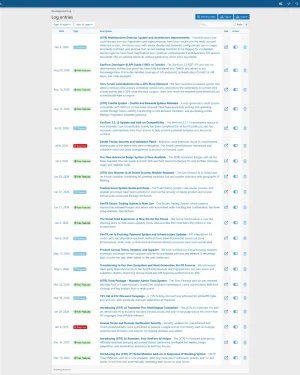
Log entries are grouped by monthly periods, each entry is classified by type and date, and all data is stored in full compatibility with XenForo’s built-in language system. This way, even in multilingual communities, you can translate and display your content in different languages.
Log Entry Management
- Unlimited Log Entries: Manage all past and future updates related to your forum from a single place, with no limit on the number of entries.
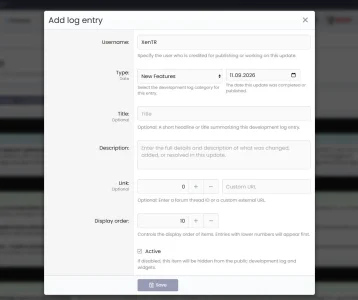
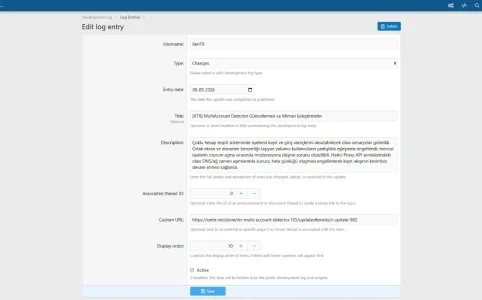
- Title and Description: You can enter a title of up to 255 characters and an unlimited-length description text for each log entry. The description field fully supports rich text formatting.
- Date Selection: You can set an independent date for each entry. Adding retrospective records or creating future-dated entries is freely allowed.
- Visibility Control (Active/Inactive): You can keep entries in inactive mode before publishing them. Activate them with a single click when ready; content that is not ready is never shown to members.
- Display Order Priority: You can assign a display order to each entry. Fully control the order in which entries under the same date and same type appear in the list.
- Author Assignment: Each log entry is assigned to a forum member. When creating an entry in the admin panel, you can select which user it will be recorded under.
- Related Thread Link: You can link an existing forum thread to each log entry. This way, members are directed straight to the relevant discussion via the "More information" link.
- Custom URL Link: Instead of a forum thread, you can also define an external URL; for a blog post, documentation page, or any other resource.
- Smart URL Priority: If both a forum thread and a custom URL are defined, the system automatically prioritizes the forum thread; no conflicts occur.
Log Type System
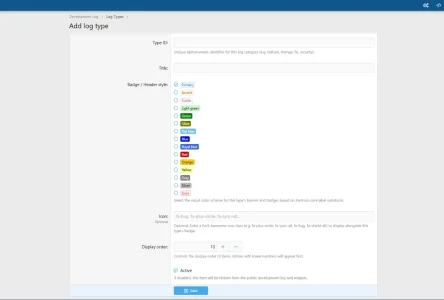
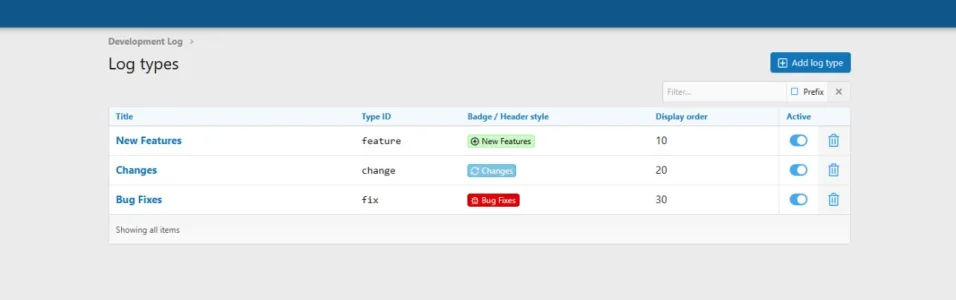
- Fully Customizable Types: The add-on has no hard-coded types. You create, edit, and delete all types yourself from the admin panel. Define forum-specific categories such as "New Feature", "Bug Fix", "Security Update", "Infrastructure".
- Colored Badge System: You select a badge color for each type. Available color options: primary (blue), lightGreen, skyBlue, red, orange, gray, yellow, and olive. Badge colors form the visual identity of the type and allow users to instantly recognize the content type.
- FontAwesome Icon Assignment: You can assign a FontAwesome icon to each type (e.g. "fa-plus-circle", "fa-bug", "fa-shield"). The icon appears next to the entry title and serves as the visual representation of the type.
- Display Order: Freely determine the order of types within the list. Types are listed according to this order within monthly period groups.
- Active/Inactive Status: You can set types you do not want to use to inactive; you can keep them without deleting.
- Safe Delete Protection: A type that has linked log entries cannot be deleted. The system warns you in advance; data consistency is always preserved.
- Multilingual Type Name: Type names are stored via XenForo’s phrase system. This way, type names can also be translated into other languages.
Period (Monthly Grouping) System
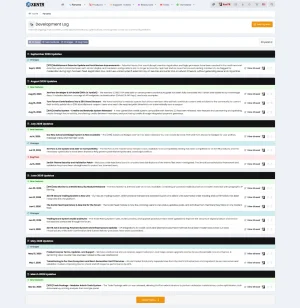
- Automatic Monthly Grouping: All log entries are automatically grouped into monthly periods (January 2026, February 2026, etc.) according to their dates. No manual setup is required; the system reads the entry dates and performs the grouping automatically.
- Period Title: A large title for that month (e.g. "September 2026 Updates") is displayed above each monthly block. Because these titles are integrated with the XenForo language system, they appear according to each user’s own language setting.
- Type-Based Sub-Grouping: Entries within each period are divided into sub-groups by their types. The order of types is determined by the display_order value.
- Period Header Style: The background color and text color of period titles are fully customizable via style properties.
Year Filter
- Year-Based Filtering: A year filter bar appears at the top of the log page. Visitors can view only the records for the relevant year.
- Dynamic Year List: Only years that contain content are shown in the list. If the database has entries for 2023, 2025, and 2026, these three years are listed; empty years in between are not shown.
- Admin Control: You can enable or disable the year filter display from the admin panel. When disabled, all entries appear in a single list.
Pagination System
- "Load More" — Default: A "Show More" button appears at the bottom of the page. When clicked, new entries are appended below the existing content via AJAX; the page is not refreshed and the user does not lose their position.
- Page Navigation (PageNav): Classic XenForo page number (1, 2, 3…) format pagination. Provides a more traditional experience for large archives.
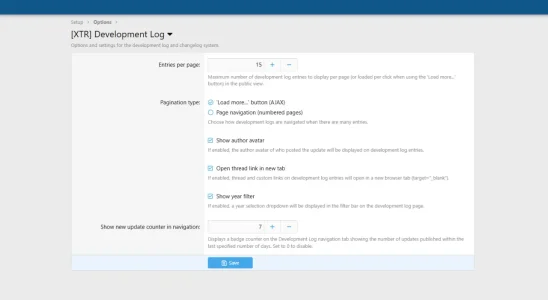
- Entries Per Page: From the admin panel you can set the number of entries per page between 5 and 100 (in steps of 5). The default value is 25.
Unread Notification Badge (Nav Badge)
- Automatic Counter: Next to the "Development Log" link in the top navigation menu, a red badge appears showing the number of new entries added since the member’s last visit. It requires no additional configuration; it works fully automatically.
- Personalized Tracking: The system tracks the "last read time" separately for each member. When the member visits the log page, all records are marked as read and the badge disappears.
- Guest Support (Cookie): For non-logged-in visitors, the last read time is stored in a browser cookie. It remains valid for one year.
- Session Cache: The unread count is held in a 5-minute cache for the duration of the session. This way no database query is made on every page load; server load is minimal.
- Adjustable Window: From the admin panel you can set how many days back the badge should count new content (0–90 days). The default is 7 days. If set to 0, the badge is never shown.
- Permission Control: The badge is shown only to members who have permission to view the log page.
Widget: Latest Updates
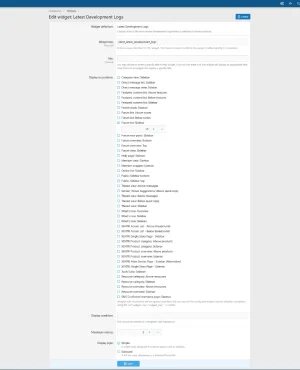
- Placeable Sidebar Widget: The "Latest Updates" widget is integrated with XenForo’s widget system. You can add it to any widget position you wish (sidebar, footer, etc.).
- Two Display Styles: Simple — a compact view listing only titles. Full — a more detailed view including the type badge and description.
- Entry Count Control: You can set how many log entries are shown in the widget (default 5).
- "View All" Link: If the total number of entries exceeds the displayed limit, the widget automatically adds a link that directs to the main log page.
- Permission Control: The widget is completely hidden for members who do not have log viewing permission; it leaves no empty space.
- Customizable Title: You can change the widget title to any text you wish from the admin panel.
Multilingual Content Support
- XenForo Phrase Integration: The title and description of each log entry are automatically saved to XenForo’s built-in phrase system. Content can be translated with standard XenForo language tools.
- Automatic Phrase Naming: For a log entry with ID 42, the title is stored under the phrase name
[xentr_devlog_entry_42_title]and the description under[xentr_devlog_entry_42_desc]. This structure is fully compatible with AI translation tools such as XENTR AITranslatorPro. - Fallback Mechanism: If a phrase translation is not found for a language, the system automatically falls back to the original value in the database. Content never appears empty.
- Multilingual Type Names: Log types are also stored with the same phrase system; type names are also translatable.
Export / Import
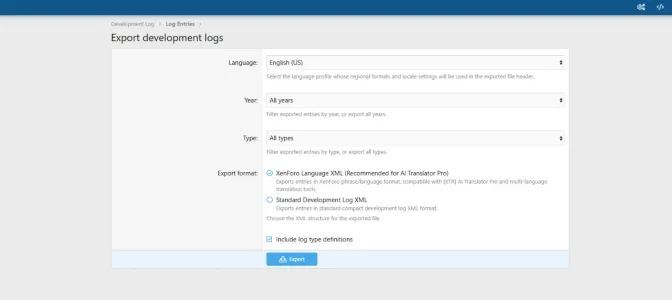
- XML Format: You can export all your log entries into a single XML file. This file is compatible with the standard XenForo language XML format.
- Flexible Export: When exporting you select a language; an XML file containing the existing translations for the selected language is created.
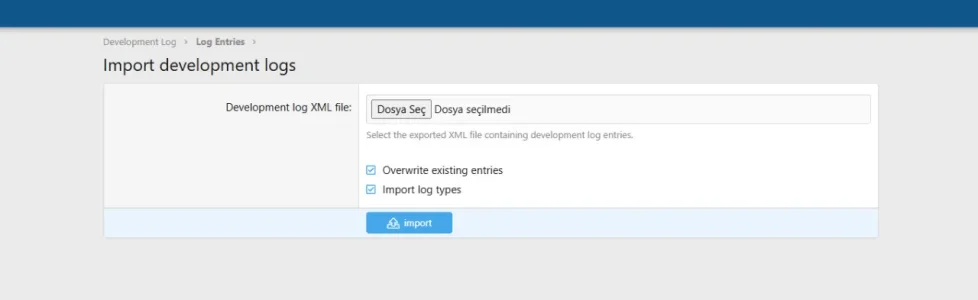
- Restore (Import): By restoring the exported XML file you can reload all entries and their translations into the system.
- Conflict Management: During import, existing records are updated while new records are added. No data loss occurs.
Visual Customization (Style Properties)
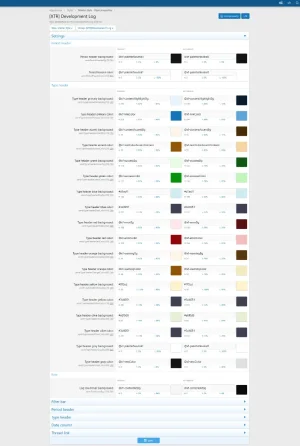
- Period Title Colors: You can change the header background color and text color of monthly period groups from the XenForo style editor.
- Type Badge Color Palette: Separate background and text colors are defined for each badge color: primary, green, blue, red, orange, yellow, gray, olive. All of these colors can be adjusted from the style editor.
- Date Column Style: The font size, weight, color, padding, and border style of the date column are customizable.
- Filter Bar Padding: The internal padding of the year filter bar can be adjusted.
- Row Hover Background: The background of the log row changes on mouse hover; you can also customize this color.
- Thread Link Style: The color, font size, and weight of the forum thread link attached to an entry are customizable.
- Theme Compatibility: All style properties reference XenForo’s color palette (@xf-...). They appear compatible with any theme or dark/light mode.
Permission System
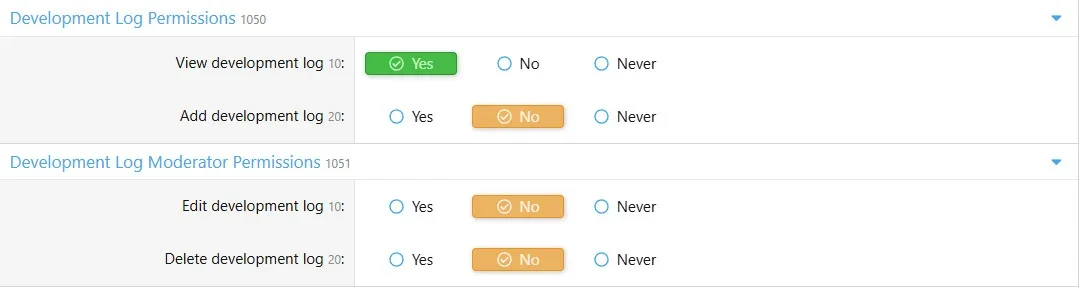
- View Permission (view): Determine which user groups can see the development log.
- Add Permission (add): Determine which user groups can add log entries.
- Edit Permission (edit): Determine which user groups can edit existing log entries.
- Delete Permission (delete): Determine which user groups can delete log entries.
- Navigation Hiding: Members who do not have view permission never see the "Development Log" link in the top menu.
Navigation Integration
- Automatic Menu Item: When the add-on is installed, a "Development Log" link is automatically added to the top navigation menu. No manual template editing is required.
- Under Forums Menu: By default the link is positioned under the "Forums" main menu item. You can move it wherever you wish from the XenForo navigation manager.
- Conditional Visibility: The link is visible only to members and guests who have view permission.
Admin Panel Options
- Entries Per Page: Adjustable between 5 and 100 in steps of 5. Default: 25.
- Pagination Mode: Choose between "Load More" (AJAX) or classic page number navigation.
- Author Name Display: Choose whether to show the username of the person who created each log entry underneath it.
- Year Filter Display: Choose whether to show the year filter bar on the page.
- Unread Badge Window: Set how many days back the badge should count entries (0–90 days). 0 = badge disabled.
- Open Links in New Tab: Determine whether thread and URL links attached to log entries open in a new tab.

![[XTR] IP Threat Monitor](/community/data/resource_icons/10/10134.jpg?1763724168)
![[XTR] AI Assistant](/community/data/resource_icons/10/10205.jpg?1766866402)
![[XTR] Content Ownership & Date Manager](/community/data/resource_icons/10/10888.jpg?1791587458)
![[XTR] Login as User](/community/data/resource_icons/10/10864.jpg?1791068286)
![[XTR] SMS Verification](/community/data/resource_icons/10/10654.jpg?1786285081)