
![[TylerAustin] Google One Tap Sign-In - XF2](/community/data/resource_icons/10/10300.jpg?1771872691)
- Compatible XF 2.x versions
- 2.3
- Additional requirements
- PHP 8.3.0+ (8.4+ recommended)
Google Client ID (Required)
Google Client Secret (Required)
- License
- You may not redistribute the files in whole or in part. You may not rent, lease, loan, custom changes and/or development that’s including private development, sub-license, sell, assign, pledge, transfer or otherwise dispose of the files in any form w
- Updates duration
- 12 Months - $35.00 Renewal + PayPal Fees
- Visible branding
- Yes, but removable with payment
This XenForo 2.3+ add-on integrates with Google One Tap for simplified login and registration.
Key Features:
- Instant login with Google account using Google One Tap.
- New user registration via Google login.
- Automatic linking of Google accounts to existing XenForo accounts if emails match.
- AdminCP options to enable/disable Google One Tap and set Google OAuth Client ID.
- Ability to restrict Google One Tap to specific pages (e.g., /login, /register).
- “Test Mode” to allow only selected users to see Google One Tap.
- Define test users by entering their user IDs in AdminCP.
- Legacy redirect option to use /connected_account.php.
- User-group permission to control access to Google One Tap Login, disable Google One Tap popup, and view Google One Tap logs.
- Logs failed login attempts to the AdminCP Server Error Log.
- Displays avatar + name + email above the disassociate controls.
- Require CAPTCHA on registration completion option
- Auto‑login newly registered accounts option
- “Clear Logs” button inside the log viewer in adminCP to manually remove old logs
- Admin widget to display the last 5 login failures on the AdminCP dashboard (Coming Soon)
- Google One Tap appears in a floating box instead of requiring button clicks.
- Test Google One Tap Callback and Test Google One Tap Connectivity
- Fully responsive design for mobile and desktop.
- Reset Google One Tap Permissions
- Auto-delete old logs with a default of 30 days.
- Scheduled cron to clean up logs.
- External services: This add‑on uses Google Identity Services to render the One Tap prompt and validate Google ID tokens.
- Data sent externally: When One Tap is used, the browser loads Google’s identity script and the server may request Google’s public keys for ID‑token verification; a fallback token‑validation call may send the ID token to Google if local JWT validation is unavailable.
- Timing: Only during One Tap usage (login/link/registration). No external calls occur during install or uninstall.
Copyright ©2025-2026 TylerAustin. This item is not authorized for posting on xenforo.com and others web sites except under the xenforo account named TylerAustin, GameNet
-
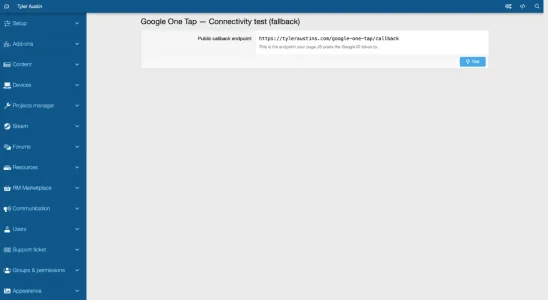 Test Google One Tap Connectivity.webp
 -
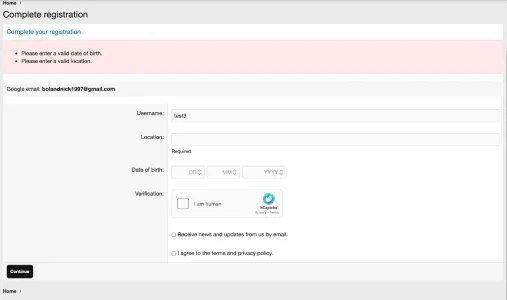 Complete registration Page.webp
 -
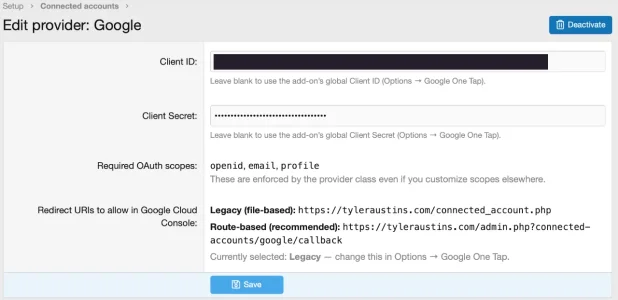 Connected Account Provider Google.webp
 -
 Disable Google One Tap Popup User Preferences.webp
 -
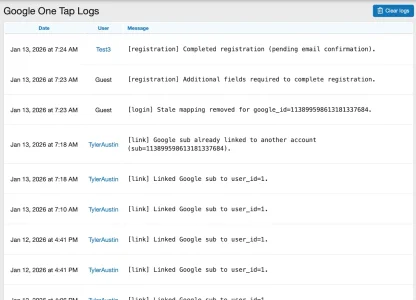 Google One Tap Logs.webp
 -
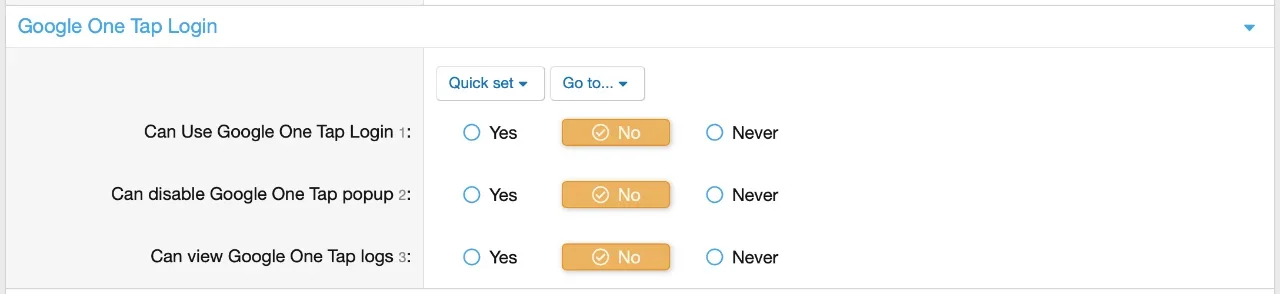 Google One Tap Permissions.webp
 -
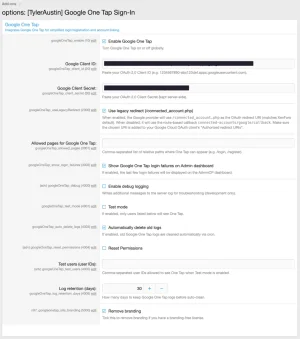 Google One Tap Settings.webp
 -
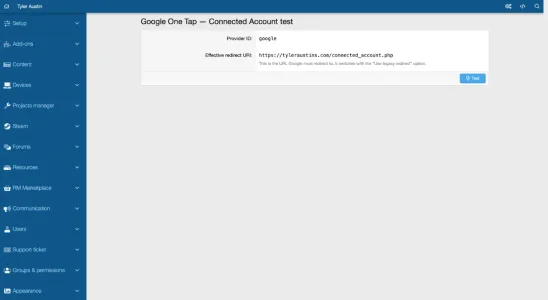 Test Google One Tap Callback.webp
![[NICK97] Recently Used Device - XF2](/community/data/resource_icons/8/8835.jpg?1735777075)
![[NICK97] Better Logout - XF2](/community/data/resource_icons/6/6116.jpg?1767836922)
![[NICK97] XFRM Wishlist - XF2](/community/data/resource_icons/8/8925.jpg?1767836795)
![[TylerAustin] Homepage and Portal - XF2](/community/data/resource_icons/9/9635.jpg?1734554962)
![[TylerAustin] Game Thread Starter: Display Game Poster In Search Results - XF2](/community/data/resource_icons/9/9812.jpg?1740031931)