Talmyric Booking Manager 1.0.0

Beta Talmyric Booking Manager 1.0.0 Beta 5

No permission to download
  • Resource scheduling: Up to two booking windows per weekday, overnight hours, and date-specific holidays and blackouts. Configure setup and cleanup buffers, minimum notice, maximum duration, and a per-member limit on upcoming bookings.
  • Weekly reservations: Members can request up to 12 occurrences at the same local time. If any date fails validation, the entire request is rolled back. Each occurrence has its own ticket and can be changed or cancelled individually.
  • Event waitlists: When a capacity-limited event fills up, members can join a waitlist. A withdrawal or capacity increase automatically signs up the next eligible member in queue order. Members can check their status on the event page. Promotion alerts are outside this beta.
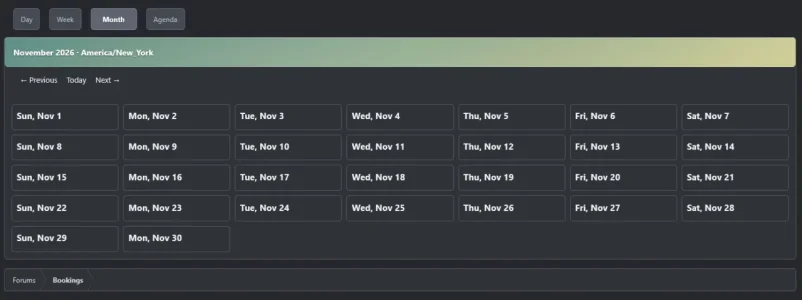
Open Bookings → Combined calendar to see multiple resources and events together. Filter by resource, toggle events, and switch between Day, Week, Month, and a mobile-friendly Agenda.
  • Day, Week, and Agenda show available periods, pending and confirmed reservations, and event sign-ups.
  • Month summarizes reservations and events. Select a date to see its full schedule and availability.
  • Time zones default to the member’s XenForo profile, with UTC and configured resource time zones available. Booking forms use the resource’s local time.
1794659428158.webp

1794659280989.webp

1794659304213.webp

1794659401943.webp

1794659345907.webp

Attachments

  • 1794659323498.webp
    1794659323498.webp
    21.3 KB · Views: 6
Open Bookings → Event sign-ups → Week to browse events Monday through Sunday in your XenForo profile time zone. Each event shows its start time, headcount or remaining places, and whether you’ve joined. Select an event to open its sign-up page. On phones, the days stack vertically. Upcoming remains the default view.
1794613306462.webp
Organizers can create events with an open headcount or a fixed number of places. Members can sign up once and withdraw before the event starts. A withdrawal immediately frees a place. Members see the headcount and their own response, and organizers can view the attendee list.

Upgrade from Beta 1 in the XenForo Admin CP. Under Booking Manager permissions, grant members Sign up for booking events and organizers Manage events and view attendee lists. Then open Bookings → Event sign-ups → Add event. Leave capacity blank for an open headcount.
1794610243963.webp

1794610267427.webp

1794610314277.webp

1794610345757.webp
Back
Top Bottom