- Compatible XF 2.x versions
- 2.3
- License
- 1 domain per license, 1 free domain change included
- Updates duration
- Lifetime Support & Upgrades
- Visible branding
- No
Drac's Stylized AJAX Forum Category Tabs
Turn a long forum index into a row of fast, animated category tabs.
Version 1.11.0 - for XenForo 2.3+ - $5.00 on its own, or $20.00 for all six Drac's Shop add-ons
Turn a long forum index into a row of fast, animated category tabs.
Version 1.11.0 - for XenForo 2.3+ - $5.00 on its own, or $20.00 for all six Drac's Shop add-ons
What it does
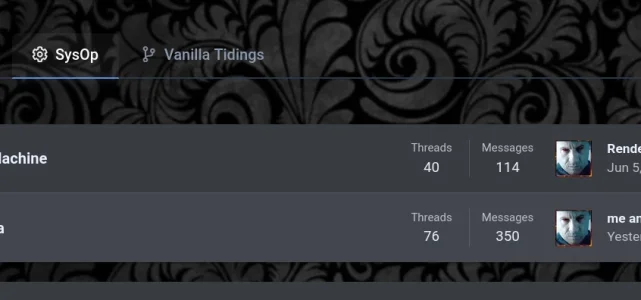
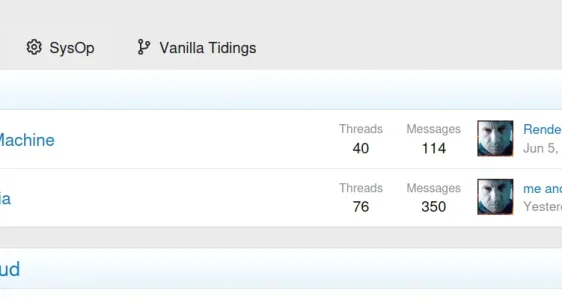
A busy board can have dozens of categories on one long page. This add-on lets you group them into tabs on the forum index. Members click a tab and that tab's forums slide in with an animation - loaded by AJAX, so there is no page reload. You decide which categories, forums and sub-forums live under which tab, with an icon for each.Features
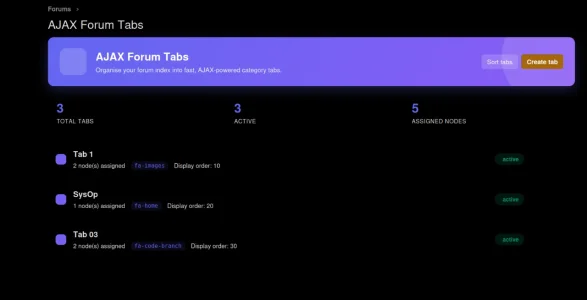
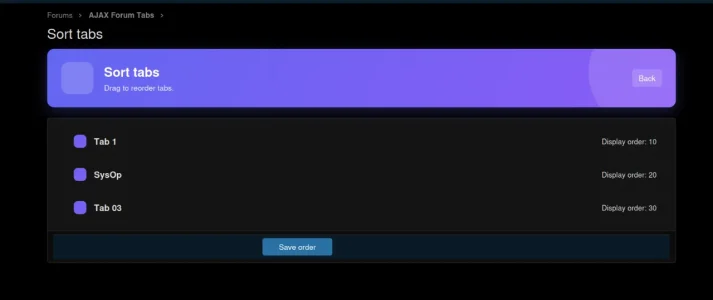
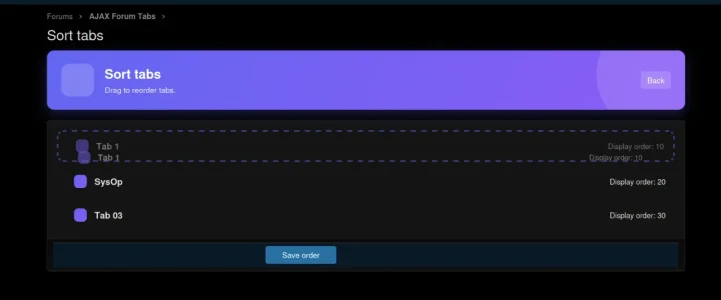
- You build the tabs - Admin CP -> Drac's Addons -> AJAX Forum Tabs -> Manage tabs: create a tab, give it a title and a FontAwesome icon, and tick any categories, forums or sub-forums from anywhere on the board. Ticking a category includes everything inside it. Switch a tab on or off, and drag the tabs into the order you want.
- Automatic "Other" tab - anything you did not assign to a tab is gathered into an "Other" tab, so nothing disappears from the index. Optional.
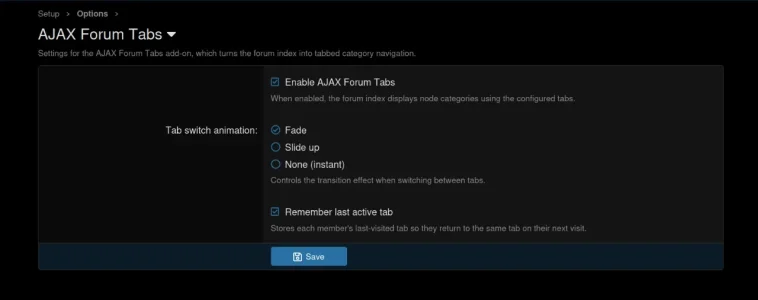
- Remembers the last tab - members return to the tab they were on (optional, and each member can turn it off in their preferences).
- Every member chooses - "Use forum tabs navigation" is a checkbox in Account Preferences. Members who switch tabs off can be shown a one-time "try the tabs?" prompt (you can turn that prompt off), and an admin button can reset everyone's choice at once.
- Guests - by default only logged-in members see the tabs; one option shows them to guests too. Forum permissions are always respected, so nobody sees a forum they cannot open.
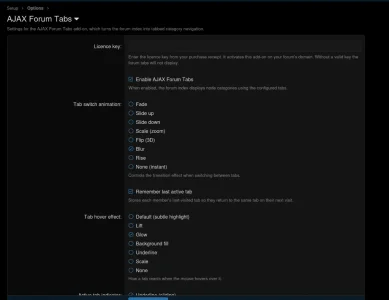
- Tab switch animation - Fade, Slide up, Slide down, Scale (zoom), Flip (3D), Blur, Rise, or None.
- Hover effect - Default, Lift, Glow, Background fill, Underline, Scale, or None.
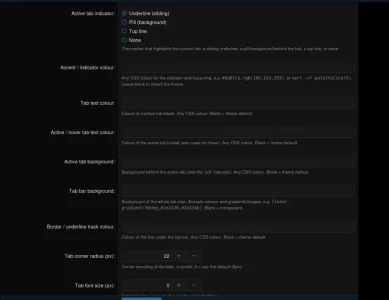
- Active-tab marker - sliding underline, pill background, top line, or none.
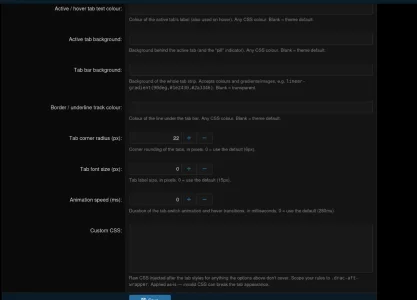
- Make it match your style - accent colour, tab text, active text, active background, bar background (colours or gradients), border colour, corner radius, font size and animation speed. Any value can be a theme variable such as
var(--xf-paletteColor3)so it follows each style automatically. There is also a custom CSS box for anything else. - Clean tab content - the tab's own title already names the section, so the redundant category heading inside the tab is hidden.
What's new
- 1.11.0 (Nov 2026) - this add-on can now be bought on its own for $5.00 with its own license key, or as part of the six-add-on set with the universal key.
- 1.10.x (Oct 2026) - all settings now live under one Drac's Addons menu in the Admin CP, with a single License key page.
- 1.9.x (Oct 2026) - updated license system, and a support form at Drac's Shop for license holders.
- 1.8.2 (Sep 2026) - category headings inside a tab are hidden; the tab title already says what the section is.
- 1.7.0 (Sep 2026) - option to turn the "try the tabs?" prompt off, and an admin button that resets every member's tab choice (with a confirmation page).
Requirements
XenForo 2.3 or newer. Works on the standard forum index; the tabs follow your forum permissions.Price and license
- This add-on on its own: $5.00 - you get this add-on and its own license key, which unlocks this add-on only.
- All six Drac's Shop add-ons: $20.00 - you get every add-on and one universal license key that unlocks all of them. That is $10 less than buying the six one by one ($30.00).
- Lifetime updates and support with every order - one payment, no subscription.
- One license key covers one forum domain.
- Drac's Stylized AJAX Forum Category Tabs - your forum index as fast, animated category tabs (this add-on)
- Drac's Modal - Terms and Rules / Privacy Policy in an animated pop-up
- Drac's Thread Cleaner - bulk-delete every thread in chosen forums, with a counted preview
- Drac's PDF Viewer - PDF thumbnails and a same-page viewer, with two pages side by side
- Drac's Audio Player - cover art, tags, FLAC, mini player, queue, visualizer and lyrics
- Drac's Video Thumbnails - pick a video's thumbnail from a few frames when you insert it
How the license works
- Enter your key in the Admin CP under Drac's Addons -> License key. That one page holds every Drac key: the first box is the universal key (the six-add-on set); each installed add-on also has its own box, here named "Key for Drac's Stylized AJAX Forum Category Tabs only".
- If both boxes are filled in, the add-on's own key is the one it uses. A one-add-on key only unlocks the add-on it was bought for.
- Each add-on checks its key with the license server once a day, and again whenever the key or your forum's address changes. It sends only the key, your forum's domain name and the add-on's name - no member data and no forum content.
- If the license server cannot be reached, an add-on that was already licensed keeps working for 7 days.
- Without a valid key an add-on stays off and your forum behaves like stock XenForo; the add-on's settings page and the License key page tell you why.
Install
- Buy it at Drac's Shop and download the zip from your receipt page.
- Admin CP -> Add-ons -> Install/upgrade from archive and upload the zip (do not unzip it).
- Admin CP -> Drac's Addons -> License key and paste your key.
- Find it under Drac's Addons -> AJAX Forum Tabs: Manage tabs to build your tabs and Settings for the look and behavior.
Support
License holders can ask for help with the form at https://moonbloodgarden.com/vexcor/support - you will need your license key. Questions before you buy are welcome in this thread.All the Drac's Shop add-ons live together under one Drac's Addons menu in the Admin CP: the first one you install creates the menu and the last one you uninstall removes it.