

- Compatible XF 2.x versions
- 2.3
Premium upgrade:
This XF2 add-on along with the entire collection can be purchased for $50.00 USD. Your Premium upgrade will allow you to download as many XF2 add-ons as you like for one year. Please see the entire collection located in the Resources area at this URL:
https://www.xf2addons.com/
Description:
Displays a widget of current sponsors.
(Example of page node)
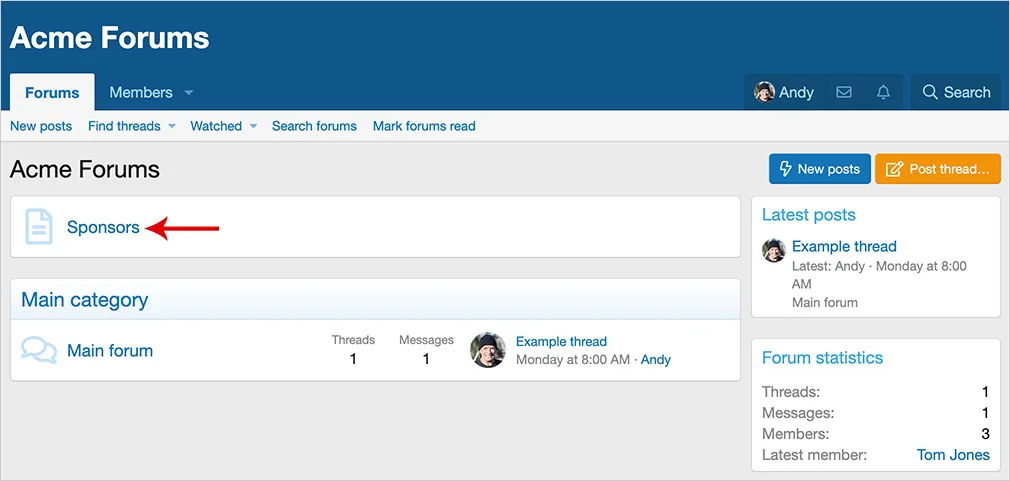
(Example of Sponsors widget)

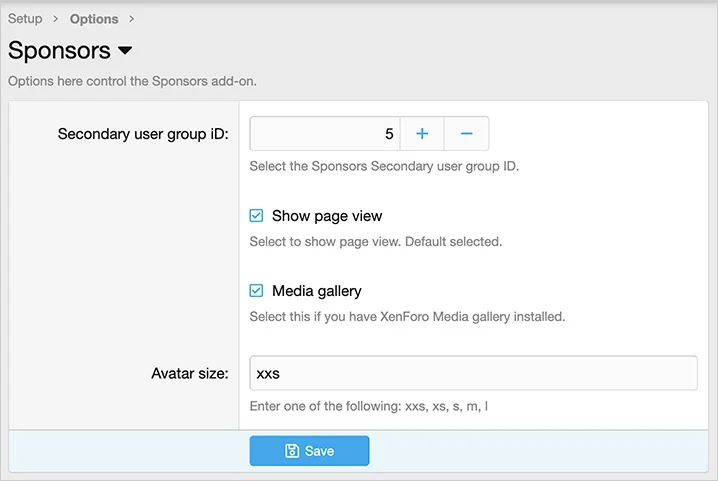
(Example of Options page)
Features:
All phrases start with sponsors_ for your convenience.
Node setup:
Follow these steps if you want to create a page node.
Registered = View
Unregistered / Unconfirmed = View
Questions and answers:
Q: When does the widget get updated?
A: The widget is updated by cron entry at the top of the hour. You can run the cron entry manually if you don't want to wait.
This XF2 add-on along with the entire collection can be purchased for $50.00 USD. Your Premium upgrade will allow you to download as many XF2 add-ons as you like for one year. Please see the entire collection located in the Resources area at this URL:
https://www.xf2addons.com/
Description:
Displays a widget of current sponsors.
(Example of page node)
(Example of Sponsors widget)
(Example of Options page)
Features:
All phrases start with sponsors_ for your convenience.
Node setup:
Follow these steps if you want to create a page node.
- From the Admin Control Panel select Forums -> Nodes.
- Click the Add node button.
- Node type = Page.
- URL portion = sponsors.
- Title = Sponsors
- Template HTML =
<xf:widget key="sponsors" /> - Click Save.
- From the Admin Control Panel select the Widgets under the Appearance tab.
- Click the Add widgets button.
- Select the Sponsors widget.
- Widget key = sponsors
- Title = (leave blank)
- Click Save.
Registered = View
Unregistered / Unconfirmed = View
Questions and answers:
Q: When does the widget get updated?
A: The widget is updated by cron entry at the top of the hour. You can run the cron entry manually if you don't want to wait.


