

- Compatible XF 2.x versions
- 2.3
Premium upgrade:
This XF2 add-on along with the entire collection can be purchased for $50.00 USD. Your Premium upgrade will allow you to download as many XF2 add-ons as you like for one year. Please see the entire collection located in the Resources area at this URL:
https://www.xf2addons.com/
Description:
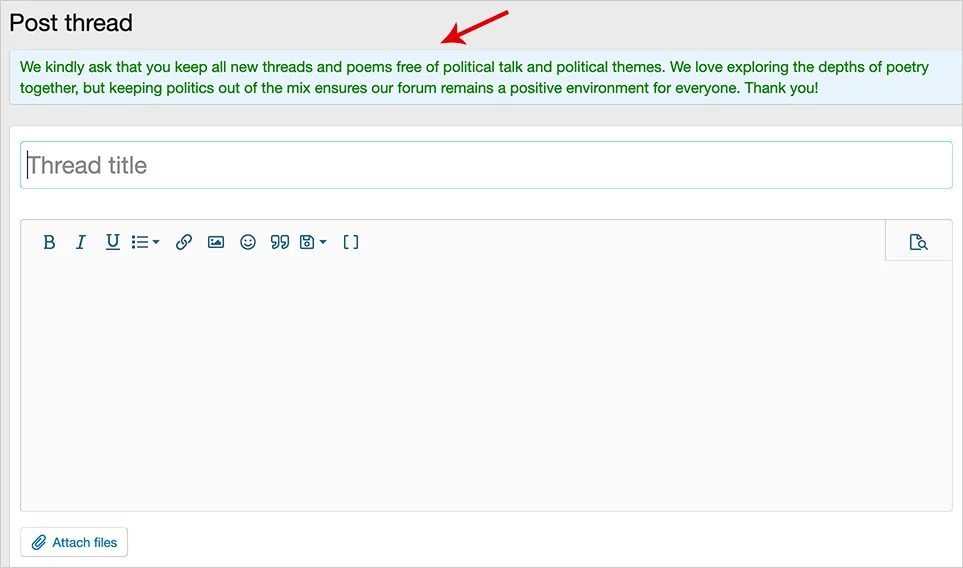
Displays a notice when creating a thread in selected forums.
(Example of Post thread notice)
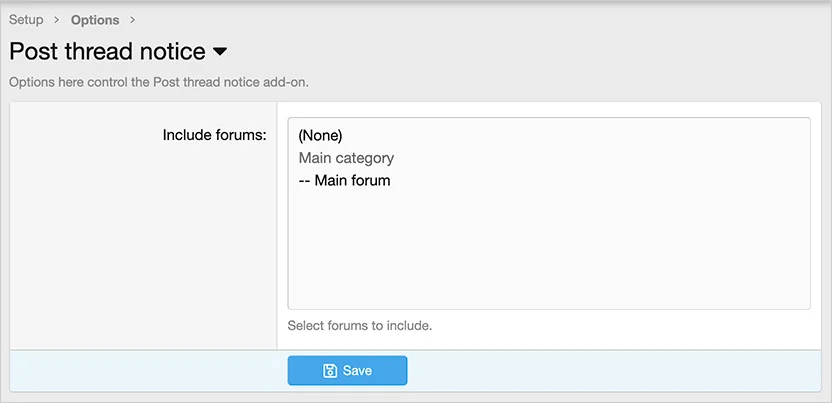
(Example of Options page)
How to use:
Q: Is it possible to have separate phrases for each forum?
A: No. The one single phrase is displayed for all forums selected.
Q: How can I make the text green like in your example?
A: When editing the phrase, use HTML code like this:
This XF2 add-on along with the entire collection can be purchased for $50.00 USD. Your Premium upgrade will allow you to download as many XF2 add-ons as you like for one year. Please see the entire collection located in the Resources area at this URL:
https://www.xf2addons.com/
Description:
Displays a notice when creating a thread in selected forums.
(Example of Post thread notice)
(Example of Options page)
How to use:
- Install the add-on.
- Select forums to include in the Options page.
- Update the postthreadnotice_post_thread_notice phrase.
Q: Is it possible to have separate phrases for each forum?
A: No. The one single phrase is displayed for all forums selected.
Q: How can I make the text green like in your example?
A: When editing the phrase, use HTML code like this:
HTML:
<span style="color:green;">We kindly ask that you keep all new threads and poems free of political talk and political themes. We love exploring the depths of poetry together, but keeping politics out of the mix ensures our forum remains a positive environment for everyone. Thank you!</span>


