You are using an out of date browser. It may not display this or other websites correctly.
You should upgrade or use an alternative browser.
You should upgrade or use an alternative browser.
![[MC] Forum Layouts](/community/data/resource_icons/10/10429.jpg?1777136947)
We have released a new maintenance update. This requires [MC] Core Library 1.0.3.
Changes
Bugs fixed
- The add-on's option tabs now use Core Library's shared option tab template.
- When adding a new forum, the icon picker's Image tab is now hidden until the forum has been saved. Uploading an image icon to an unsaved forum used to fail.
- The icon preview now picks up colour changes from the right picker menu more reliably.

This update fixes two issues found since last release.
Bug fixes
- Fixed an "Unknown column ozzmodz_sc_is_scheduled" error on the fluid view (and other layouts) when [XB] Scheduled Content 2.3.0 or later is installed. Scheduled threads stay hidden, and the Scheduled Content "view own" and "view any" permissions are respected. Earlier Scheduled Content versions continue to work.
- The cover image upload row on the forum, link forum, page and search forum edit forms now appears when only the grid view is enabled, not just the card view. The row's explanation now mentions grid tile headers.
We have released a new major version that includes new features, performance updates and bug fixes.
Important change that will affect every add-on:
All of our add-ons are now using Core Library in order to maintain shared helpers and utilities across add-ons for easier maintenance and to keep add-ons cleaner. Core Library also covers our branding for all add-ons in one switch without having to turn it off in every add-on.
This update will require Core Library 1.0.1.
New features
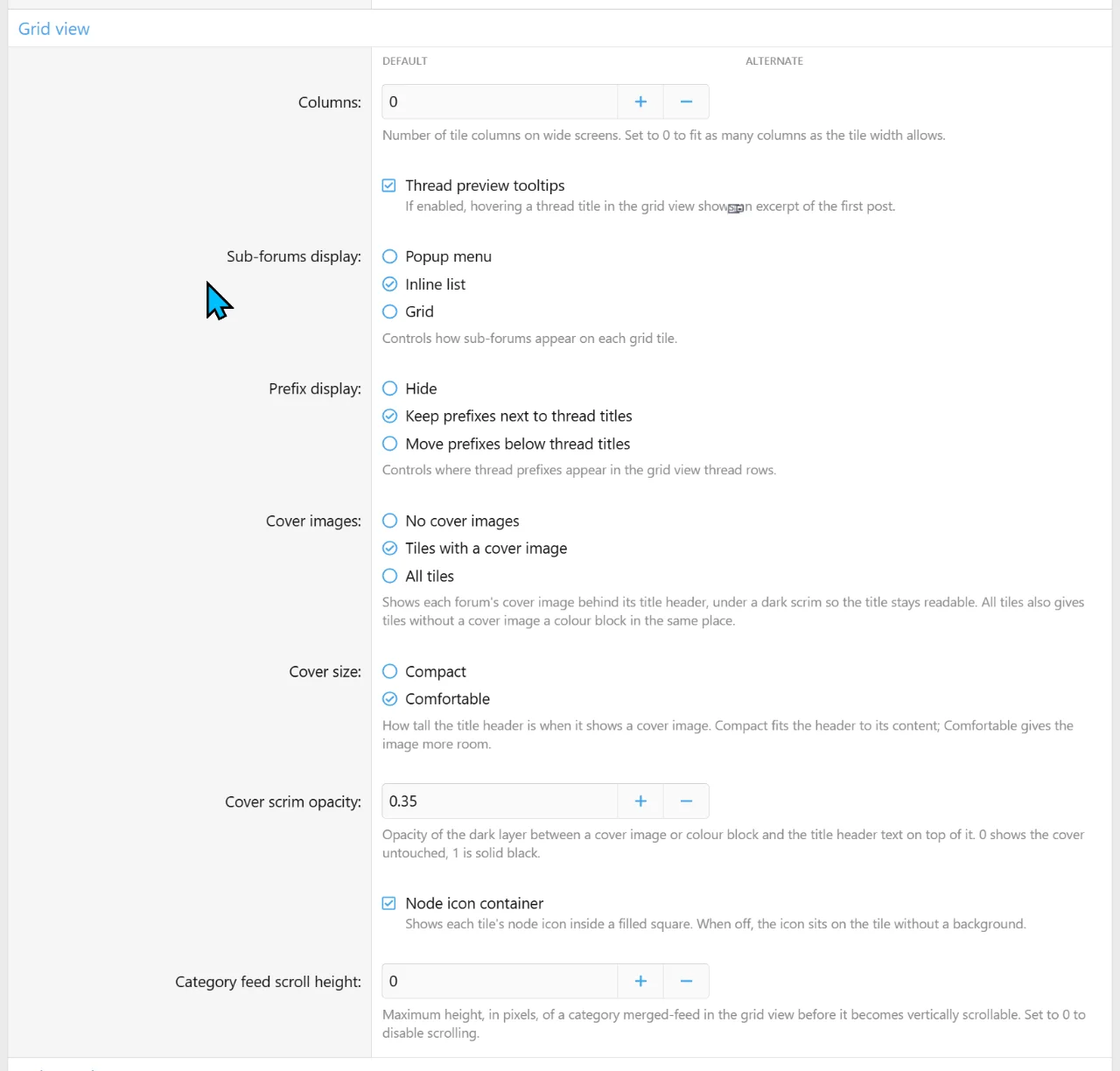
Grid layout
Accessibility
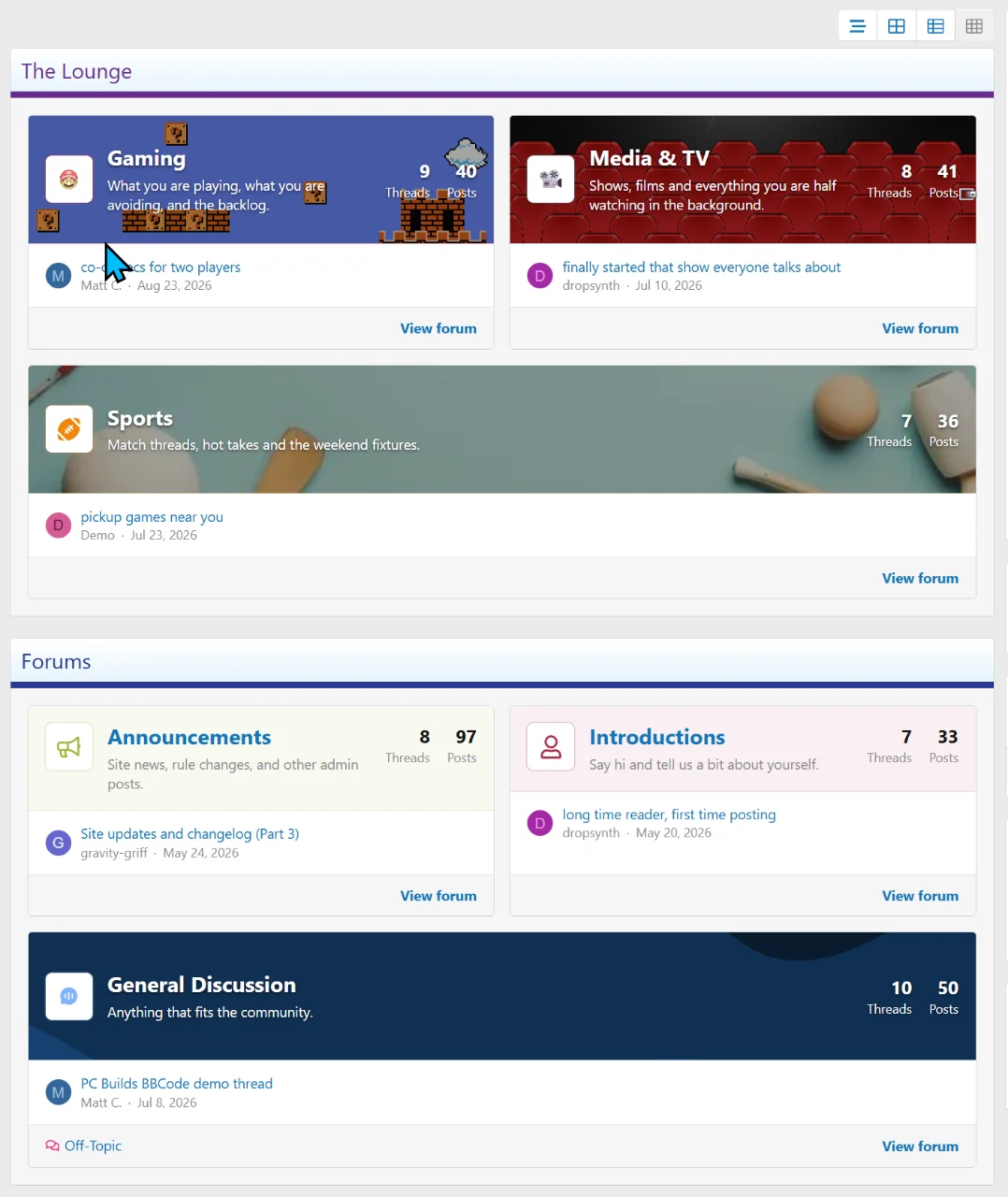
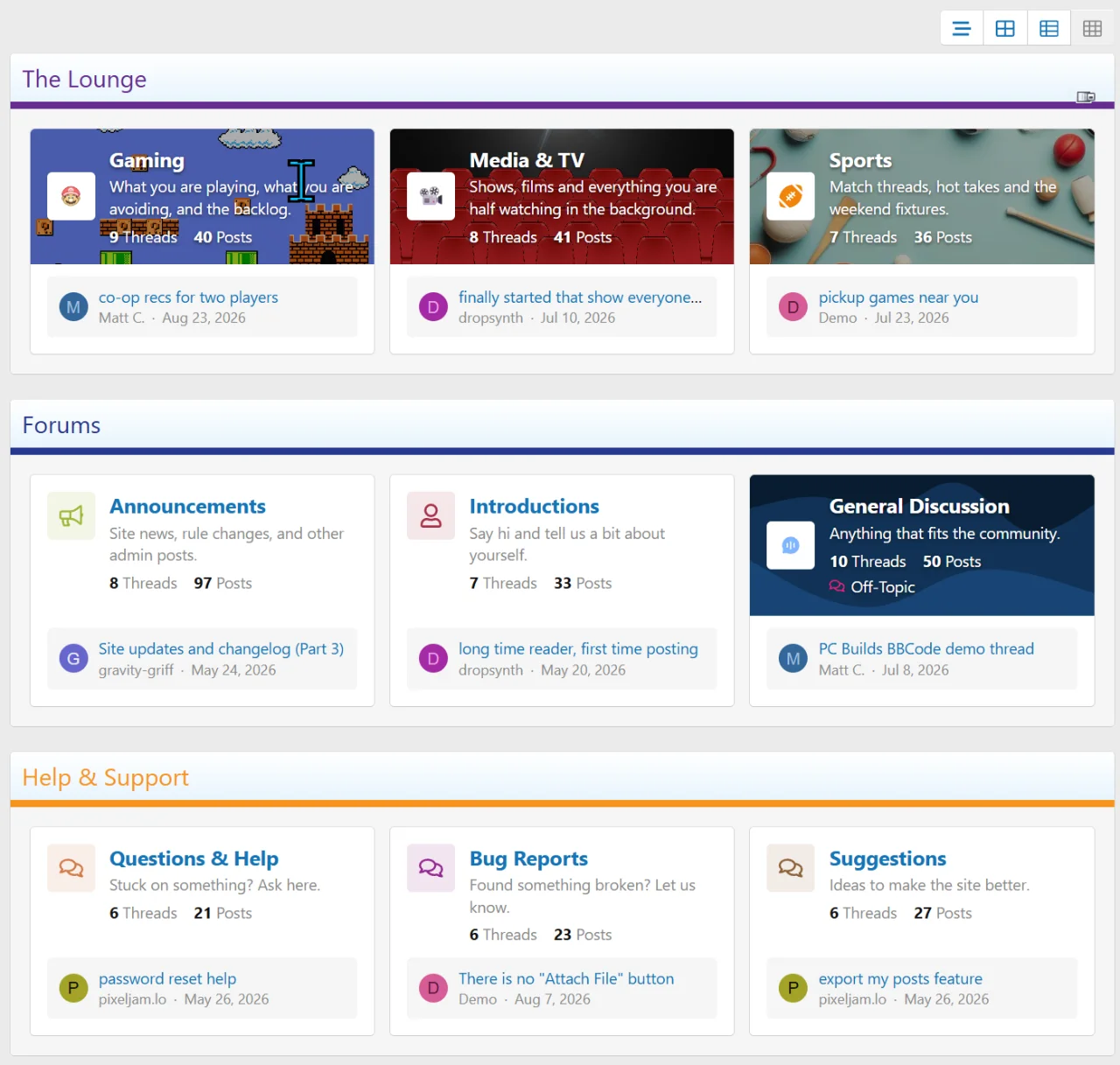
- Forums can now be shown as tiles grouped under their categories.
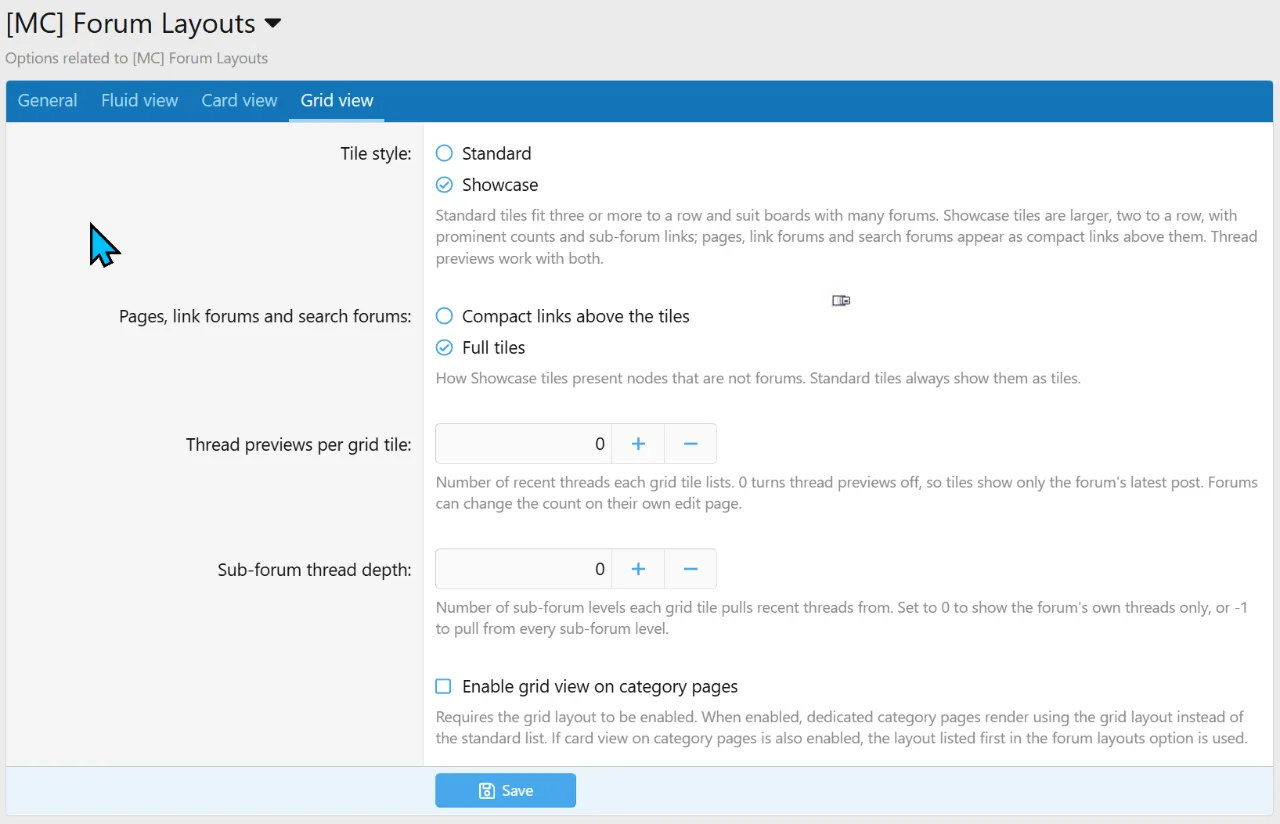
- Two tile styles:
- Standard fits three or more tiles to a row.
- Showcase uses two larger tiles per row, with a header band, prominent counts, sub-forum links and a "View forum" link.
- Each tile shows its forum's latest post. You can also list the forum's most recent threads on the tile, and individual forums can set their own count.
- Cover images:
- A forum's cover image can appear behind the tile's title header, in a Compact or Comfortable size.
- The dark overlay that keeps the title readable is adjustable.
- Tiles without a cover can optionally get a colour block in the same place.
- Sub-forums can be shown as an inline list, a grid or a popup menu. Threads from sub-forums can optionally be included in a tile's recent threads, labelled with the forum they came from.
- Pages, link forums and search forums can appear as full tiles or as compact links above the tiles.
- Category pages can use the grid layout.
- A category can show a merged feed of its recent threads in grid view instead of its tiles.
- Tiles on an incomplete last row stretch to fill the space.
- Each forum can be shown or hidden in the grid.
Performance
- The "new threads" banner is announced to screen readers.
- The layout switcher buttons are labelled for screen readers.
- The mobile filter window keeps keyboard focus inside it while open.
- Sidebar category arrows can be used with the keyboard and show a focus outline.
Bug fixes
- The live "new threads" check and the browser tab counter are much lighter. Counting stops once enough threads are found.
- Card view no longer loads previews for forums replaced by a category feed.
- The table index loads a much smaller stylesheet when it shows a category feed.
- Fewer database queries when building category pages.
- Collapsing a sidebar category now hides all of its forums, not just the first one.
- Show more" in the sidebar now reveals all hidden forums, not just one.
- Collapsed categories no longer disappear from the mobile filter window.
- The "new threads" banner now respects every active filter, and no longer keeps showing "1 new thread" when a pinned sticky gets a reply.
- Load more and infinite scroll now keep the forum filter for visitors who declined optional cookies.
- Infinite scroll keeps working after changing filters, and loads the next page when the bottom of the list is still in view.
- Changing filters while a page is loading no longer mixes results from the old view into the new one.
- Load more and infinite scroll now appear when a filter change produces more than one page.
- Page links now keep the active filters and sort order.
- Sort direction from a link now shows correctly in the sort pill and menu.
- A forum filter pointing at a deleted or hidden forum no longer leaves the thread list empty.
- Forum selections in the sidebar and the mobile filter window now stay in sync.
- Pressing Enter on another button no longer opens the highlighted thread, and keyboard shortcuts no longer act behind open overlays.
- Tooltips and dates keep working after a failed reload restores the thread list.
- Moving, merging or permanently deleting threads from the forum list now returns you to the list on boards using the Forum Layouts index route.
- When the fluid view is filtered to one forum, the "Post thread" button now links straight to that forum from the first page load.
- Card view category pages now show the breadcrumb, description, canonical link and "not indexable" setting.
- The "Hide breadcrumb" style property now also applies to the grid page.
- The layout choice in account preferences is hidden, and no longer saved, when layout switching is turned off.
- Scheduled threads no longer appear as pinned stickies in category feeds (OzzModz Scheduled Content).
- The featured stickies picker no longer leaves out stickies on large boards.
- Card cover icons for forums without a custom colour now use the correct default colour.
- Table category headers now have consistent icon spacing.
- Groups that can view thread titles but not thread content no longer see post excerpts on Comfortable thread cards.
We have released a new maintenance update that fixes a critical issue with XenForo 2.3.13. Please update to the latest version before upgrading.
- XenForo 2.3.13 introduces new security measures that caused a fatal error regarding our shared copyright footer.
We have released a new version with one new feature and two bug fixes
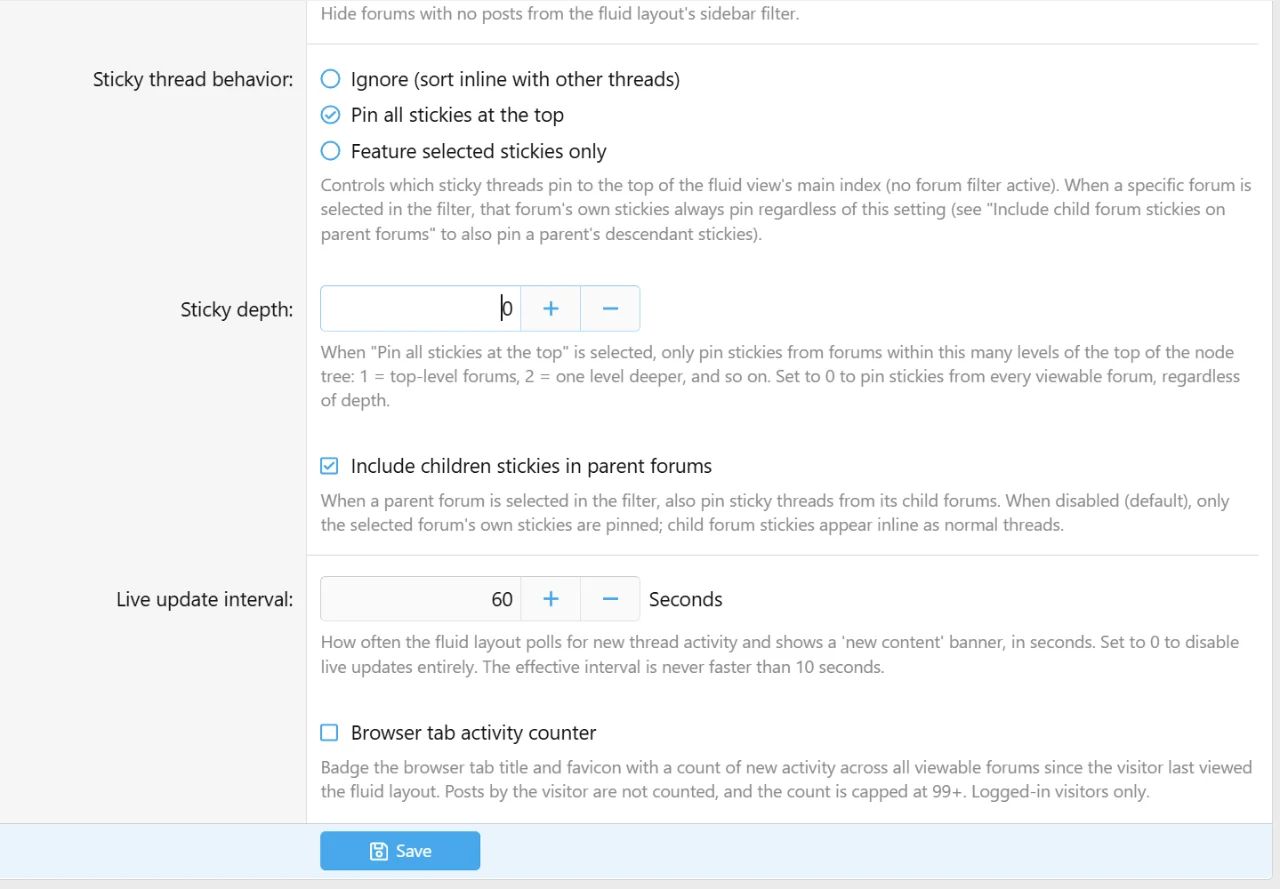
- Added a dynamic post thread button that resolves directly to the selected forum on fluid view. This can be turned on or off.
- Optionally redirect back to the forum list (fluid view) after posting
- Fixed unknown last_seen column on xf_user_option
- ALL inline mod actions now correctly redirect back to forum the index (fluid view) after completing action
We have released a new version with new features and fixes
New features
Bug fixes / changes
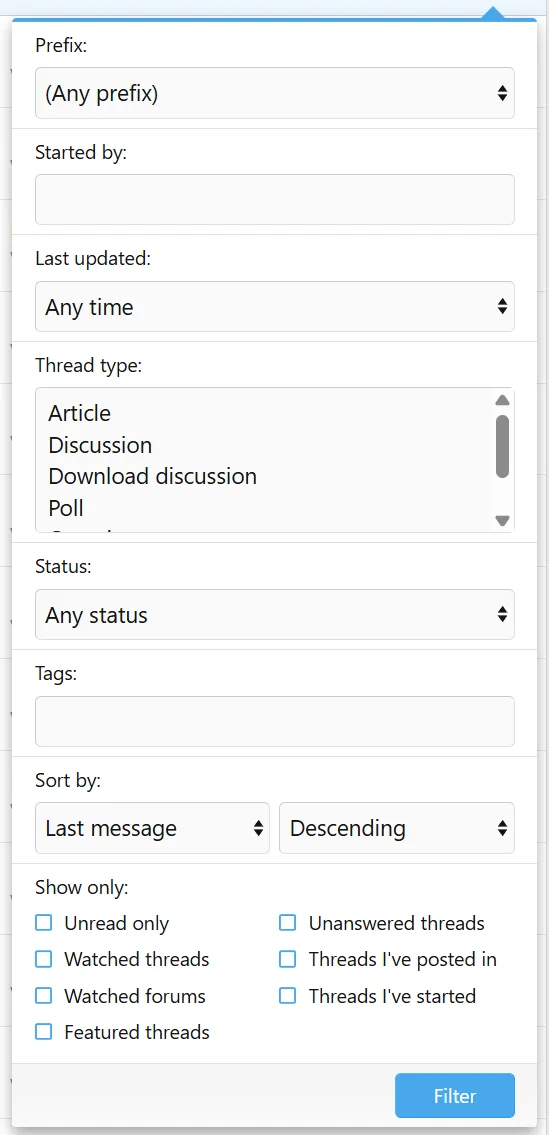
- Expanded fluid view thread filters!
- Watched threads, watched forums, threads I've posted in, threads I've started, unanswered\
- Status select: open / closed / pinned.
- Tag filtering
- Thread type converted from single-select to multi-select when there is more than 1 thread type available
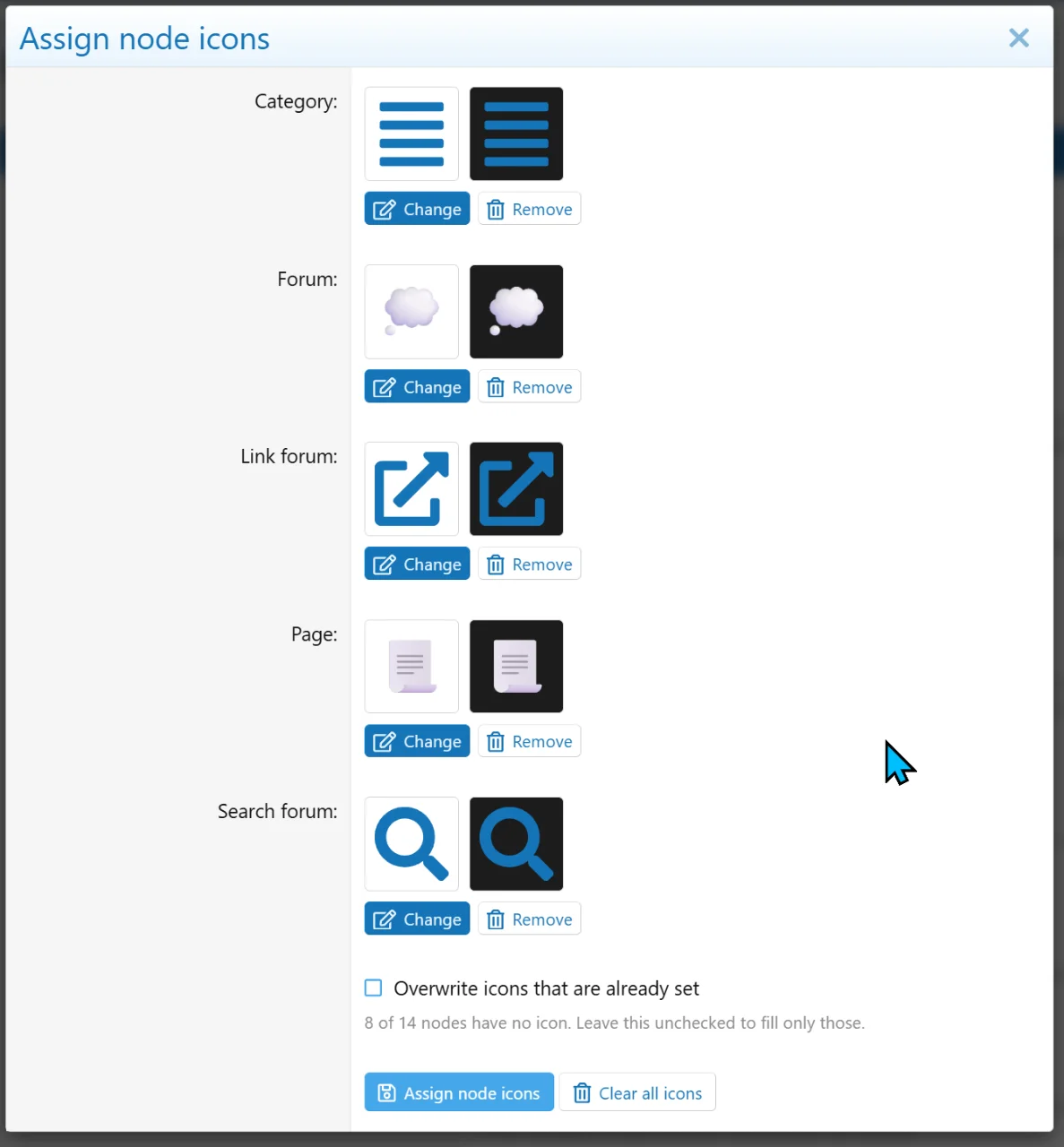
- Bulk icon node assignment
- You may now bulk assign and clear icons in the add-on settings.
- Bulk assigning only covers FontAwesome Icons and Emoji. Image icons still must be done manually.
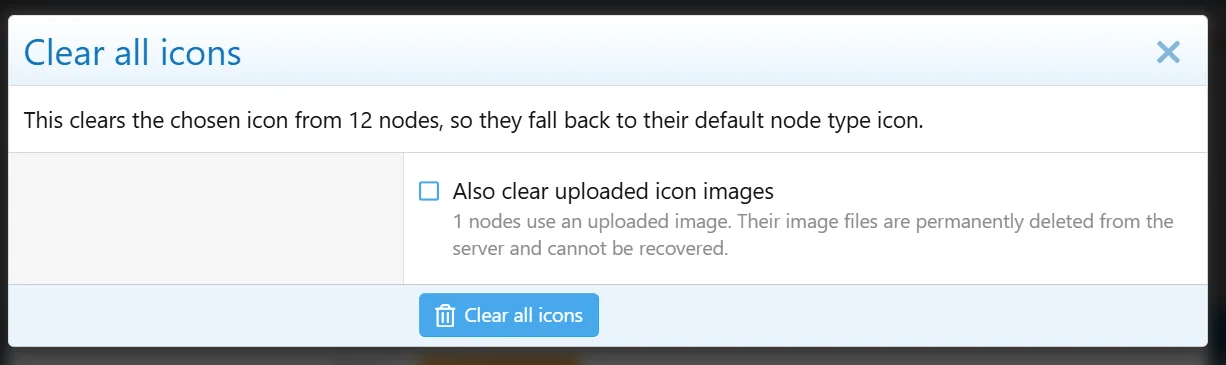
- Clearing all icons requires confirmation, as well as a checkbox for clearing image icons.
- Sidebar "Collapsed" default never applied to descendant rows
- Fluid checkbox filters have been moved to the bottom of the filter menu
- Node icons maximum size has been brought down from 512px to 96px.
We have released a new version with two bug fixes
- Fixed missing phrase: "mcForumLayouts_preferredLayout"
- There is now a default phrase for the changelog for when a user's layout is changed the first time: "{layout} (Default)"
We have a new maintenance update with improvements and bug fixes
- CSRF token validation has been removed for guests due to the exposed token causing spikes in crawler/bot traffic in some client's installations
- Resolved prefix filtering issues related to MultiPrefix
- Resolved prefix labels not being rendered without MultiPrefix being installed,
- Sub-forum grid display style now auto fills within the space
- Improved spacing with the inline list sub forum display style.
We have released a new version with one new feature. Apologies for the multiple updates, but wanted to get SVG support out before I'm out of town.
- Full SVG support for card covers and node icons for better performance if you have a lot of forums.
- SVG's are sanitized at upload. Scripts, event handler attributes, foreign objects and references to any remote files are stripped.
- Only store's the plain static vector markup.
- SVG's skip the raster resize and are never resized to stay pixel perfect
- Width and height dimensions are read directly from the SVG's own attributes or viewbox when declared. Covers render through a fixed-height crop so dimensionless SVG's display correctly.
- For clarity, cover upload now tells you explicitly what file types are allowed, same as node icon upload.
- In-case that wasn't clear, supported image types are PNG, JPEG/JPG, WebP, GIF, and now SVGs.
- Option phrasing changes to be more consistent
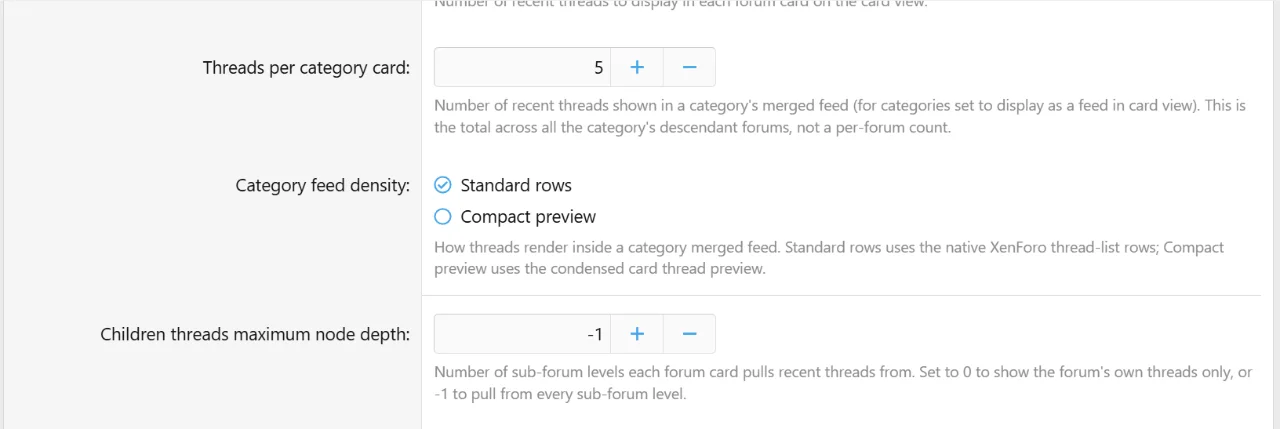
- Moved category feed thread count and display density to General since it affects both Table and Card view.
We have released a new major version with many new features and improvements. This update is focused on complete customization.
This is a very large update that I've been working for the last three weeks. Please take your time and read through changes, because some may effect existing options.
Given the added value of this add-on since release, the price of Forum Layouts will be increased to $30 starting Monday. If you are a first time buyer or need additional licenses, you can take advantage of the current pricing this weekend.
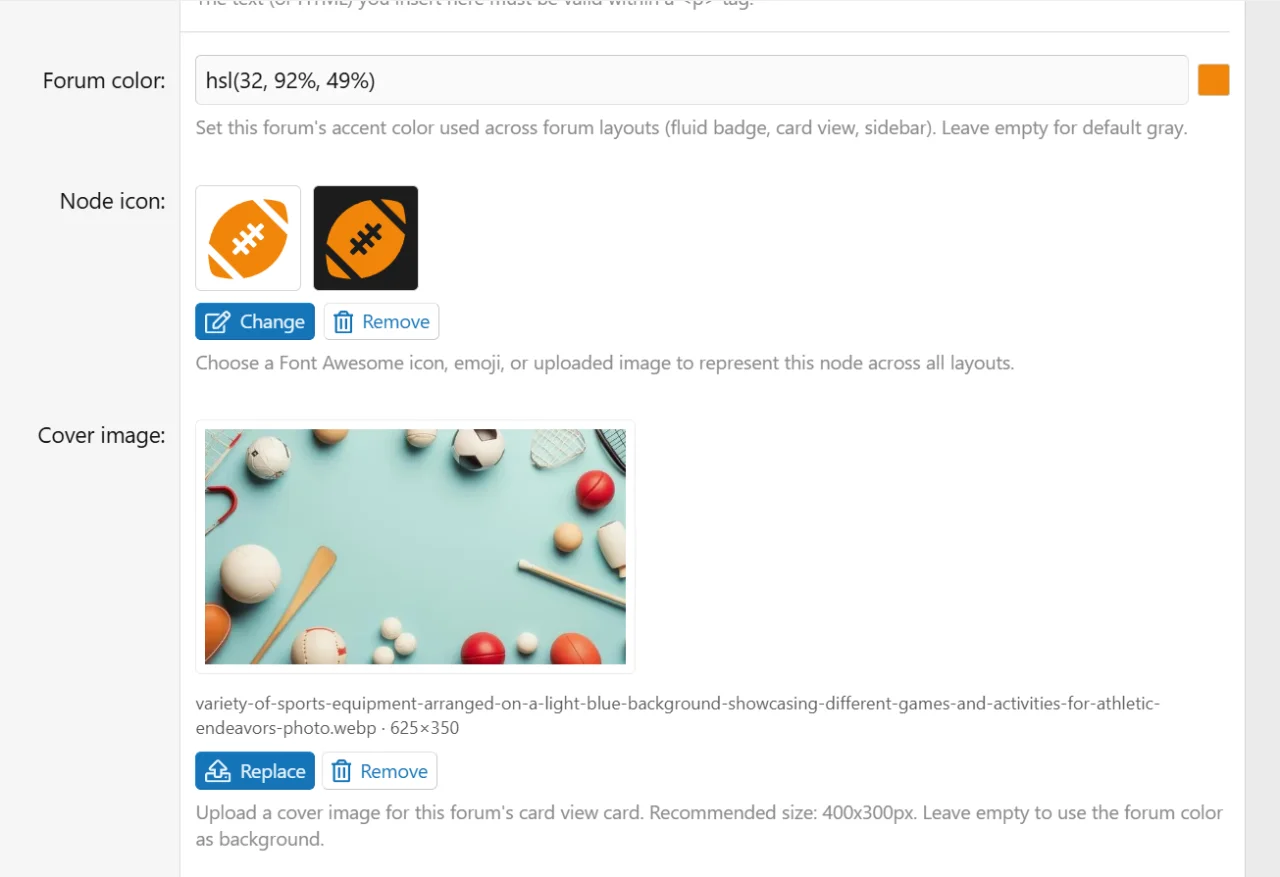
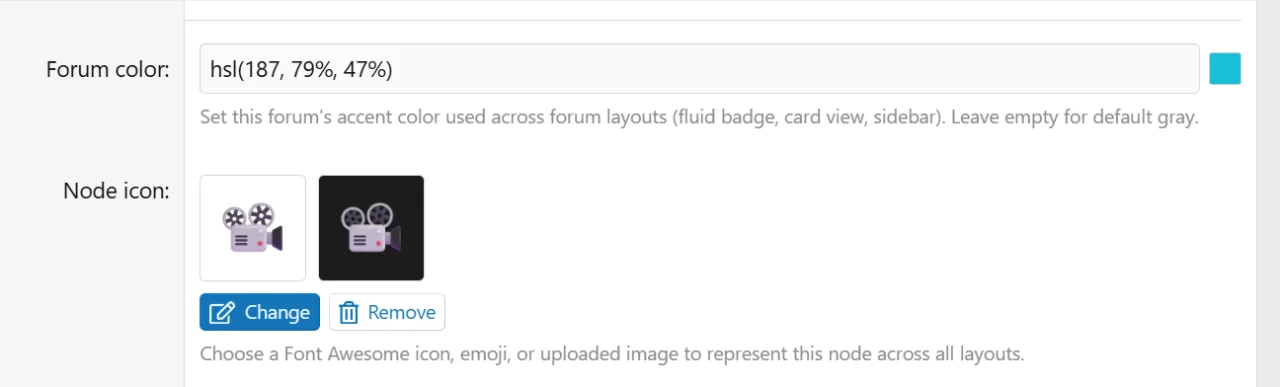
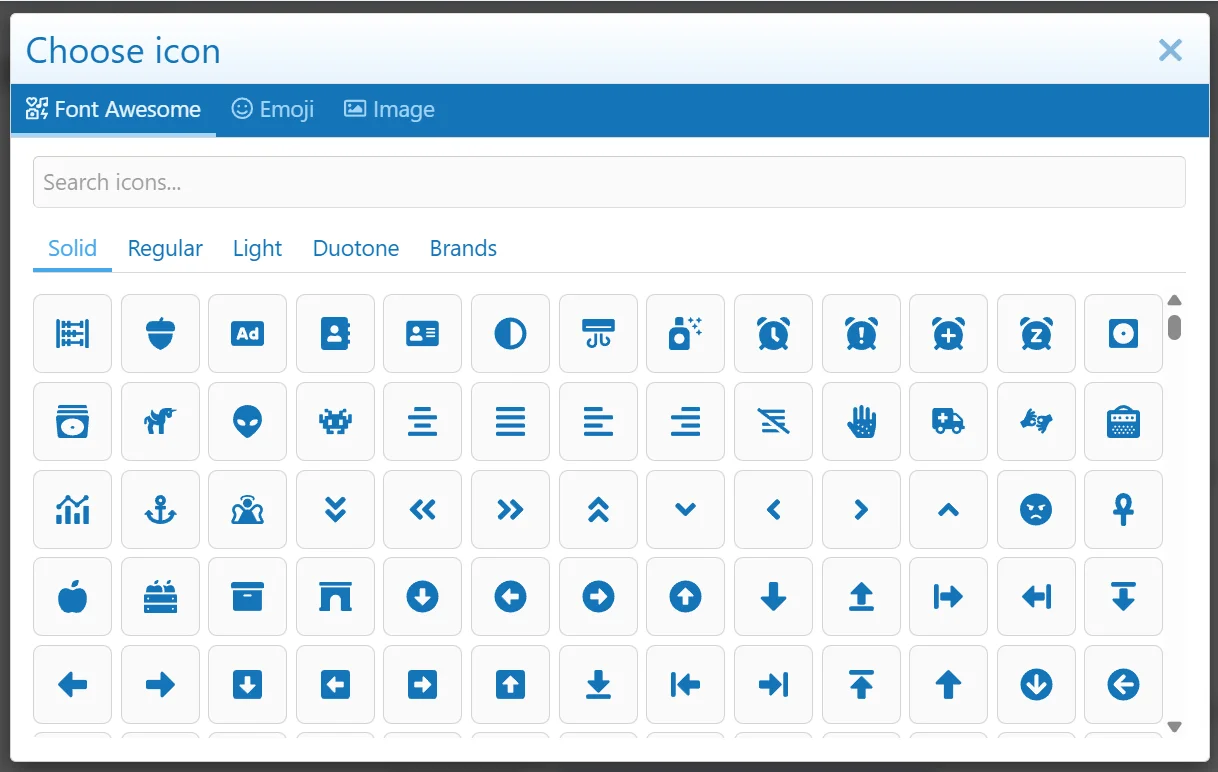
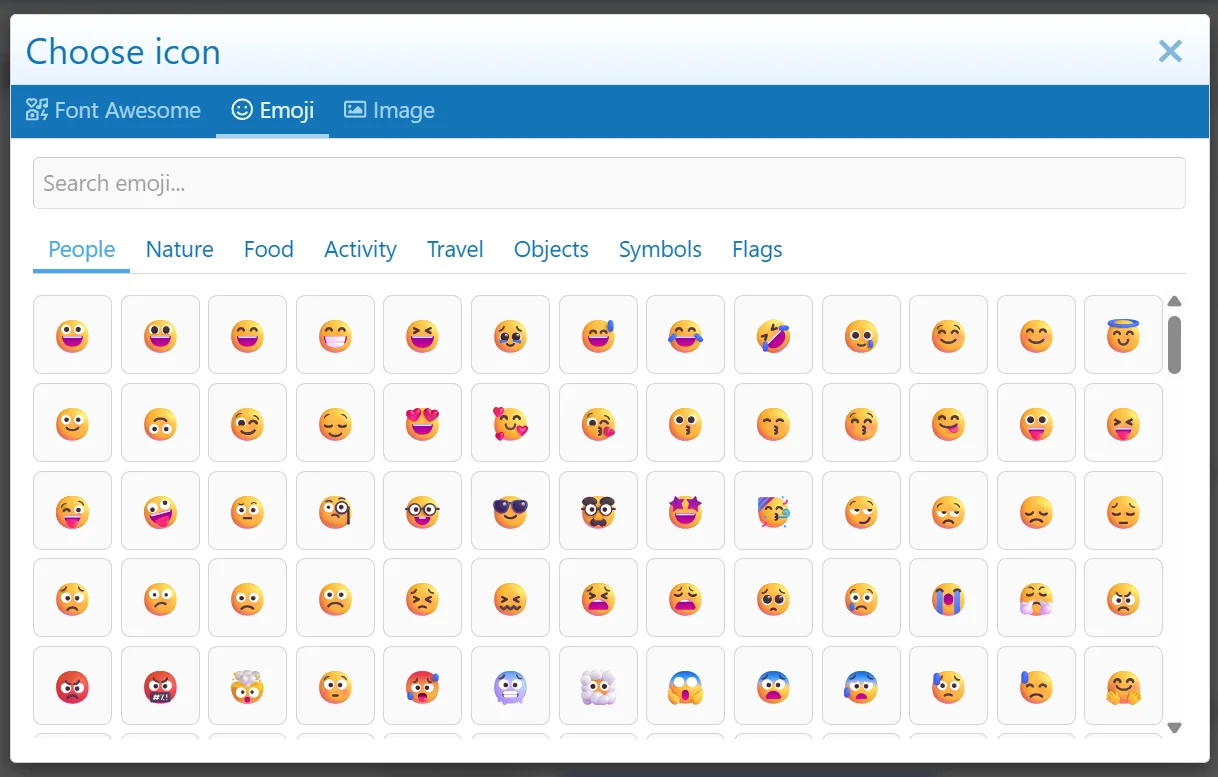
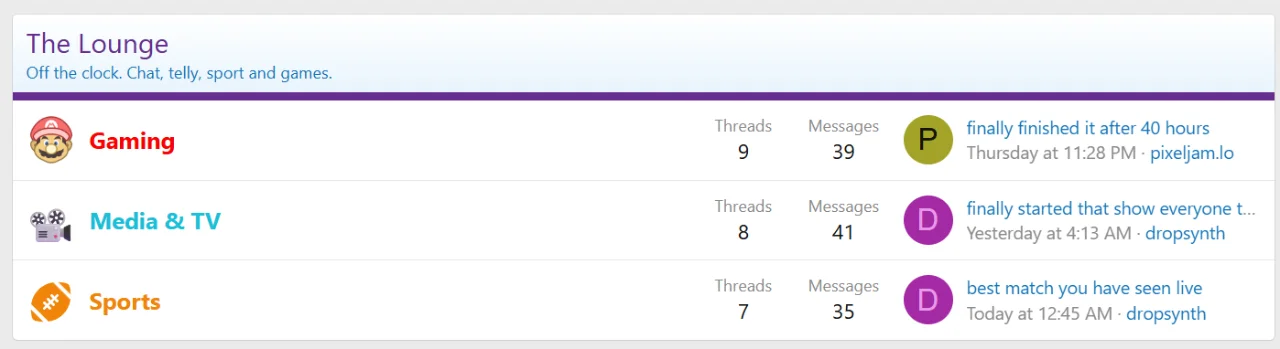
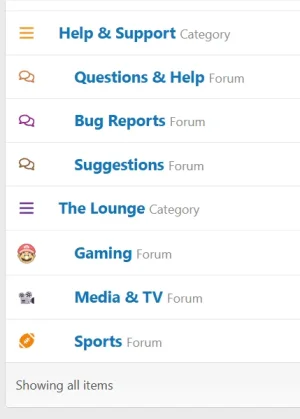
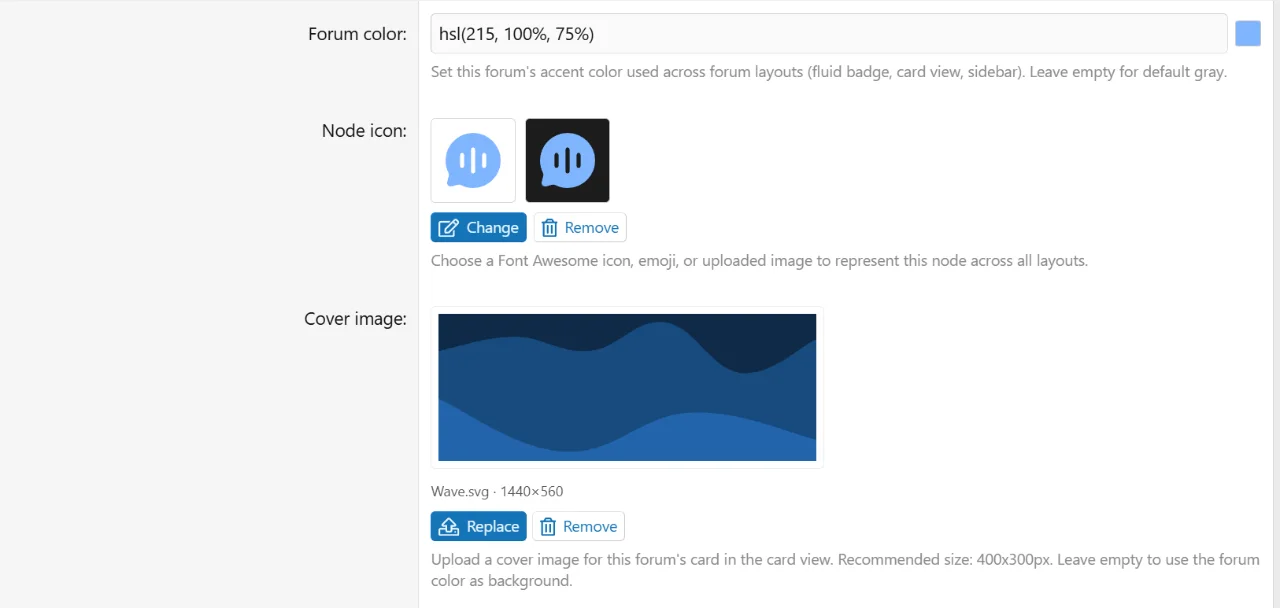
- Global node icon picker
- We are now using a custom node icon picker that supports Font Awesome icons, Emoji (requested by @rdn), and Images.
- Renders across table, fluid, and card views.
- Categories are supported as well.
- Admin preview shows the icon on light and dark mode and supports live color tinting.
- Font Awesome Node Icons by Xon is no longer a requirement for custom node icons. Any custom FA icons being used will be migrated upon upgrade and can be uninstalled afterwards.
- Live updates (requested by @Andro)
- Live banner when new content arrives on a configurable interval to refresh the feed in fluid view
- Optional browser tab counter
- Category feeds (requested by @rdn)
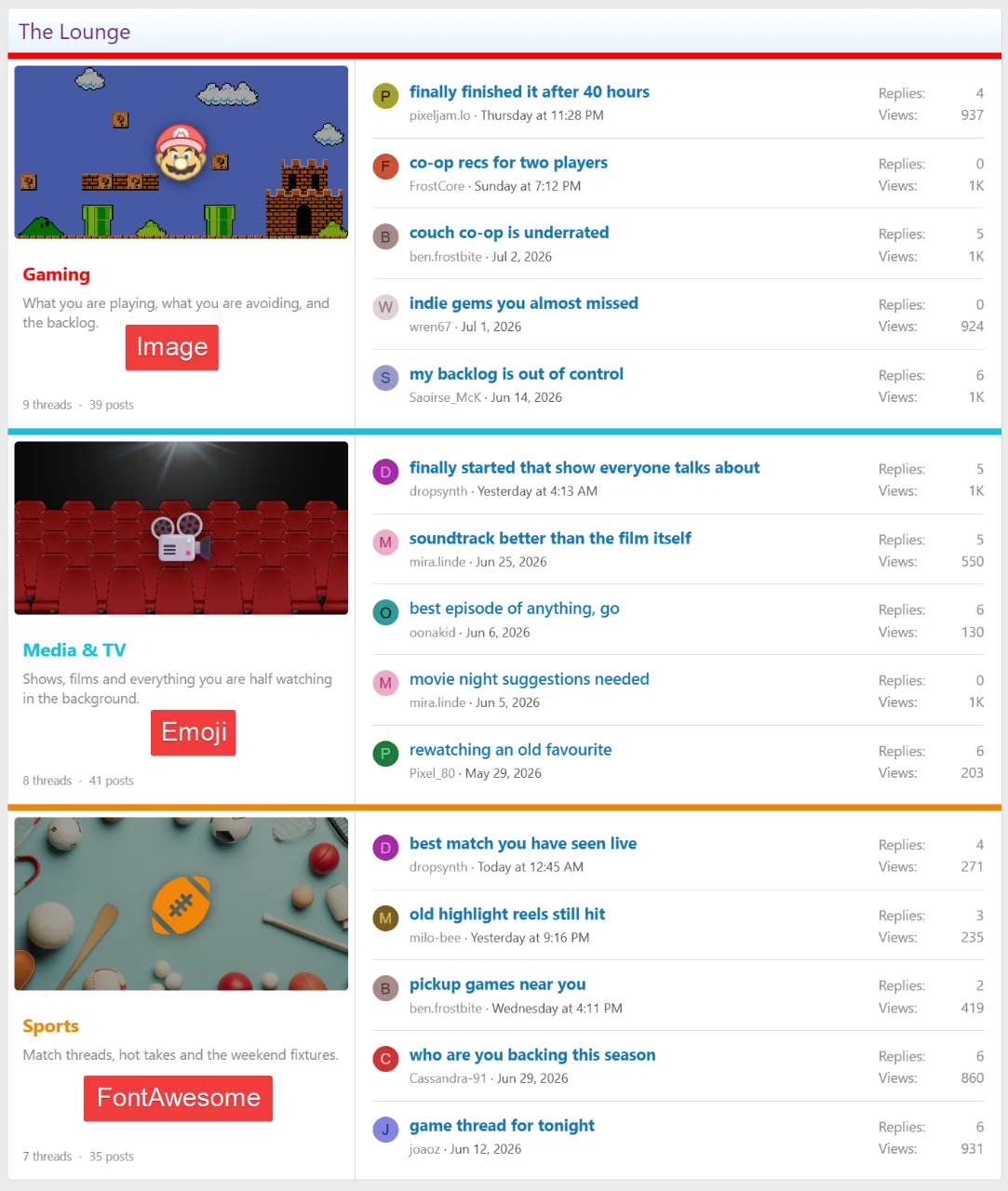
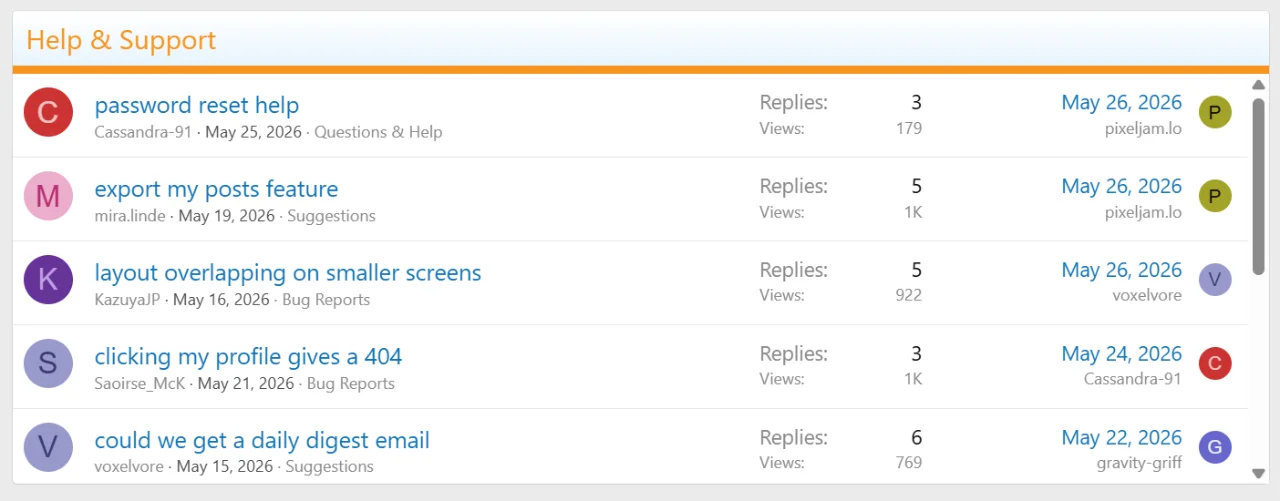
- Categories may be converted to category feeds in both card view and table view
- Configurable feed length and density layout
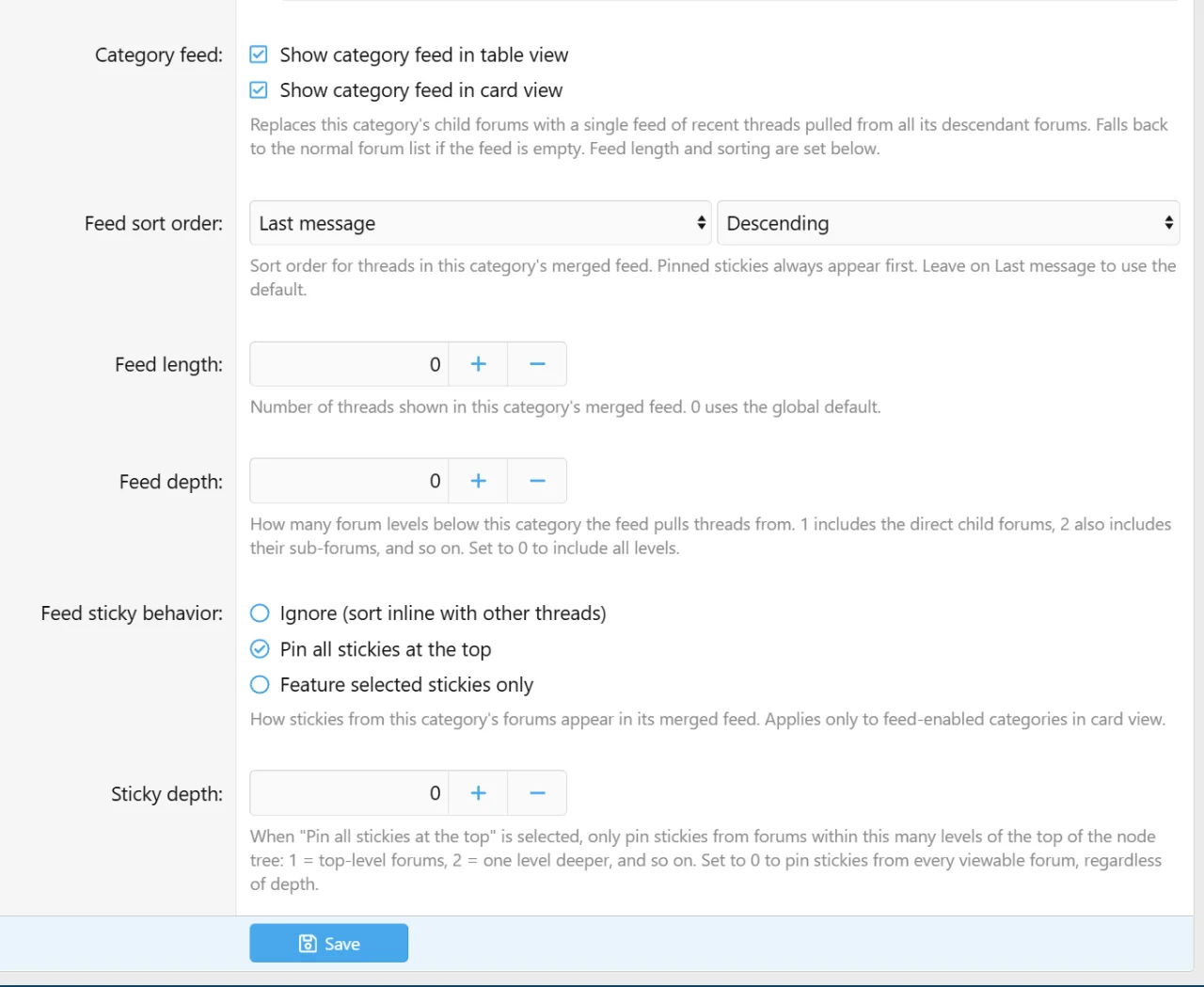
- Per-category sort order and feed length
- Per-category pinned stickies with independent sticky depth and an optional colored accent border and scrollable body.
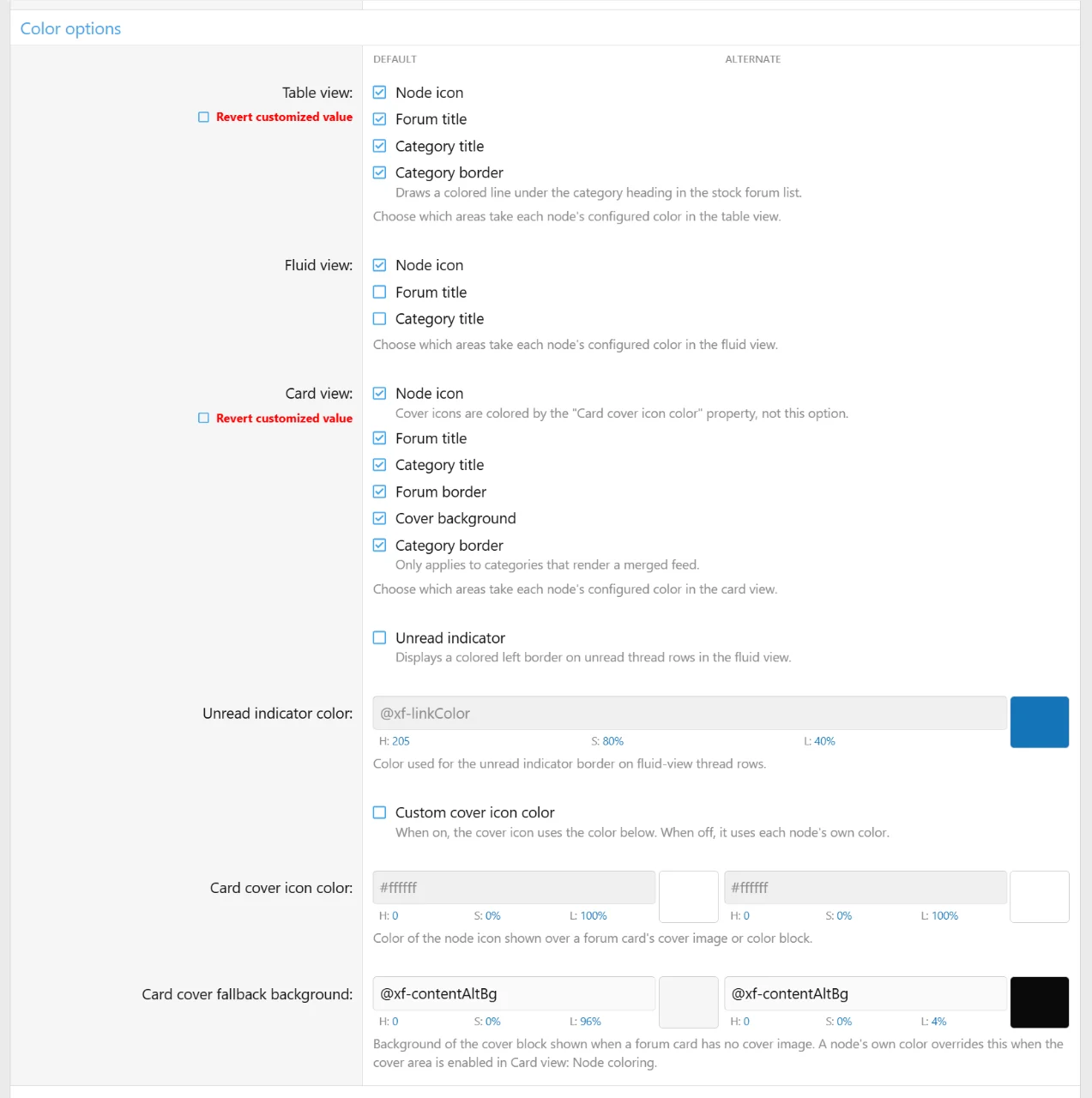
- Node coloring
- Forum and category title coloring on all layouts, using the per-node color
- You can fully choose which elements use the node icon color.
- Uncolored icons fall back to core read/unread colors
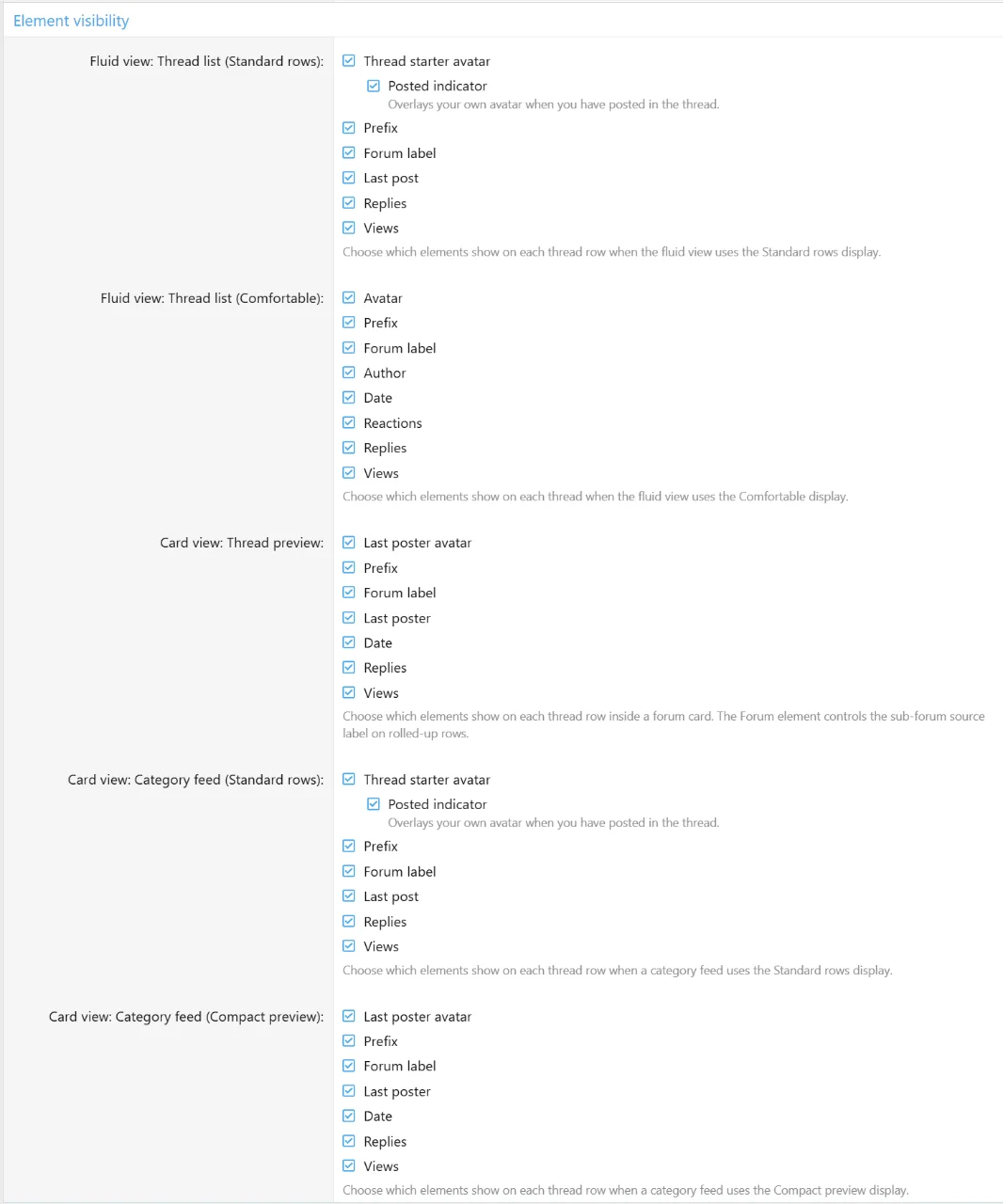
- Element visibility
- Elements in all layouts may now be customized with individual toggles per layout
- More improvements...
- Style properties have been re-organized in some areas
- Per-forum thread count for card view
- Added view count to card thread previews.
- Sticky depth option added to Fluid view's sicky "Pin all" option.
- Controls how deep stickies are pulled from descendants
- Multiple card cover improvements
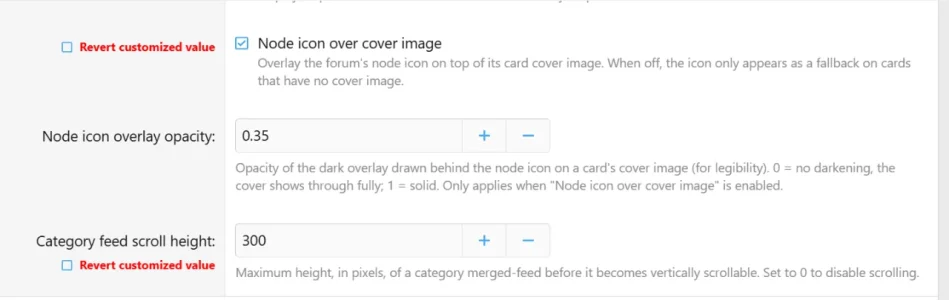
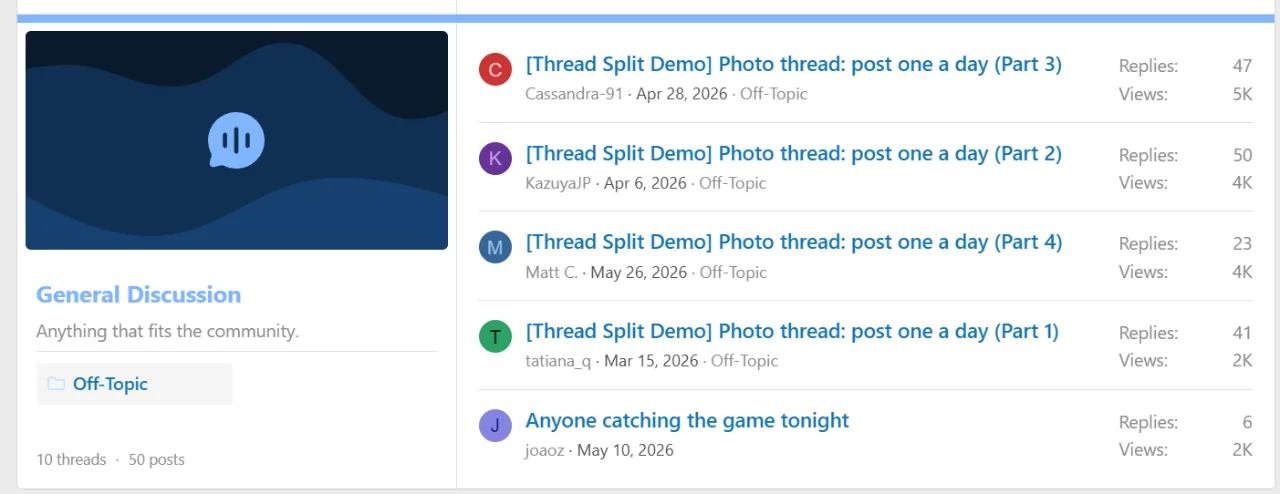
- Node icons can now overlay over card covers if enabled
- Can easily choose opacity level for cover backgrounds when icons overlay
- Choose fallback icon color for node icons when over card covers. Default is #FFF
- Choose fallback cover background color when no node color is set.
- "Include children threads" option has been changed to "Sub-forums thread depth" for granular control
- -1 includes all levels, 0 includes own threads, 1 includes direct sub-forums and so on.
- Prefix filter now supports Multi Prefix by Xon.
- Scheduled content by Painbaker is now supported (requested by @PrettyPixels)