
![[MC] Downloads Manager](/community/data/resource_icons/10/10463.jpg?1778398590)
- Compatible XF 2.x versions
- 2.3
- Additional requirements
- PHP 7.4+
XenForo 2.3+
- License
- Single Use License (may be used on one website)
- Updates duration
- 1 Year / $35 renewal
- Visible branding
- Yes, but removable without payment
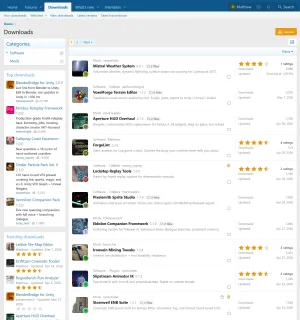
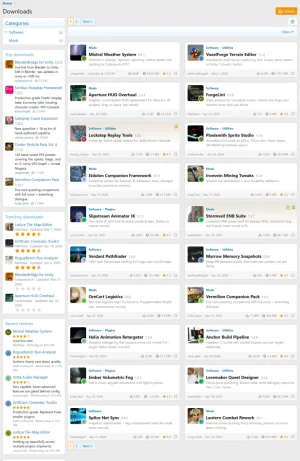
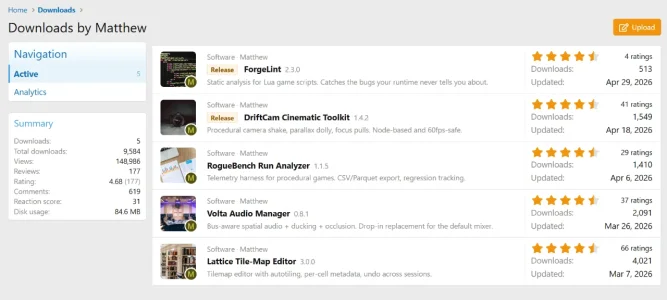
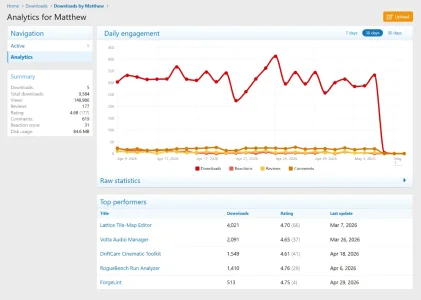
Downloads Manager is a standalone file-distribution application for XenForo 2.3+ that treats every release as a first-class object with multi-file versions, dependencies, and external URL upload support. Control access with stackable gates including permission, password, hotlink, CAPTCHA, rate-limit, and bandwidth, and give authors built-in analytics, native comments and reviews, and per-download teams.
Downloads System
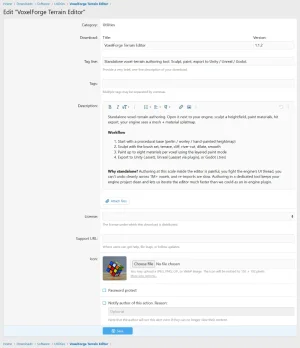
Your files can have prefixes, custom fields, categories, requirements, descriptions, and version changelogs. Custom fields let you show release-specific details (engine version, platform compatibility, asset count) instead of being stuck with the default inputs, and you can bind different fields to different categories so each submission form fits the kind of file being uploaded.
Multi-File Releases
You're not stuck with one file per release. Each version can bundle multiple files (installers, source archives, docs, asset packs) with their own labels, custom ordering, and separate download counts. The version page becomes a proper release manifest instead of a single download button.
External URLs
Files don't have to live on your server. Each version can carry one or more files, and each file independently chooses its source: upload directly, fetch and cache from any HTTPS URL, link-only to an HTTPS URL, GitHub release asset, S3 object, or magnet link. URLs are probed for size, MIME type, and reachability the moment you add them, so dead links can't be saved. Mix and match per version: ship the Windows installer as a local upload, point the Linux build at a GitHub release, and add a magnet link for the full ISO, all on the same version.
Dependency Tracking
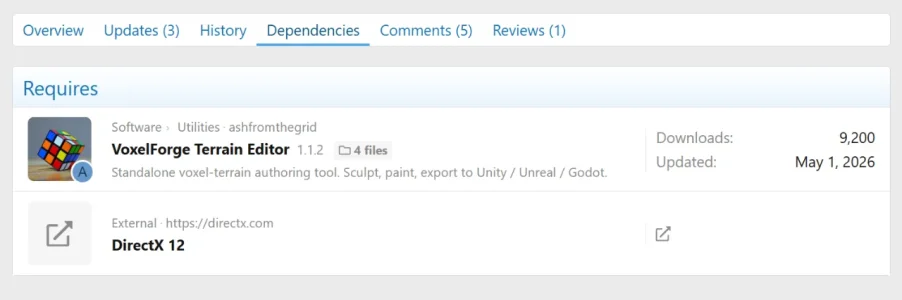
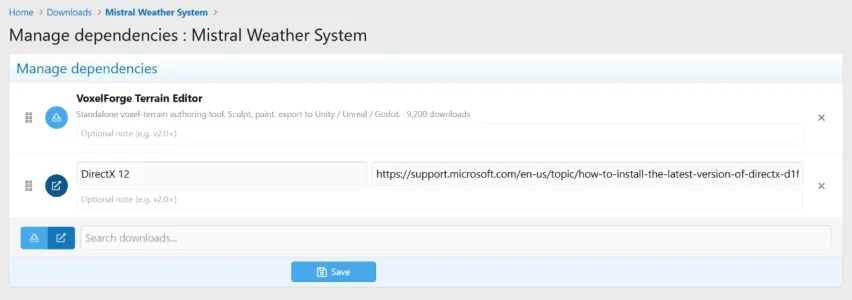
Releases know about each other. A download can declare that it depends on other downloads, and the version page lays out the full dependency chain so visitors see what else they'll need before clicking download. Authors get the reverse view too, so before you pull an old version you can see which downstream packages it would break.
Release Channels and Versioning
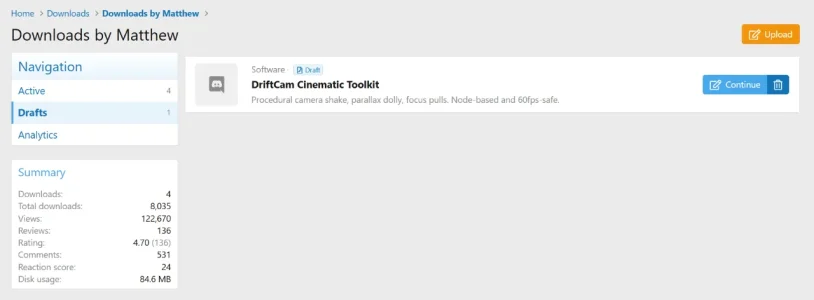
Versions are first-class objects with their own publish state, changelog, and file set. Drafts, submissions waiting on moderation, and published releases all live happily side by side on the same download. Work-in-progress versions stay out of the approval queue until you mark them ready.
Two Ways to Discuss
Every category can run inline native comments, an auto-created discussion thread, or both side by side. Turn either off later and the existing content stays intact. Threads support per-category author mode, lock-on-create, prefixes, stickies, and a configurable first-post template.
Reviews and Ratings
Members can leave star ratings and written reviews, with Recent Reviews and Top Rated widgets ready to drop on any page.
Granular Permissions
Categories, downloads, and comments all run on XenForo 2's permission system, so access control is as fine-grained as you need. Category permissions inherit down the tree, which means private categories can be locked to specific user groups while public ones stay wide open. User permissions and moderator permissions are split into separate groups, so you can hand out precise capabilities without giving anyone the keys to the whole site.
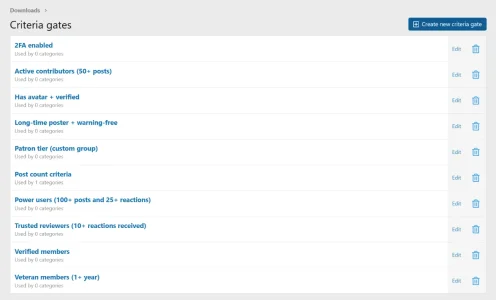
Criteria Gates
Beyond standard permissions, categories can be gated by user criteria: minimum post count, trophy points, account age, secondary user groups, custom user fields, and any other criterion XenForo exposes.
Teams and Co-Authors
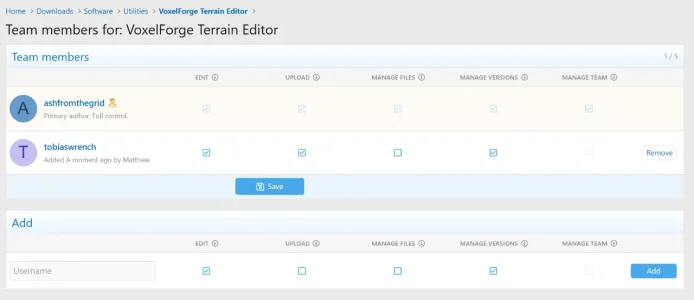
Each download supports a co-author team with a clear five-flag vocabulary: edit, publish, manage files, manage team, and delete. The primary author keeps a crown beside their username so it's always obvious who owns the release.
Share Tokens
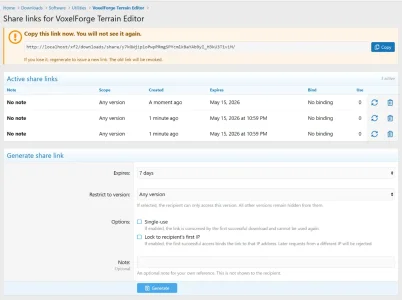
Need to share a download with someone who isn't in the right user group, without making the whole category public? Generate a share token: a single-use or time-limited link that unlocks one specific download or version, and nothing else.
Rate Limiting and Hotlink Protection
Stop abuse before it eats your bandwidth. Per-user and per-IP rate limits keep scrapers and runaway scripts from hammering your storage, with configurable windows and thresholds per category. Hotlink protection makes sure download URLs only work when redeemed from your own site. Links expire quickly and are tied to the visitor's session, so a leaked URL goes stale instead of going viral.
Moderation
Downloads, versions, and comments all flow through XenForo's approval queue, with visible, moderated, and deleted states. Per-category "require approval" toggles, a "bypass approval" permission, soft delete with 30-day recovery, and a cron-driven hard delete keep the queue tidy and reversible.
Audit Log
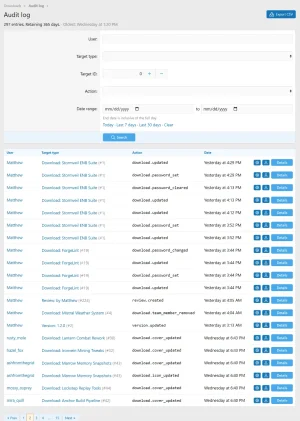
Every meaningful change (approvals, deletions, restores, team changes, permission edits) is recorded with the actor, the target, and a reason. The AdminCP audit log viewer lets you scroll the full history without digging through the Moderator Log.
Full XenForo 2 Integration
- AdminCP Search
- Alerts
- Approval Queue
- Attachments (on comments)
- BB code ([mc-download=] tag)
- Bookmarks
- Change Log
- CLI commands
- Custom fields (downloads and versions)
- Embed Resolver
- Featured Content
- Find New content handler
- Inline Moderation
- Member Statistics
- Moderator Log
- News Feed
- Permissions
- Reactions (downloads, versions, reviews, comments)
- Search engine (with Elasticsearch support)
- Sitemap
- Spam check
- Webhooks
- Widgets
Index, Categories & Browsing
- Standalone downloads index, separate from the XF Resource Manager
- Nested category tree with display order, parent/child support, and per-node permissions
- Category landing pages with subcategory grid and download listings
- Category cover/icon support
- Per-category sort defaults
- Sidenav and widget slots on overview, category, and download view
- Featured downloads via XF FeaturedContent
- Trending downloads via XF TrendingContent
- Sitemap entries for downloads and categories
- Tabbed download view: Overview, History, Updates, Reviews, plus version, comments, and field-specific surfaces
- Cover image with drag-to-position banner editor
- Download icon (square thumbnail) with edit support
- Tag entry and tag browsing
- Reactions, reports, edit history, warn, inline moderation
- Team / co-author presentation
- Share panel with token creation, regeneration, and revocation
- Watch and bookmark
- Embed resolver renders downloads inline when their URL is posted in a thread
- [mc-download=] BBCode tag
Versions & Files
- Multiple files per version
- Multiple versions per download with history
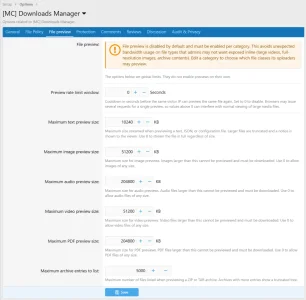
- File preview surfaces: text, archive listing, in-frame iframe preview
- Per-cap preview limits (text, image, video, audio, PDF, archive entries)
- HTTP Range / resume support on the file-serve route
- Download dependencies (manage own + manage any)
- Hash deduplication
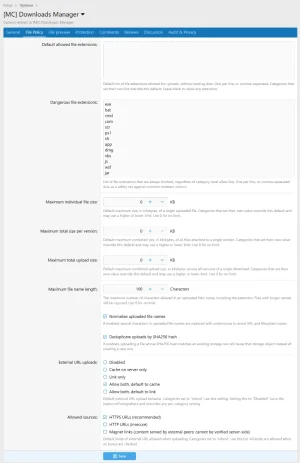
- Allowed file types and dangerous-extension blocklist
- Server-side size limits per file, per version, per download
- Upload-filename normalization with configurable max length
- Permission gate
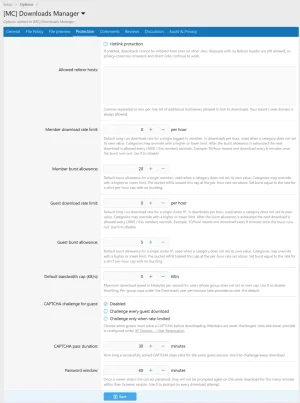
- Bandwidth gate (global cap + per-permission cap, bypass perm)
- Hotlink gate (allow-list + bypass perm)
- Rate-limit gate (guest + member burst and per-hour, bypass perm)
- CAPTCHA gate (with configurable pass duration)
- Password gate (with pass duration, set-own perm, set-any perm)
- Criteria gate (admin-defined criteria, bypass perm)
- Third-party gates register through the GateRegistry
Upload Processors (extension registry)
- Hash, size, MIME, magic-byte, decompression-bomb processors built in
- Custom processors register through the ProcessorRegistry
- Direct URL, Magnet, S3 sources built in
- External-URL allow-list and per-permission upload right
- Custom sources register through the SourceRegistry
- BuiltInAggregator collects download events
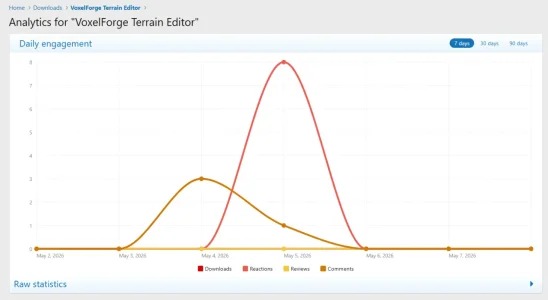
- Per-download analytics page
- Per-author analytics dashboard
- Scheduled publishing with cron-driven auto-publish
- Approval queue for downloads and versions (handlers shipped)
- Soft delete with configurable retention; hard-delete cron
- Audit log retention with configurable IP anonymization window
- Edit history (XF EditHistory)
- Move and reassign actions
- Change linked discussion thread
- Inline mod actions: approve, unapprove, soft delete, undelete, hard delete, feature, unfeature
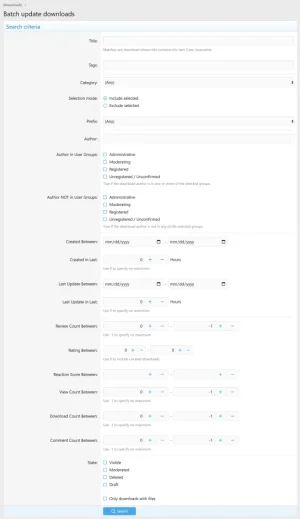
- Batch update tool in the AdminCP
Authors & Teams
- Author drafts, deleted-downloads, and permanent-delete views
- Team membership per download with manage-own and manage-any perms
- Dedicated team matrix permission system
- Native comment system on every download
- Editor with attachments, edit grace period, configurable max length
- Soft delete with configurable retention
- Reactions, mentions, alerts (mention, reaction, new comment)
- Permissions: post, edit own, delete own, react, attach, bypass flood
- Moderator perms: edit any, delete any, hard delete, approve, view IP, view deleted, view moderated
- Comments-per-page and comments-below-description count are configurable
- Auto-created discussion thread per download (thread title format, first-post template, delete-action policy)
- Reviews with rating and body
- Review reply by the author
- Review voting (helpful/unhelpful) with toggle
- Anonymous review submission
- Reviews tab on the download view, with filters
- Recent Reviews and Top Rated widgets, plus a "Latest Reviews" navigation entry
- Review fields admin tool
- Bayesian minimum and per-review length bounds, optional require-download-to-rate
- Permissions: rate, review, react, reply, report, vote, view, edit own, delete own, submit anonymously
- Moderator perms: edit any, delete any, hard delete, approve, view IP, view deleted, view moderated, reassign, undelete
- Search downloads
- Latest Reviews
- Watched Categories, Watched Downloads, Your Downloads
- What's New for downloads
- Per-category exclude from search and exclude from sitemap toggles
- Activity summary
- Member stats
- Widgets shipped
- Category Grid
- New Downloads
- New Versions
- Top Downloads
- Top Rated
- Recent Reviews
- Featured Downloads
- Statistics
- Widget positions
- Overview: above downloads, below downloads, main, sidenav
- Category: above downloads, below downloads, sidenav
- View: above content, below content, sidebar
- Five permission groups: Downloads, Downloads Mod, Comments, Comments Mod, Reviews, Reviews Mod
- Per-category permission overrides via TreeContentPermissions admin UI
- Granular perms covering view, download, create, edit own/any, delete own/any/permanent, approve, undelete, feature, hard delete, move, reassign,
- manage discussion, manage team, manage tags, manage share tokens, manage dependencies, set password, edit cover, view analytics (own + any),
- view audit log, view preview, attach upload count
- Bypass perms for approval, hotlink, rate limit, criteria gate
- REST controllers for Categories, Downloads, Versions, Files, Comments (collection + single endpoint each)
- API scopes: mc_dm_category and mc_dm_download (read, write, delete_hard)
- Webhook event handlers: Download, Version, File, Comment, Review
- Single tabbed option group for Downloads Manager
- Admin navigation: Categories, Fields, Prefixes, Review Fields, Criteria Gates, Audit Log, Batch Update, Permissions, Options
- Cron entries: hard delete, audit-log prune, scheduled publish, statistics rollup, share-token prune, rate-bucket eviction, fetch retry
- Style properties for customization
More detailed screenshots are available on our product page.

Important information:
We include a single copyright line that is shared across all of our add-ons and allow branding removal at no extra cost.


![[MC] Discord Widget](/community/data/resource_icons/6/6146.jpg?1778311756)
![[MC] Forum Layouts](/community/data/resource_icons/10/10429.jpg?1777136947)
![[MC] Dropdown Chooser](/community/data/resource_icons/10/10452.jpg?1777859555)
![[MC] Thread Split](/community/data/resource_icons/10/10437.jpg?1777418962)