
- Compatible XF 2.x versions
- 2.3
Overview:
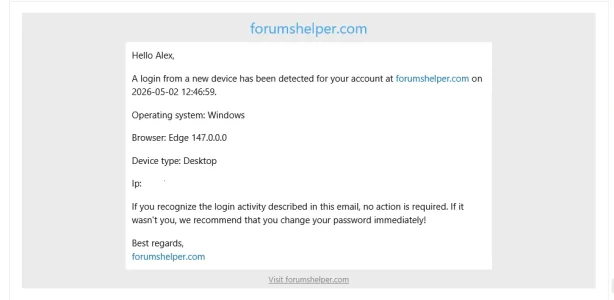
Whenever one of the aforementioned device data changes when someone logs in to their account, they will receive an email about that so they will be aware of it and take appropriate actions such as changing their passwords if it wasn't them who logged in from the new device.
Excluded groups:
- This add-on will capture and log users device data when they log in and it will display them. When a login from a new device to an user account is detected an automated email will be sent to that user. It will also detect all users who have logged in multiple times from the same device.
- Operating system.
- Browser and version.
- Device type.
- Ip address.
- Login date.
Whenever one of the aforementioned device data changes when someone logs in to their account, they will receive an email about that so they will be aware of it and take appropriate actions such as changing their passwords if it wasn't them who logged in from the new device.
Excluded groups:
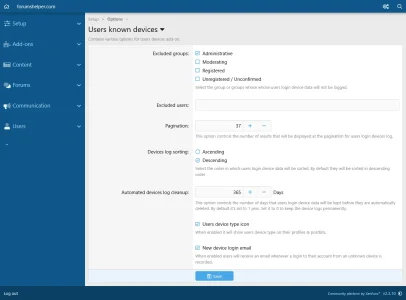
- Users belonging to groups can be excluded from having their login device data logged.
- Individual users can also be excluded from having their login device data logged.
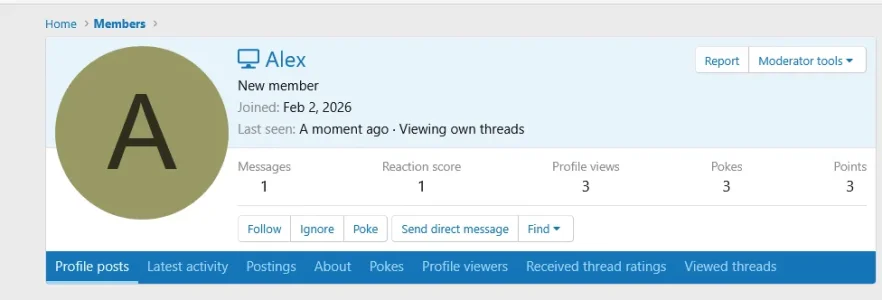
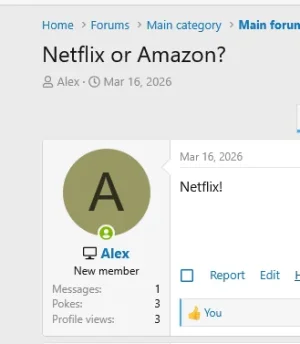
- Users device type icon for the login session will be displayed on their names on profile view, tool tip and their post bits areas.
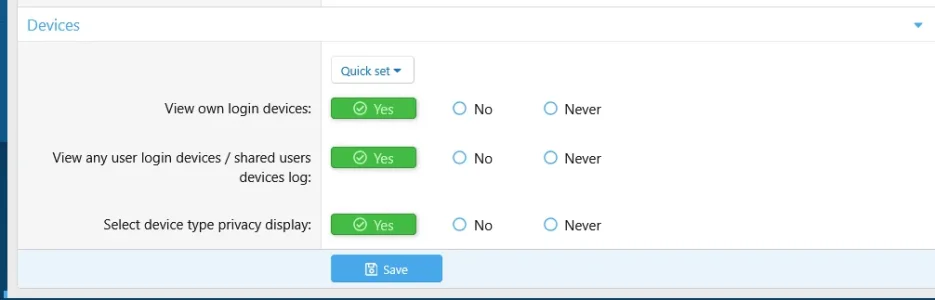
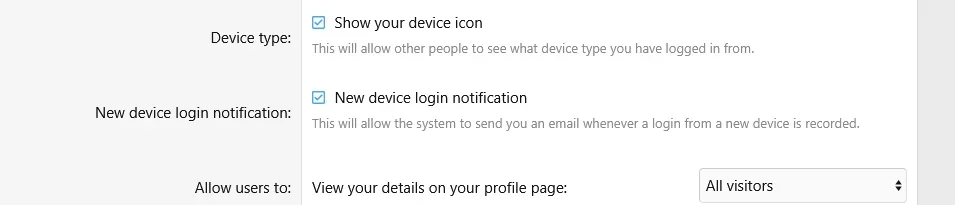
- Users with permission Devices->Select device type privacy display will be able to choose if they want their device type icon to be displayed or not from their Privacy->Device type display.
- They can also choose to receive an email or not whenever a new device login for their account is recorded from their Privacy->New device login notification.
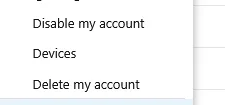
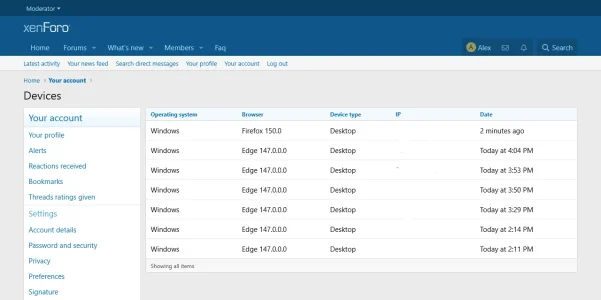
- Users with permission Devices->View own devices can see a list of their own device details for each login session at their Account->Devices.
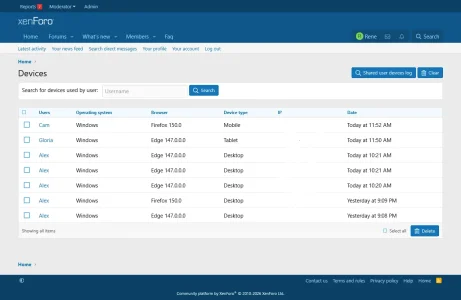
- A list of all users login device data will be displayed under the Moderator panel. Only users with the permission Devices->View any user login devices will be able to view it.
- Logs can be searched for users login device data.
- Logs can be sorted from the add-on' s Setting page to be displayed wither in ascending or descending order. By default they will be sorted in Descending order.
- Only admins will be able to bulk delete logs or clear them all.
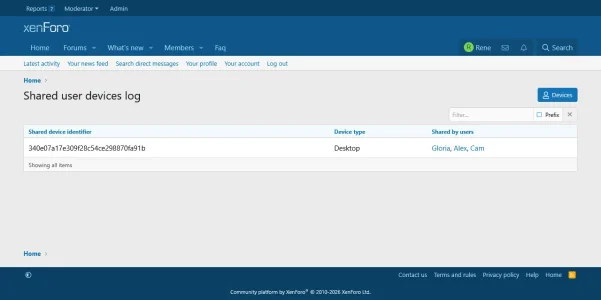
- As mentioned previously, the add-on will log all future log ins to your forum. Each time an user will log in a unique cookie will be added to that user's device. The cookie expiration date is set to one year and its unique string is associated with the users device or devices used to log in. All users who shared the same device or devices when login in will be displayed at Moderator panel->Devices->Shared user devices.
- A cron task will run daily and it will delete expired users login device data. By default the cutoff time frame to keep logs is set to 1 year. You can select to keep them permanently if you so wish.
- Admins can edit users device type display icons when editing individual users from the admin panel.
- Admins can remove users device type display icons when batch editing users.
- Admins can edit users device privacy options when editing users from the admin panel.
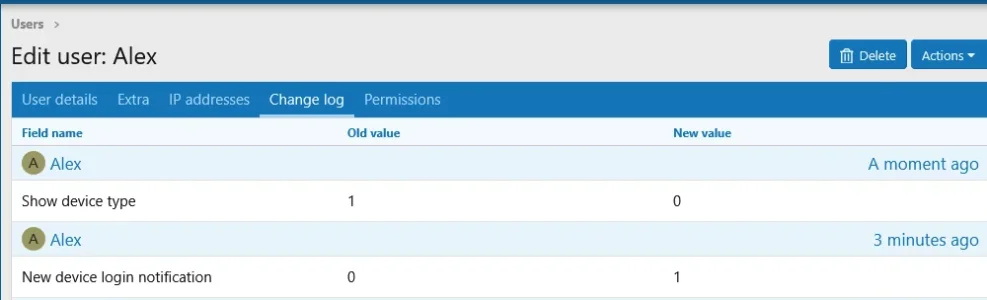
- Whenever an user will change their device privacy options those actions will be logged and displayed on their Change log tab.
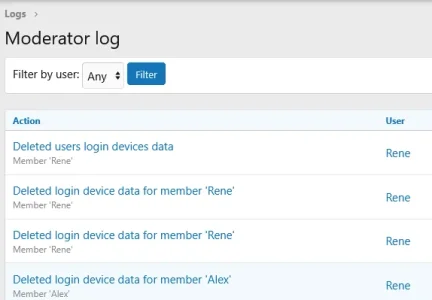
- Deleting or clearing of logs will be logged in the Moderator logs in the Admin panel.
- Users login device data will be logged from the moment that the add-on is installed. Previous logins will not be logged.
-
 1_permissions.webp
 -
 2_settings.webp
 -
 3_profile.webp
 -
 4_postbit.webp
 -
 5_privacy.webp
 -
 6_logs.webp
 -
 7_shared.webp
 -
 8_email_subject_notification.webp
 -
 9_email_message_notification.webp
 -
 10_account_device_link.webp
 -
 11_own_devices_account.webp
 -
 12_edit_device_privacy.webp
 -
 13_edit_device_type.webp
 -
 14_batch_update_devices.webp
 -
 15_user_change_log.webp
 -
 16_mod_log_data.webp