

- Compatible XF 2.x versions
- 2.3
- Additional requirements
- PHP 8.2 or newer (PHP 8.3 recommended)
- Updates duration
- Updates are included for 1 year from the purchase date. After 1 year, you can extend access to updates for a renewal fee of $10/year.
- Visible branding
- No
It's time to allow your users to download their entire account history with a single click. Keep your community fully compliant with global data privacy frameworks across the UK (UK GDPR / DPA), US (CCPA / State Privacy Laws), CA (PIPEDA), AU (Privacy Act), EU (GDPR), Latin America (LGPD & regional frameworks), TR (KVKK), and beyond.
With this add-on, your users can download their entire account data as a compressed ZIP archive. Depending on the formats you choose to enable in the Admin Control Panel, this archive can include XML, TXT, JSON, CSV, and HTML files.
If you are concerned about server storage and performance, don't worry. I have built robust safety features directly into the system to protect your resources. This includes automated backup retention cleanups, multi-part ZIP volumes, and strict download rate limits. Take a look at the screenshots (zoom) below for a step-by-step walkthrough of how it works.
Permissions:

Options:
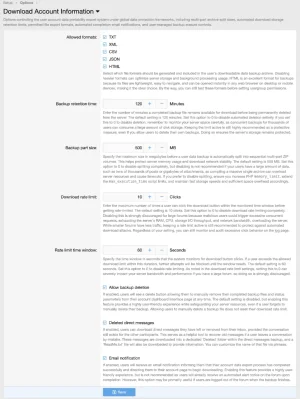
You have full control over which file formats are generated, how long backups are retained on the server, and the specific rate limits applied to your users.
Account interface:
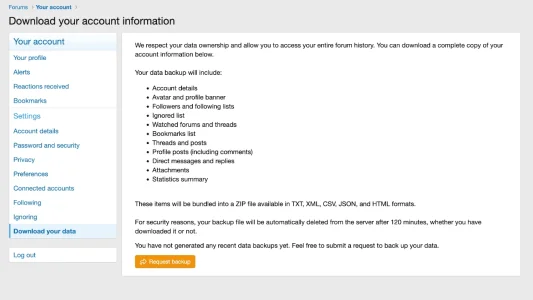
Users can clearly see exactly what will be included in their archive before submitting a request to prepare their data backup.
The processing screen:
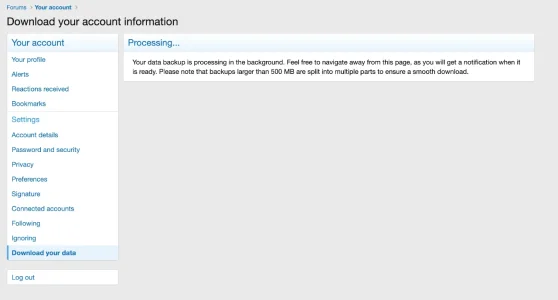
Once a user submits a request, they are shown a live processing screen while the server compiles their archive in the background.
Alerts:
Email:
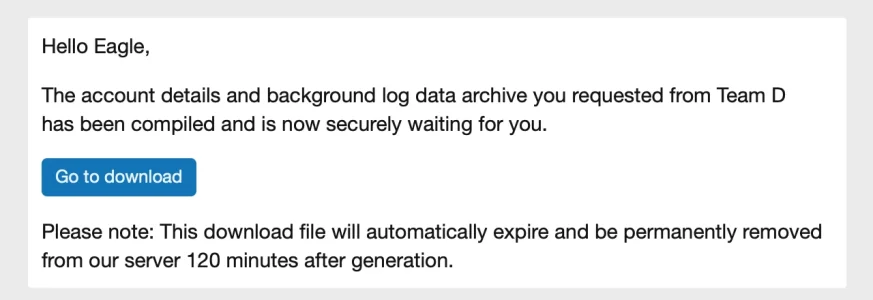
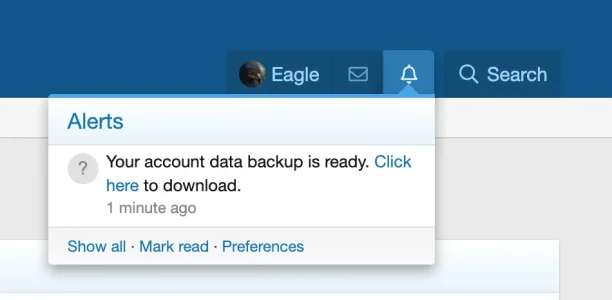
Users will receive an automated on-forum alert upon completion, as well as an optional email notification if they are logged out while the backup is processing.
The backup ready screen:
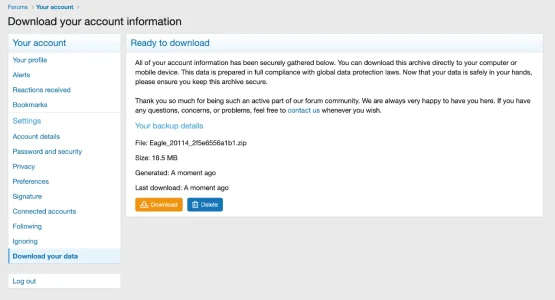
Once the system finishes compiling the data, the user is provided with a secure download button alongside a clear summary of their files and the exact time remaining before the server automatically purges the archive.
Multi-part volumes - Archive/splitting:
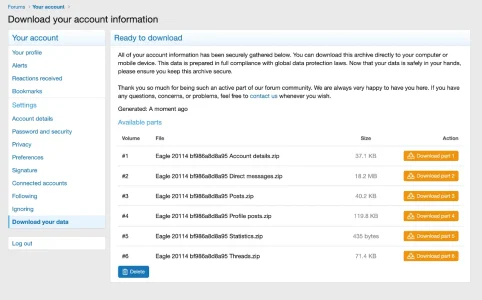
When a user has a massive amount of history (like gigabytes of attachments or tens of thousands of posts), compiling it into a single file can cause server timeouts or crash your PHP memory limits. This feature automatically splits large archives into sequential, smaller multi-part ZIP volumes (e.g., Part 1, Part 2) based on your custom size threshold. This completely safeguards your server's memory usage and ensures network download stability.
System protection:
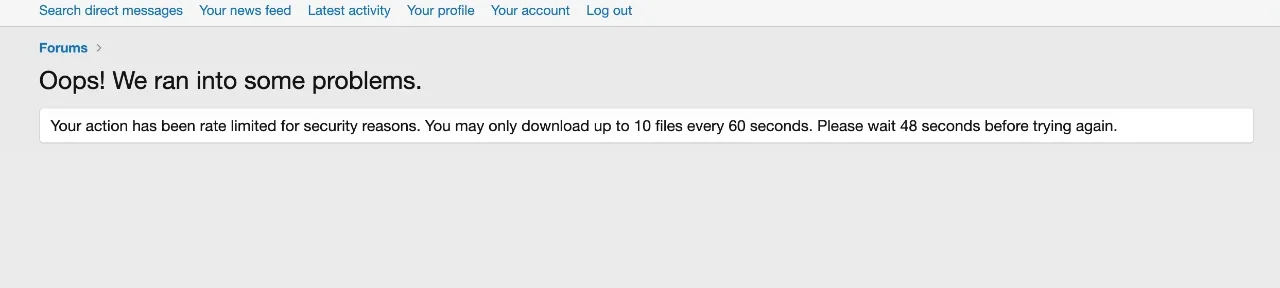
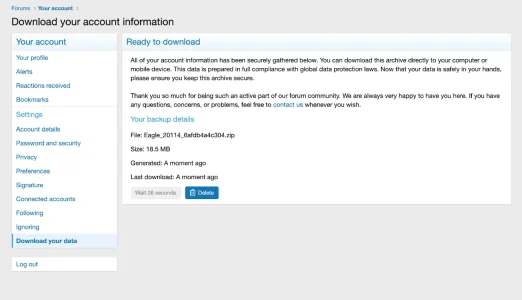
Malicious users might attempt to overload your forum by repeatedly clicking the download button to trigger concurrent server tasks. This features a built-in download rate limiter and monitoring time window. If a user floods the server with excessive download requests, the system automatically blocks further attempts until the window resets, protecting your RAM, CPU, and storage I/O bandwidth.
Download & Audit logs:
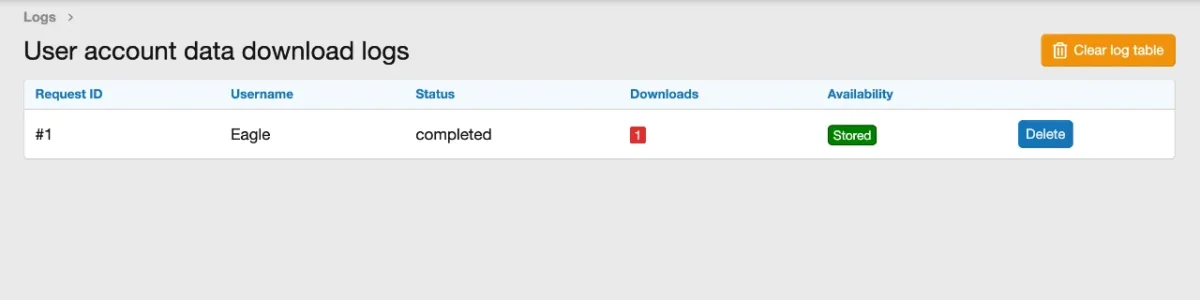
Complete visibility over your data export system. The built-in logging interface tracks every single backup request and download event across your forum. You can easily monitor user activity, audit excessive click behavior, and spot potential rate-limit triggers or automated attacks in real time directly from the control panel.
Backup archive structure - Folders/Files:
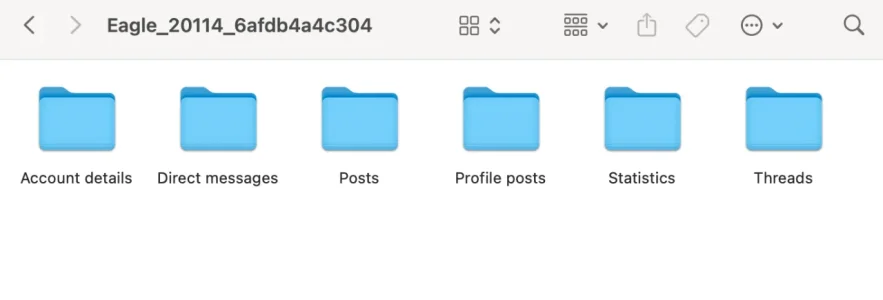
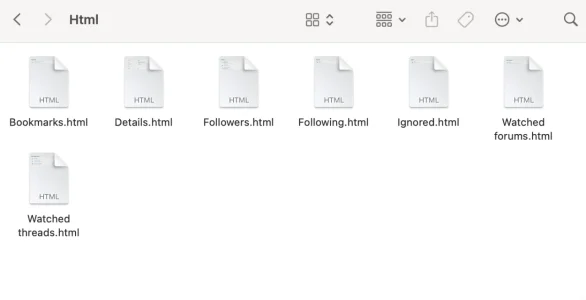
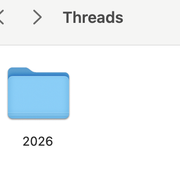
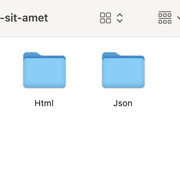
The generated ZIP file extracts into a perfectly structured directory tree, segregating media attachments from raw textual data.
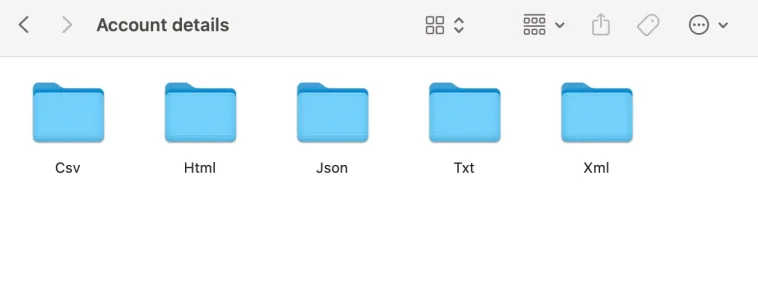
Text data is neatly organized into separate sub-folders for each enabled file type e.g., xml, html, json, csv.
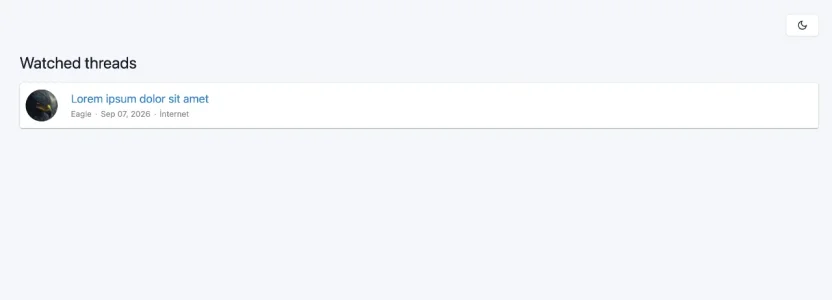
HTML format:
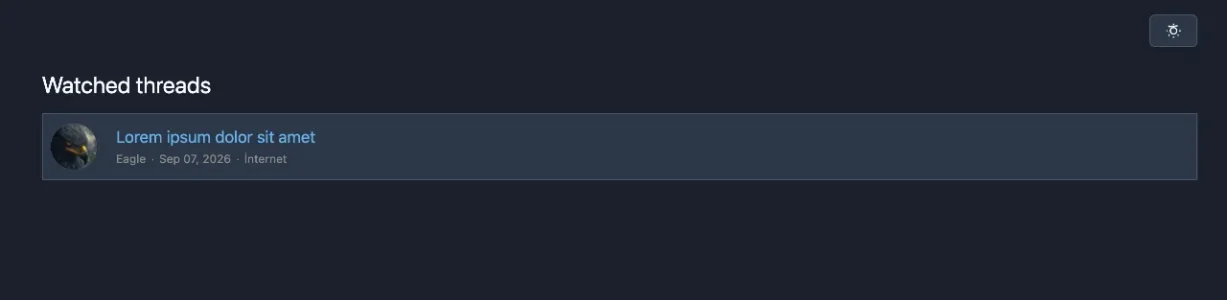
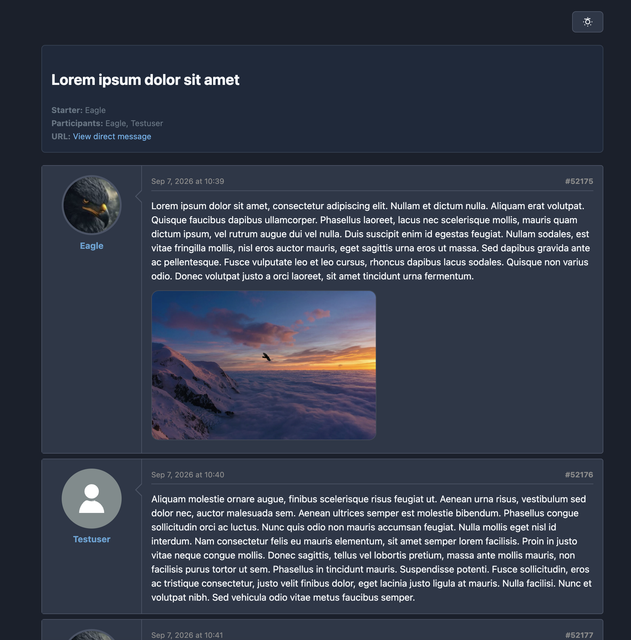
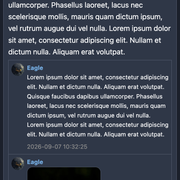
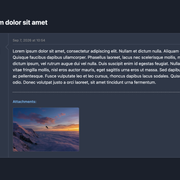
HTML format dark mode:
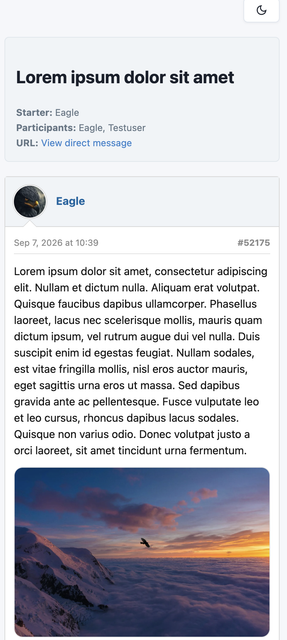
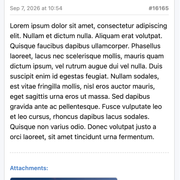
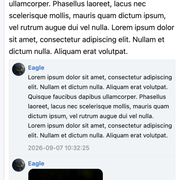
HTML format responsive for mobile devices:
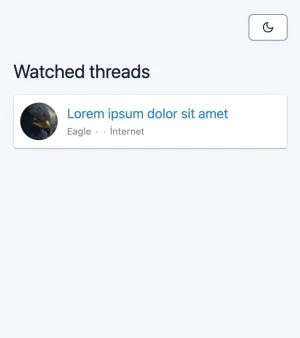
The generated HTML backup folder includes a clean, responsive layout designed to adjust beautifully to any screen size. Users do not need a computer or complex data readers to view their forum history. They can unzip the archive and instantly read their threads, posts, and direct messages on any smartphone, tablet, or desktop web browser with a native app-like experience.
JSON:
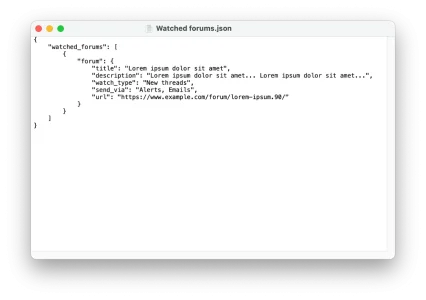
All uploaded files, profile banners, and avatars are preserved in their original formats within a dedicated attachments folder. Dropped or removed direct messages are safely placed into an isolated 'Deleted' folder accompanied by an explanatory ReadMe.txt file.
Direct messages:
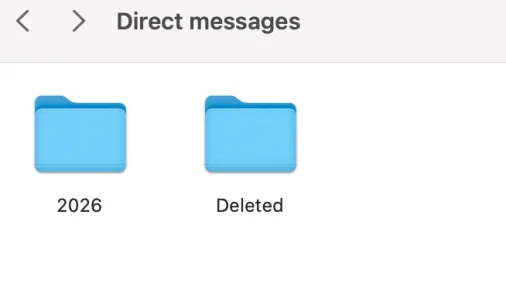
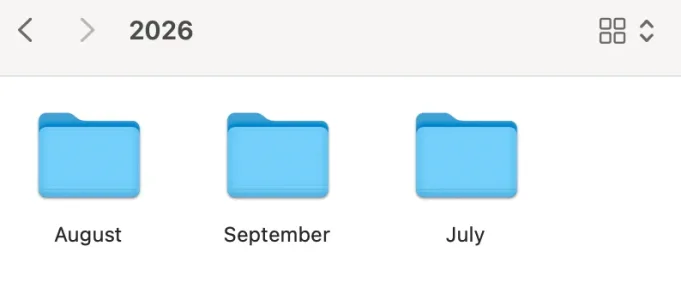
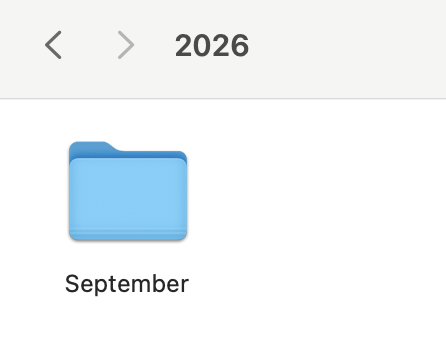
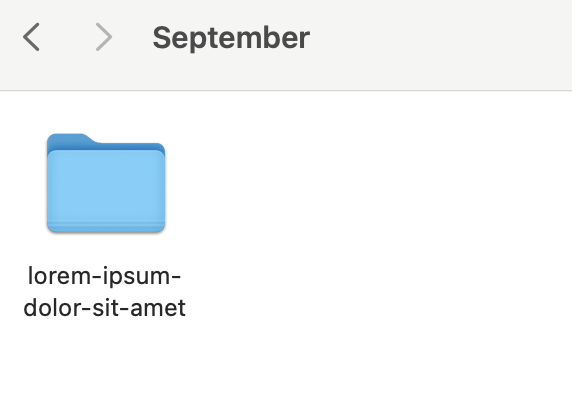
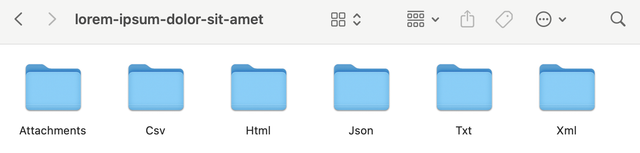
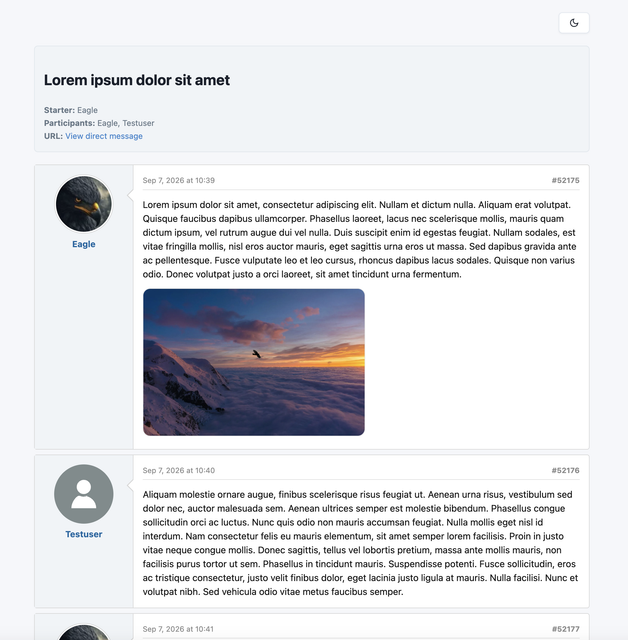
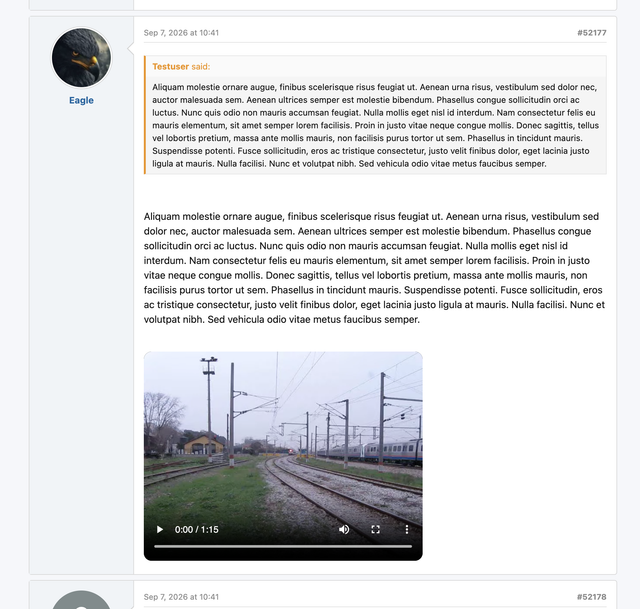
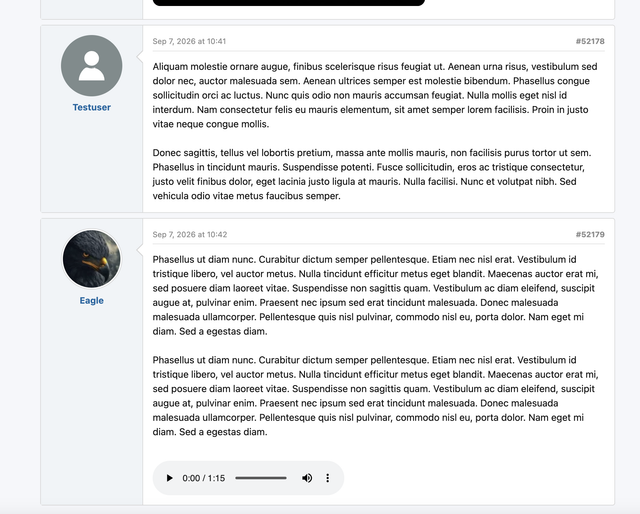
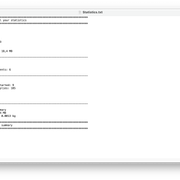
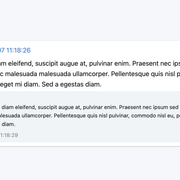
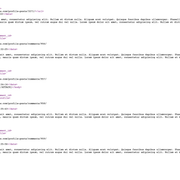
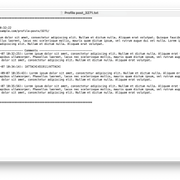
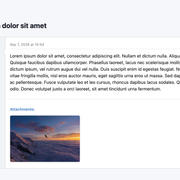
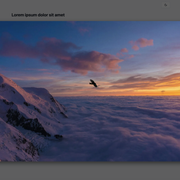
As you can see, this is the HTML view for direct messages. Below are screenshots showing the exported data formats for profile posts, comments, threads, attachments, statististics, and much more.




Feel free to contact me if you have any questions.
If the images aren't loading, you can use these links instead.
https://i.ibb.co/3y3kgfcY/d3.png
https://i.ibb.co/HLBzZCtd/d4.png
https://i.ibb.co/cXJp3K7p/d5.png
https://i.ibb.co/r2KQzTYW/dm1.png
https://i.ibb.co/qMPFd34K/dm2.png
https://i.ibb.co/Ld6TyHVB/dm3.png
https://i.ibb.co/JPNmhKr/dm4.png
https://i.ibb.co/bg9H1GwM/dm5.png
https://i.ibb.co/fVqN78Ds/threads.png
https://i.ibb.co/RpQ3mD8t/thread-folders.png
https://i.ibb.co/HTRTvGWY/thread-title.png
https://i.ibb.co/NnjXHJjK/thread-html-format.png
https://i.ibb.co/23F1JKbQ/dainf-2.png
https://i.ibb.co/d4DTRBDV/dainf-1.png
https://i.ibb.co/67vX9BYK/dainf-3.png
https://i.ibb.co/N22dr0r0/dainf-4.png
https://i.ibb.co/JW2RWxx2/dainf-5.png
https://i.ibb.co/tM6NNMYy/dainf-6.png
https://i.ibb.co/5x8kwZvN/dainf-13.png
https://i.ibb.co/PZ8D2TX8/dainf-14.png
https://i.ibb.co/0yTwjKHH/dainf-7.png
https://i.ibb.co/bgfJMCGG/dainf-10.png
https://i.ibb.co/9Sgr5wn/pp.png
https://i.ibb.co/67f9TyPf/dainf-11.png
https://i.ibb.co/cX3qKh3v/dainf-12.png
With this add-on, your users can download their entire account data as a compressed ZIP archive. Depending on the formats you choose to enable in the Admin Control Panel, this archive can include XML, TXT, JSON, CSV, and HTML files.
If you are concerned about server storage and performance, don't worry. I have built robust safety features directly into the system to protect your resources. This includes automated backup retention cleanups, multi-part ZIP volumes, and strict download rate limits. Take a look at the screenshots (zoom) below for a step-by-step walkthrough of how it works.
Permissions:
Options:
You have full control over which file formats are generated, how long backups are retained on the server, and the specific rate limits applied to your users.
Account interface:
Users can clearly see exactly what will be included in their archive before submitting a request to prepare their data backup.
The processing screen:
Once a user submits a request, they are shown a live processing screen while the server compiles their archive in the background.
Alerts:
Email:
Users will receive an automated on-forum alert upon completion, as well as an optional email notification if they are logged out while the backup is processing.
The backup ready screen:
Once the system finishes compiling the data, the user is provided with a secure download button alongside a clear summary of their files and the exact time remaining before the server automatically purges the archive.
Multi-part volumes - Archive/splitting:
When a user has a massive amount of history (like gigabytes of attachments or tens of thousands of posts), compiling it into a single file can cause server timeouts or crash your PHP memory limits. This feature automatically splits large archives into sequential, smaller multi-part ZIP volumes (e.g., Part 1, Part 2) based on your custom size threshold. This completely safeguards your server's memory usage and ensures network download stability.
System protection:
Malicious users might attempt to overload your forum by repeatedly clicking the download button to trigger concurrent server tasks. This features a built-in download rate limiter and monitoring time window. If a user floods the server with excessive download requests, the system automatically blocks further attempts until the window resets, protecting your RAM, CPU, and storage I/O bandwidth.
Download & Audit logs:
Complete visibility over your data export system. The built-in logging interface tracks every single backup request and download event across your forum. You can easily monitor user activity, audit excessive click behavior, and spot potential rate-limit triggers or automated attacks in real time directly from the control panel.
Backup archive structure - Folders/Files:
The generated ZIP file extracts into a perfectly structured directory tree, segregating media attachments from raw textual data.
Text data is neatly organized into separate sub-folders for each enabled file type e.g., xml, html, json, csv.
HTML format:
HTML format dark mode:
HTML format responsive for mobile devices:
The generated HTML backup folder includes a clean, responsive layout designed to adjust beautifully to any screen size. Users do not need a computer or complex data readers to view their forum history. They can unzip the archive and instantly read their threads, posts, and direct messages on any smartphone, tablet, or desktop web browser with a native app-like experience.
JSON:
All uploaded files, profile banners, and avatars are preserved in their original formats within a dedicated attachments folder. Dropped or removed direct messages are safely placed into an isolated 'Deleted' folder accompanied by an explanatory ReadMe.txt file.
Direct messages:
As you can see, this is the HTML view for direct messages. Below are screenshots showing the exported data formats for profile posts, comments, threads, attachments, statististics, and much more.
Feel free to contact me if you have any questions.
If the images aren't loading, you can use these links instead.
https://i.ibb.co/3y3kgfcY/d3.png
https://i.ibb.co/HLBzZCtd/d4.png
https://i.ibb.co/cXJp3K7p/d5.png
https://i.ibb.co/r2KQzTYW/dm1.png
https://i.ibb.co/qMPFd34K/dm2.png
https://i.ibb.co/Ld6TyHVB/dm3.png
https://i.ibb.co/JPNmhKr/dm4.png
https://i.ibb.co/bg9H1GwM/dm5.png
https://i.ibb.co/fVqN78Ds/threads.png
https://i.ibb.co/RpQ3mD8t/thread-folders.png
https://i.ibb.co/HTRTvGWY/thread-title.png
https://i.ibb.co/NnjXHJjK/thread-html-format.png
https://i.ibb.co/23F1JKbQ/dainf-2.png
https://i.ibb.co/d4DTRBDV/dainf-1.png
https://i.ibb.co/67vX9BYK/dainf-3.png
https://i.ibb.co/N22dr0r0/dainf-4.png
https://i.ibb.co/JW2RWxx2/dainf-5.png
https://i.ibb.co/tM6NNMYy/dainf-6.png
https://i.ibb.co/5x8kwZvN/dainf-13.png
https://i.ibb.co/PZ8D2TX8/dainf-14.png
https://i.ibb.co/0yTwjKHH/dainf-7.png
https://i.ibb.co/bgfJMCGG/dainf-10.png
https://i.ibb.co/9Sgr5wn/pp.png
https://i.ibb.co/67f9TyPf/dainf-11.png
https://i.ibb.co/cX3qKh3v/dainf-12.png
- Related resources


