Follow along with the video below to see how to install our site as a web app on your home screen.
Note: This feature may not be available in some browsers.
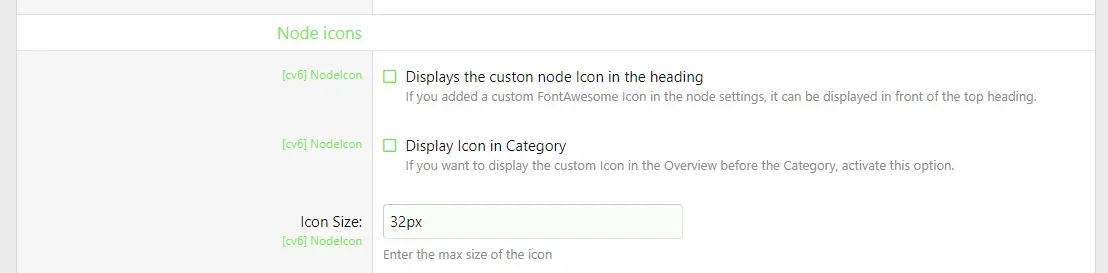
New Version released. Bugs fixed: broken images in some cases js optimizations missing clean up job after uninstall missing dislay on category page New: New style option: icon size
Fixed bugs with category images and branded Icons
New Features: Now Supports XF 2.2 with Search Forum and all other new features Added Images as Icons Added SVG Inject to have SVG Icons act with default colors. Credits for SVG Inject: iconfu/svg-inject A tiny, intuitive, robust, caching solution for injecting SVG files inline into the DOM. - iconfu/svg-inject github.com
BugFix: Icon display in heading added in category and page view New Feature: Display custom icon in main node list for categories
BugFixes: Display of double Icons in direct view of all Subforums Color Fix for all Subforums Code Optimization: more use of Xen Internal Calls. New Feature: Display Icon in heading View attachment 227182 switchable in the Node/Forum list area of each style. Default: OffView attachment 227184
I finally updated this AddOn. It now works with 2.1 with a way better less integration and it's replacing the meanwhile appeared icons in the ACP if you want it.
Minor changes to work with Beta 3 moved js File to own directory inside cv6 area. After updating, you can safely delete the two files: js/cv6/nodeicons.js js/cv6/nodeicons.min.js The new JavaScript file is located in the nodeicon folder. This Version works with an XenForo Beta 4 with the original Design. If you changed your design and/or the Icons are not shown up, please drop me a conversation.
We use essential cookies to make this site work, and optional cookies to enhance your experience.
See further information and configure your preferences

![[DD] Node Icons & Tools](/community/data/resource_icons/5/5565.jpg?1738969921)