

- Compatible XF 2.x versions
- 2.3
- Visible branding
- No
# Drafts — Collaborative drafts for XenForo 2.3
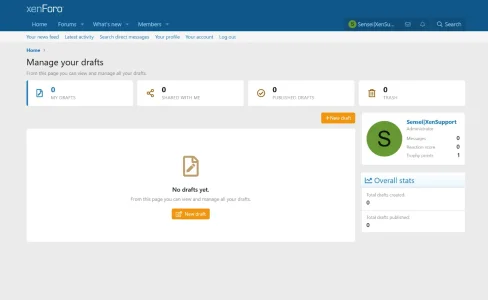
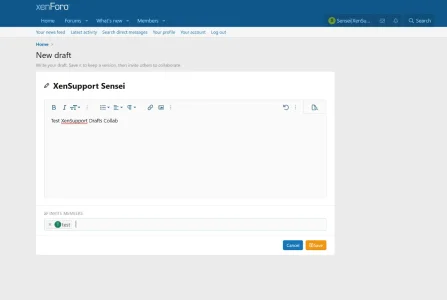
Write threads collaboratively, in private. Invite members to edit or just
review your work, keep the full version history, schedule the publication,
and let it land on the forum as a thread that credits every co-author.
##
 Features
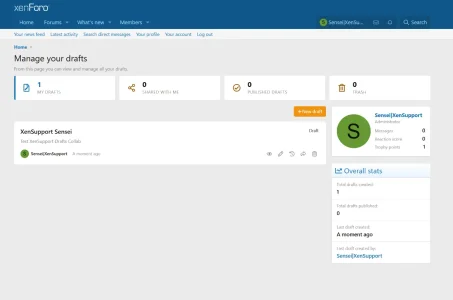
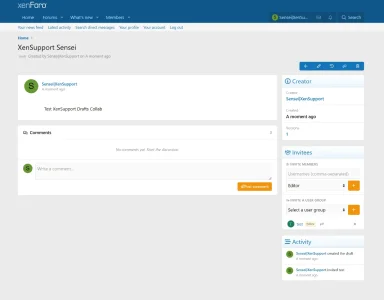
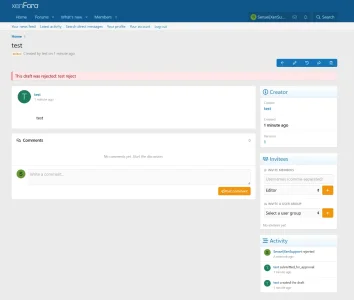
- Personal & shared drafts — create as many drafts as you want, keep them
private, or invite specific members.
- Per-invitee role —
Editor (can write) or Reader (can only view +comment).
- Invite a whole user group — one click invites every member of a group
(gated by its own permission).
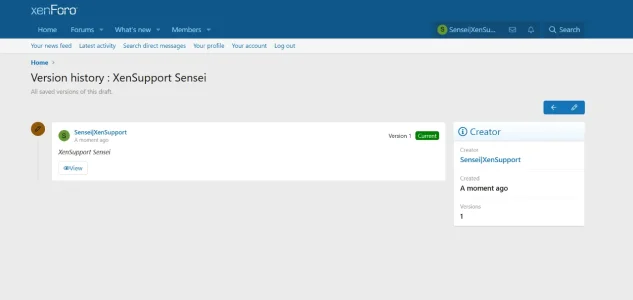
- Version history with visual diff — every save becomes a snapshot.
See exactly what changed line-by-line, restore any older version.
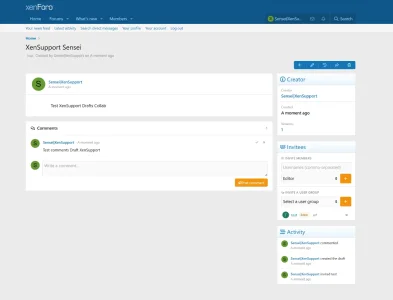
- Comments — discuss the draft inline, mark threads as resolved.
- @mentions in both the draft body and comments → native XenForo alerts.
- Activity timeline — see who did what, when (created, edited,
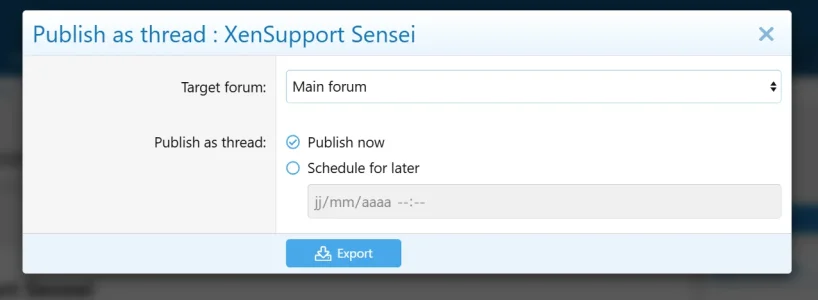
- Schedule publication — pick a future date/time, a daily cron will
publish the draft for you.
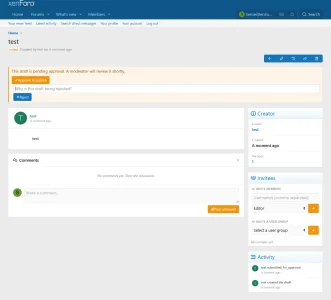
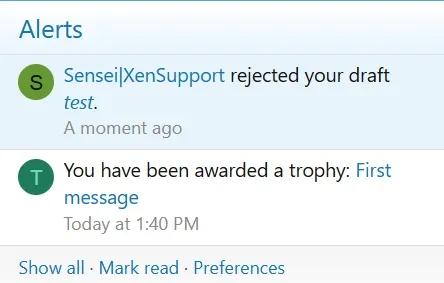
- Approval workflow (optional) — require moderators to approve
drafts before they can hit the public forum.
- Co-authors footer — the published thread can automatically credit
the creator and every collaborator: "Written by X with Y, Z".
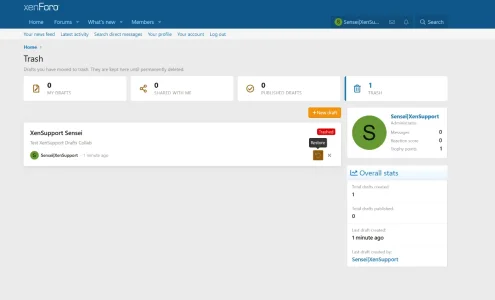
- Soft delete + Trash — deleted drafts are kept for a configurable
number of days before being purged by a cron.
- Default forum for publication.
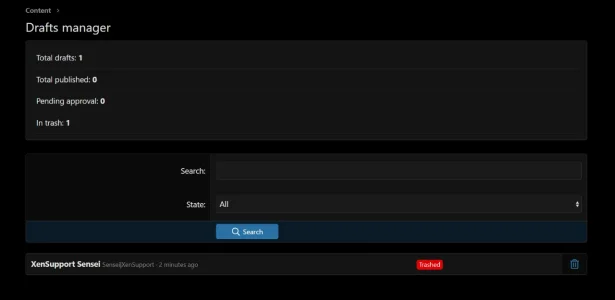
- Admin CP manager — list, filter and bulk-manage every draft on the
##
 Installation
1. Download the latest release zip
(
XenSupport-Drafts-1.0.0.zip).2. Extract it. The contents of the
upload/ folder go to the root ofyour XenForo installation.
3. Admin CP → Add-ons → install "Drafts".
4. Admin CP → Users → Permissions: grant the desired permissions to
your user groups (see below).
##
 Permissions
| Permission | What it enables |
|---|---|
|
view | Access the /drafts/ area at all. Required to use anything. ||
create | Create new drafts. ||
delete | Move own drafts to trash. ||
publish | Publish a draft as a thread. ||
comment | Post comments on drafts. ||
inviteMax | Maximum invitees per draft (integer). ||
inviteGroups | Invite an entire user group to a draft. ||
bypass (moderator) | View / edit / delete any draft, ignore all owner checks. ||
approveDrafts (moderator) | Approve or reject drafts pending publication. |##
 Options
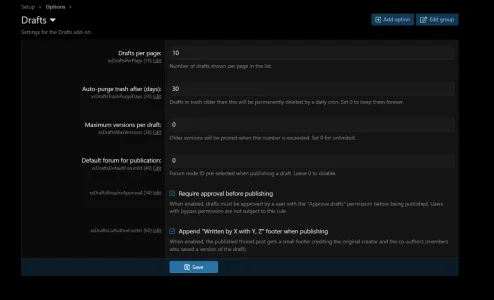
Admin CP → Setup → Options → Drafts:
| Option | Default | Description |
|---|---|---|
| Drafts per page | 20 | Pagination on the list. |
| Auto-purge trash after (days) | 30 | Drafts in trash older than this are permanently deleted by a daily cron.
0 = never. || Maximum versions per draft | 0 | Older versions get pruned when this number is exceeded.
0 = unlimited. || Default forum for publication | 0 | Pre-selected forum in the publish form.
0 = no default. || Require approval before publishing | off | Publishing requires
approveDrafts permission. || Co-authors footer | on | Append "Written by X with Y, Z" to the published post. |
## ⏱ Cron jobs
- Drafts: purge trash — runs once a day at 03:10 to permanently
delete trashed drafts older than the configured retention.
- Drafts: publish scheduled drafts — runs every 15 minutes, publishes
drafts whose scheduled date has passed.
Both can be disabled / re-tuned in Admin CP → Tools → Cron entries.
##
 Support
Use the discussion thread on the official XenForo Resource Manager
listing for this add-on. Bug reports, feature requests and questions
welcome.
##
 License
See
LICENSE. Single-installation usage license. Redistribution,re-sale or modification without written permission is not allowed.
##
 Changelog
### 1.0.0
- First public release.
---
Made with
 for the XenForo community.
-
 Capture d'écran 2026-05-10 214021.webp
 -
 Capture d'écran 2026-05-10 214055.webp
 -
 Capture d'écran 2026-05-10 214140.webp
 -
 Capture d'écran 2026-05-10 214159.webp
 -
 Capture d'écran 2026-05-10 214214.webp
 -
 Capture d'écran 2026-05-10 214238.webp
 -
 Capture d'écran 2026-05-10 214253.webp
 -
 Capture d'écran 2026-05-10 214317.webp
 -
 Capture d'écran 2026-05-10 214339.webp
 -
 Capture d'écran 2026-05-10 214410.webp
 -
 Capture d'écran 2026-05-10 214426.webp
 -
 Capture d'écran 2026-05-10 214630.webp
 -
 Capture d'écran 2026-05-10 214655.webp
 -
 Capture d'écran 2026-05-10 214722.webp
