

- Compatible XF 2.x versions
- 2.3
- Additional requirements
- PHP 8.0 or newer. No other add-ons are required.
Optional, and only if you want them: a YouTube Data API key enables richer video metadata, and Twitch application credentials enable live status and automatic covers for Twitch channels. The add-on works fully without either.
- License
- Commercial licence. One licence covers one production board; a staging or test copy of that same board is included and does not need its own licence. Redistribution, resale or public sharing of the package is not permitted.
- Updates duration
- 6 months of updates and support are included with each purchase. Nothing stops working when that period ends — the add-on keeps running exactly as before and no features are disabled. Renewing only restores access to newer releases and support.
- Visible branding
- No
 Prizma
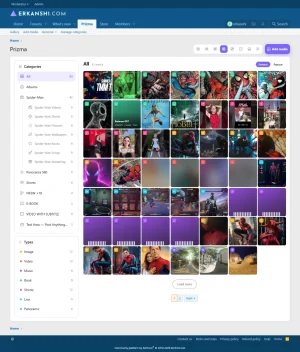
Images, video, music, e‑books, panoramas, shorts and live streams — in a single add‑on, built on XenForo's own systems rather than beside them. Every item is a normal piece of forum content: it has comments, reactions, reports, moderation, alerts, bookmarks, search and a place in your sitemap.
 Seven media types, one gallery
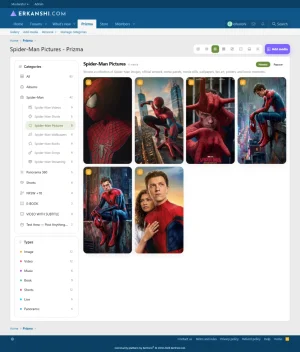
 Images — JPG, PNG, GIF, WebP. Zoom, swipe, focal point, EXIF panel, tag people on the photo.
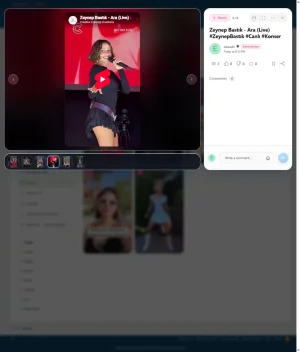
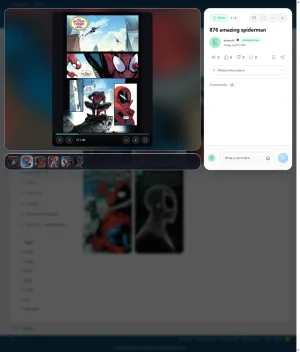
 Video — MP4, WebM, MOV, M4V, AVI, MKV, OGV. Own player, subtitles, picture‑in‑picture, cinema mode, automatic cover frame.
 Music — MP3, WAV, OGG, FLAC, M4A, AAC. Artist and album, cover taken from the file's own ID3 tag, and a player that keeps playing while you browse the rest of the forum.
 E‑books — PDF, EPUB, CBZ, CBR, MOBI. A real reader in the browser, three reading directions (standard, manga right‑to‑left, webtoon vertical), and it remembers the page you stopped on.
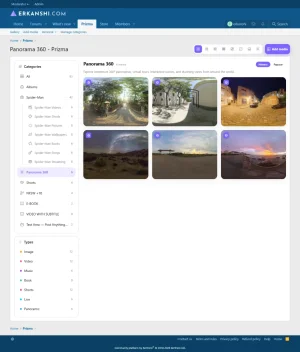
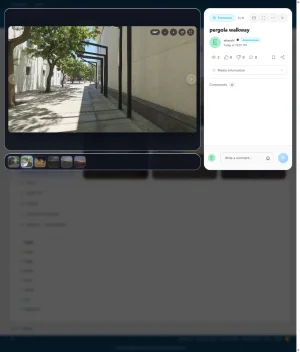
 Panoramas — drag to look around, scroll to zoom, full 360° spheres and partial wide shots, with the projection detected automatically.
 Shorts — vertical, full‑height cards for the content that is meant to be watched that way.
 Live streams — with a LIVE badge that is refreshed in the background, never while a page is loading.
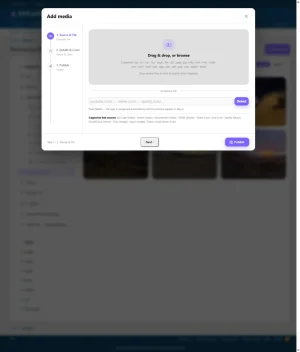
Or just paste a link. YouTube, Vimeo, Dailymotion, TikTok, Twitch, Kick, Spotify, SoundCloud, Flickr, Imgur, RUTUBE, VK Video, any direct
.m3u8 stream and any direct image URL. Title, cover and description arrive on their own where the source publishes them. And if a platform is not on that list, Prizma can fall back to XenForo's own BB code media sites — so anything you have defined there works in the gallery too. Eight layouts — and they are yours to choose
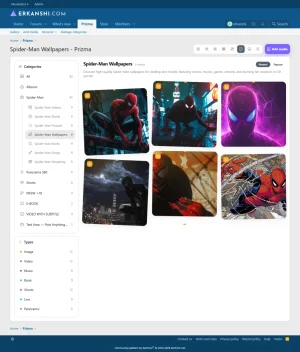
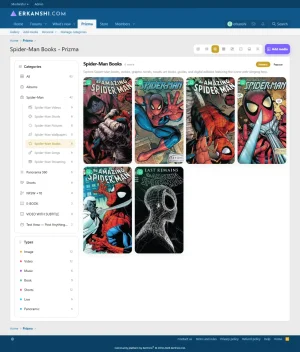
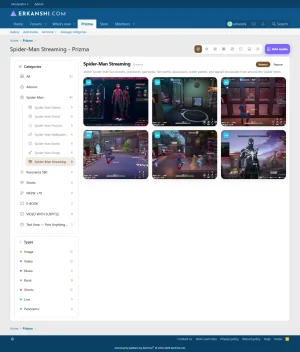
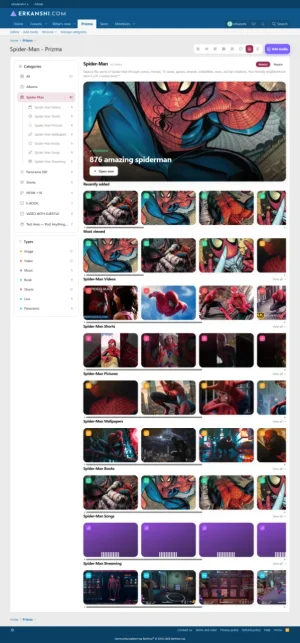
Uniform · Compact · Vertical · Contact sheet · Flow (organic masonry) · Board (pinned cards) · Showcase (featured + strips) · Track list (one row per item, for music).
- Pick which layouts your members may switch between — or hide the switcher entirely.
- Give every category its own default layout, and every media type its own as well.
- Decide what happens to a visitor's choice: forget it, remember one for the whole gallery, or remember one per category.
- Category navigation as a left rail, a right rail (for themes that already use the left side), or a horizontal bar under the title.
- Per‑category colour and icon — choose from a searchable icon set or upload your own.
 Fast, on purpose
Speed here is measured, not claimed.
- Video and audio can be served without PHP. On a 112 MB video, time to the first playable frame dropped from 21.1 s to 1.1 s — a browser issues ~135 byte‑range requests while seeking, and each one otherwise pays a full framework start‑up.
- Books too. On the same 37 MB PDF, time to first byte went from 132 ms to 6 ms, and the 60 range requests a PDF reader makes while opening a document went from 8.0 s to 0.3 s. A 884 MB comic archive downloads in 1.2 s instead of 3.2 s.
- Both are optional switches, and both only ever apply to media a guest could already see — restricted media always goes through the permission‑checked route.
- Object storage ready. Prizma writes no media to your local disk: everything goes through XenForo's abstracted filesystem, so if your board runs on S3 or Cloudflare R2, Prizma's files live there too — including generated covers and converted videos.
 The small things you only notice when they are missing
This is the part that is hard to put in a feature list, so here are the ones members mention most.
- It remembers where you are. Press "Add media" while you are inside a category, and that category is already selected for you.
- Subtitles. Upload a
.vttor.srtfile with a video —.srtis converted for you — and the captions button appears in the player. - Bulk upload. Drop 30 files at once; titles are filled in from the file names for you to edit, and you set the category, the album and the sensitive‑content flag once for all of them.
- Covers, handled. A poster frame is taken from uploaded video automatically; a music cover is read out of the file's ID3 tag; a book cover is rendered from the first page; and for anything else you can upload your own or pick the exact frame you want.
- Focal point. Click the spot that matters on a cover and every crop, everywhere, keeps that spot in view.
- Videos that browsers refuse to play (HEVC/H.265, ProRes) are converted to H.264 in the background, with the original kept untouched. Your member never sees the problem — and if FFmpeg is not installed, nothing breaks, the feature simply stays off.
- Sensitive content. Mark an item 18+ and its card preview is blurred.
- Tag people in photos by clicking the spot on the picture. They get an alert, and it appears on their profile.
- EXIF — camera, aperture, exposure, ISO, focal length, date. GPS location is a separate switch and is off by default, because holiday photos usually carry the exact spot they were taken.
- Set any image as your avatar straight from the viewer.
- Slideshow with an optional Ken Burns drift that moves towards the focal point you chose.
- Automatic imports. Point Prizma at a YouTube channel or playlist and new videos arrive in the category you choose, published as the member you choose, on the schedule you set. No API key required.
- Watchlist, bookmarks, "What's new", personal pages — your uploads, your favourites, your watchlist, each with its own page.
 Moderation and permissions, the XenForo way
- Per‑category permissions — view, add, edit own, edit any, delete own, delete any — through XenForo's own content permission system, so your existing user groups and node‑style thinking carry straight over.
- Approval queue, reports, moderator log, inline moderation — all native. Media and comments appear where your moderators already look.
- Bulk edit selected media: description, tags, category, album, sensitive flag — the fields you do not tick stay untouched.
- Private categories that only appear for the groups you grant.
- Turn off what you do not want. Disable whole media types, individual link sources, individual layouts, or single viewer buttons (like, dislike, share, bookmark, watchlist, download, avatar). Content that already exists is never hidden by a settings change.
 Ten languages, included
English, German, Spanish, French, Italian, Portuguese (Brazil), Japanese, Korean, Chinese, Swedish — complete, all 649 phrases, installable from the admin panel in one click. English is the master language, and any phrase a translation does not cover falls back to English, so nothing is ever left blank.
 Coming from XenForo Media Gallery?
- Import your XFMG media, albums, comments and ratings.
- And you can export back. Prizma ships a command that moves your gallery into XFMG. It is documented, it is supported, and it exists for one reason: you should never feel locked in. Uninstalling also never deletes your files — the attachments holding them are left exactly where they are.
 Quick answers
I don't like rounded corners. Can I change that?
Yes — one switch in the admin panel makes cards, stages and strips square.
I don't want a modal overlay when someone clicks a card. I want the content on a normal page.
There are three choices: modal overlay (default), the media page as a regular forum page, or a minimal full‑screen lightbox for images. Direct links and search results always open the media page.
I want a 5‑star rating instead of like/dislike.
Both exist — pick one in the admin panel. Switching only changes what is displayed; both sets of data are kept either way.
Our theme already has a left‑hand menu. Will the category rail collide with it?
Move it to the right, or switch to the horizontal category bar. Both are single settings.
Do I have to use all seven media types?
No. Enable only the ones you want; the rest disappear from the wizard, the sidebar, the type pages and the search filter.
We don't have FFmpeg on our host.
That is a supported configuration. Video conversion and automatic poster frames simply stay off; everything else works exactly the same.
Does it work with S3 / Cloudflare R2?
Yes. Prizma uses XenForo's abstracted filesystem for everything it stores, so your media lives wherever your board's filesystem points.
Can members upload a huge photo and melt the server?
Set a maximum upload size and a maximum image dimension; oversized images are resized down on upload rather than rejected, so nothing is lost from the visitor's point of view.
Can I hide the whole thing behind permissions while I set it up?
Yes — the gallery, each category and each ability are separate permissions.
Prizma is under active development, and this list keeps growing.
Nearly every feature above started as a customer question. Ask, and it may well end up in the next release.
Nearly every feature above started as a customer question. Ask, and it may well end up in the next release.

 Prizma — Roadmap
Here is what is planned for Prizma, in order. Each release below is a planned feature package; the numbers in between (1.5.1, 1.5.2 …) are deliberately left free for quick fixes, so an urgent bug report never has to wait for the next big release.
No dates. Each package ships when it is genuinely ready, and the order can change if what you ask for changes it.
1.5.0 — Albums & Collections
Finishing albums properly: pick your own album cover, arrange media in the order you want, and share an album so several members can upload into it. Plus a new idea alongside albums: collections, which gather media that already exists in the gallery without uploading anything twice — the same photo can sit in as many collections as you like while still living in one place.
1.5.5 — Podcasts & Audiobooks
Series come to Prizma: a podcast is an ongoing show, an audiobook is a finished book, and both are episodes in order. Prizma remembers where you stopped and lets you carry on from that exact second on any device, keeps playing while you browse the rest of the forum, and moves to the next episode on its own. Long recordings get chapters you can jump between, and a "Continue" row shows everything you have started but not finished.
1.6.0 — Automation & insights
Point Prizma at a podcast's RSS feed and new episodes arrive on their own. Paste a direct audio link and it plays. Add the "Listen on Spotify / Apple" badges your audience expects. And see what is actually being watched and listened to, this week rather than since the beginning of time, in cards you can place anywhere on your forum.
1.6.5 — Timeline reactions & clips — Danmaku (弾幕 / だんまく)
Reactions stop being a list underneath the video and become part of it: a comment written at 12:30 appears at 12:30 for the next person watching, either floating over the video or in a panel beside it, whichever you prefer. A heat bar shows where a video made people react — and from that exact moment, one click turns it into a short clip you can share.
1.7.0 — Discovery
Collections that build themselves from rules you set ("everything from 2023", "all panoramas tagged travel"). A media picker inside the post editor, so adding gallery media to a post stops being a hunt. And search inside subtitles: find the moment somebody said it, and jump straight to that second.
1.7.5 — Content gating (Content Blur)
Show visitors that something good is there without giving it away: selected media appears blurred with an invitation to register or upgrade. Done properly — the file itself is never sent to the browser, and the page follows Google's own documented approach for gated content, so your search rankings are not put at risk.
2.0.0 — Watch parties with Realtime CHAT
Watch together, in sync, in your own gallery, with reactions flowing as it plays. And when the party ends the reactions stay on the video, so whoever opens it tomorrow gets a little of that evening back.
 Tell us which of these matters most to you — the order is not set in stone, and customer requests have already changed it more than once.
-
 screencapture-erkanshi-forum-index-php-2026-08-09-19_29_58.webp
 -
 screencapture-erkanshi-forum-index-php-2026-08-09-19_32_11.webp
 -
 screencapture-erkanshi-forum-index-php-2026-08-09-19_32_40.webp
 -
 screencapture-erkanshi-forum-index-php-2026-08-09-19_33_20.webp
 -
 screencapture-erkanshi-forum-index-php-2026-08-09-19_34_07.webp
 -
 screencapture-erkanshi-forum-index-php-2026-08-09-19_35_01.webp
 -
 screencapture-erkanshi-forum-index-php-2026-08-09-19_36_09.webp
 -
 screencapture-erkanshi-forum-index-php-2026-08-09-19_37_20.webp
 -
 screencapture-erkanshi-forum-index-php-2026-08-09-19_39_08.webp
 -
 screencapture-erkanshi-forum-index-php-2026-08-09-19_39_55.webp
 -
 screencapture-erkanshi-forum-index-php-2026-08-09-19_41_13.webp


