

- Compatible XF 2.x versions
- 2.3
- Additional requirements
- XenForo 2.3.6+. Includes the Sedir Core companion add-on (bundled, required). Resource Manager and Digital Download Manager integration is optional and appears only when those add-ons are installed.
- License
- Commercial license. One license per XenForo installation.
- Updates duration
- 6 months
- Visible branding
- No
Sedir is a calm, reading-first theme for XenForo 2.3 - and the only one that also lets you arrange the page itself. Every surface shares one corner radius, one border and one shadow, so your community feels quiet and organised instead of busy. It ships with a complete dark variation, a full home page, a visual layout studio and a companion add-on that keeps your branding through updates.
Live demo: forumino.com - forums, questions, resources, downloads, light and dark.
Live demo: forumino.com - forums, questions, resources, downloads, light and dark.
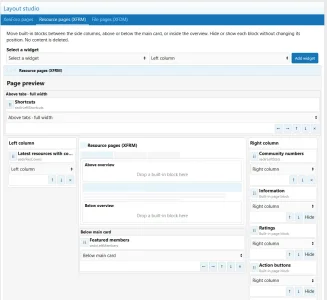
Visual layout studio
Most themes hand you a list of widget positions and a guess about where each one lands. Sedir gives you a page preview, with separate linkable tabs for XenForo, Resource Manager and Digital Download Manager. Each module keeps its own layout, and nothing changes on the public side until you press Save.- Six placement areas per module. Left column, right column, full width above the tabs, below the complete main card, and above or below the overview inside that card. The preview draws those real nesting boundaries.
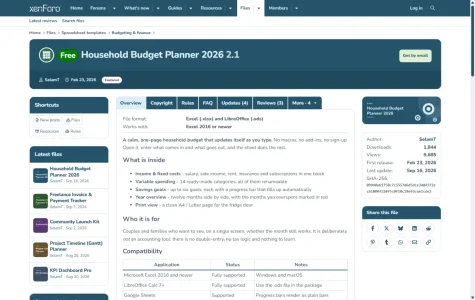
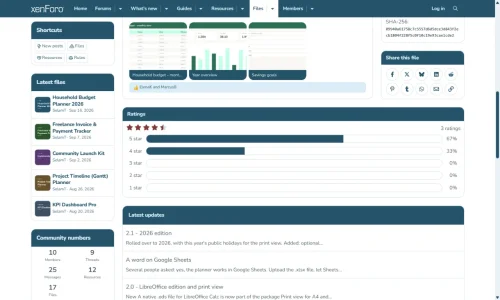
- Built-in resource and file blocks are editable too. Information, ratings, action buttons, team, more from this author and sharing appear as six cards you can move between those areas, and hide without losing their place.
- Nothing is duplicated. These are native page sections: Sedir places them, it does not copy them, and it does not touch those add-ons' tables. Remove the add-on and every block returns to where XenForo puts it.
- Your own widgets can use the main areas. Any existing XenForo widget can sit above the tabs, above or below the overview, or below the main card. The XenForo tab also places widgets above and below the forum list.
- Drag, arrows, or a placement selector. The selector is there for narrow admin screens and touch devices, where dragging is awkward.
A complete home page
Switched on with one option, and switching it off brings your previous index page back. Every section can be turned off on its own.- Welcome band with a large title, a highlighted phrase, your own text and two buttons: guests see Register and Browse the forums, members see New posts and Post thread. On the right, a fan of your featured sections, each leaf in its own palette colour.
- Statistics strip: threads, messages, members and who is online, plus resources and downloads when those add-ons are installed.
- Featured sections as coloured cards with icon, description and counts. The first card is large and lists its latest threads. Pick the sections yourself or leave it empty to use the first forums of your list; the grid chooses its own column count so no row is left with a gap.
- Latest threads, resources and downloads as card lists, filtered by the viewer's permissions, with cover images when an item has one.
- Join band with membership benefits and a three-step how to get started, shown to guests only.
Featured image for resources and files
- A cover field on the edit form and on the add form, shown per item as a band of fixed height, the full image, a small image in the right column, or hidden.
- Hidden still means shared. The image is still sent as og:image and as the Twitter card, so Google and social networks keep using it.
- Three sizes, no upscaling. Every cover is stored once and two smaller versions are derived from it, so a card never has to stretch a list-sized thumbnail.
- Covers in list rows and on the home page. A cover replaces the item icon in the resource and file lists, and the home page cards carry it across the top.
- Nothing is added to the other add-ons. The image lives in Sedir Core's own table and folder, and nothing is left behind if you remove it.
Real dark mode, not a colour inversion
- Built on XenForo style variations. Menus, editors, hovers, ratings, code blocks and tables are all tuned.
- Rating stars and rating breakdown bars switch to a light tone instead of vanishing into the dark surface.
- The same single radius, border and shadow language in both variations.
Title panel and page tools
- Page tool rail. Watch, Bookmark, Edit and the more menu sit in a slim band under the title instead of crowding it; the page action (Download, Buy, Post thread) stays on the right of the title row.
- The edit or post-update button joins the tool group as one segmented control, with square inner corners and rounded outer ones.
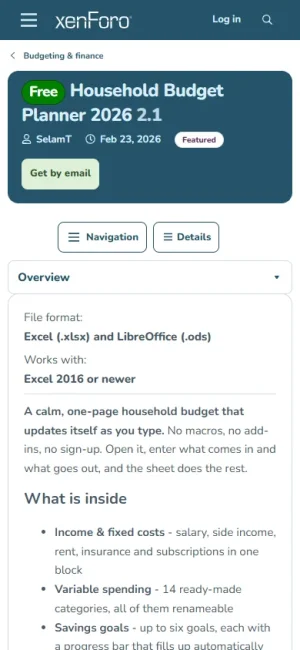
- On phones the panel stacks: title at full width, then author and date, then the action buttons on their own row.
- Status strips (deleted, awaiting approval) sit under the title panel instead of cutting the tabs off from their card.
Threads, posts and questions
- Author column with centred group chips and an optional contribution ring around the avatar.
- Solution box for question threads, with equal spacing and a clear accepted-answer style.
- Previous and next navigation under the last post, and on resource, file and media pages.
- Post sheet, quote, code and table styling tuned for long reading, including on phones.
Resource Manager and Download Manager pages
- Review and comment cards follow the post card design: framed sheet, header above it, author name under the avatar.
- Tabbed review lists (Latest, Most helpful, Rating) meet their card without a notch, and Filters reads as a tab instead of plain text.
- Sidebar link buttons have icons and their own colours from your palette: an info icon for More information, a support icon for Get support.
- Update lists, question pages and download question threads all use the same card language.
A left column and five widgets
- A left column on any page, built from XenForo's own sidenav: width, spacing and the phone panel come from the platform, so it fits any style. On pages that already have a left navigation your widgets join that column instead of adding a second one.
- Content with covers - resources or files with their cover image, as rows for a narrow column or a grid of large covers.
- Numbers - members, threads, messages, resources and files in one compact card.
- Featured members - by message count, reaction score, trophy points or join date.
- Shortcuts - your own links as chips or as a list with icons and descriptions.
- Call to action card - a short message and one button, for everyone, guests only or members only.
Your branding survives updates
- Logos (header, footer, dark variation), footer content, social links and category colours are stored by the bundled Sedir Core add-on, not inside the style, so importing a new Sedir version never wipes them.
- Settings live in one tabbed page: Admin, Sedir Core, Settings - site identity, home page, featured image, sidebar, footer, forum colours, performance.
- Two-column footer with site description, link columns and social links, edited from the admin panel with no template edits.
- Category colours for node headings, set per category.
Built for speed and accessibility
- Self-hosted fonts, no third-party font requests.
- Lightweight selectors, tested on long threads.
- Optional ad-script deferral: AdSense and similar scripts load on the first user interaction, so they do not block the first paint. Auto-placed ads are kept out of the title panel, navigation, breadcrumbs and footer, and unfilled slots no longer leave a blank block.
- 24px tap targets, a proper main landmark, readable disabled buttons, and near-perfect PageSpeed scores on the demo.
What is in the package
- Style XML (Sedir), self-hosted fonts and a small JS file
- Sedir Core add-on - required, included with the theme, no extra charge
- English by default; a single Turkish language pack is included
- Step-by-step INSTALL guide, in English and Turkish
-
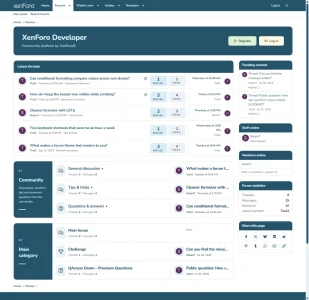 01-forum-index-light.webp
 -
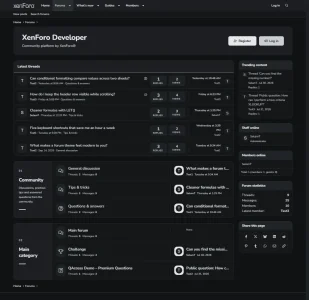 02-forum-index-dark.webp
 -
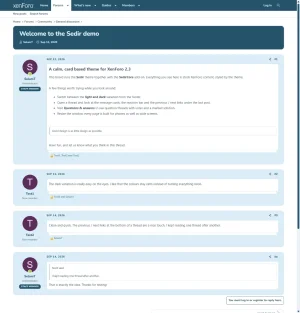 03-thread-light.webp
 -
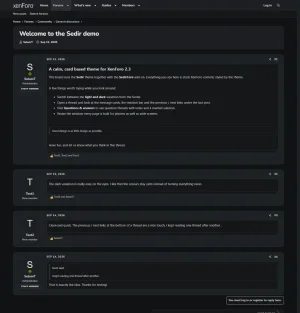 04-thread-dark.webp
 -
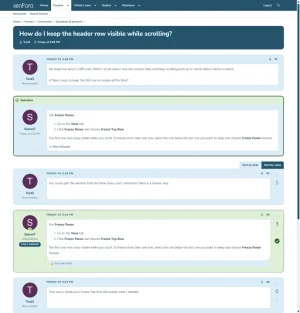 05-question-solved.webp
 -
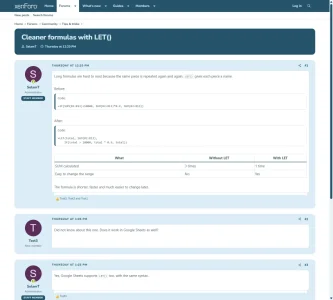 06-code-and-table.webp
 -
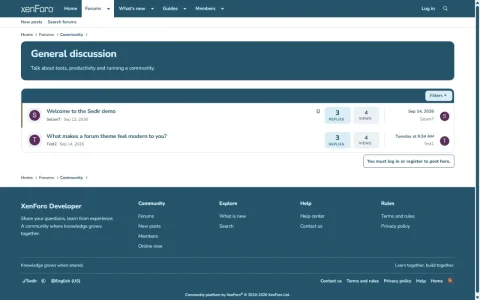 07-forum-view.webp
 -
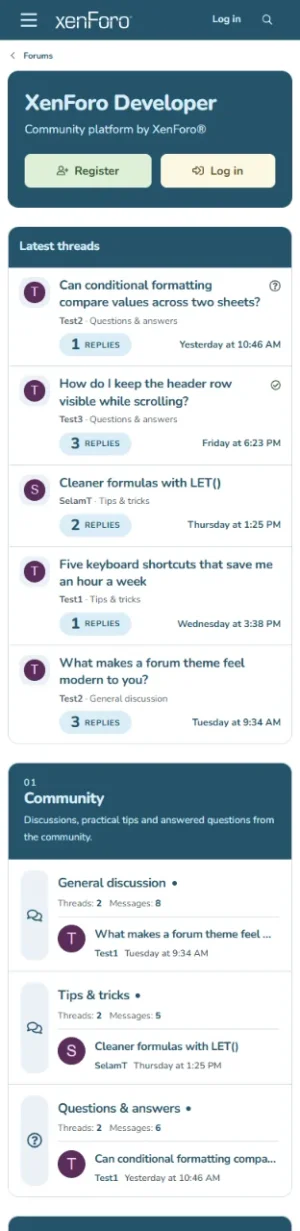 08-mobile-index.webp
 -
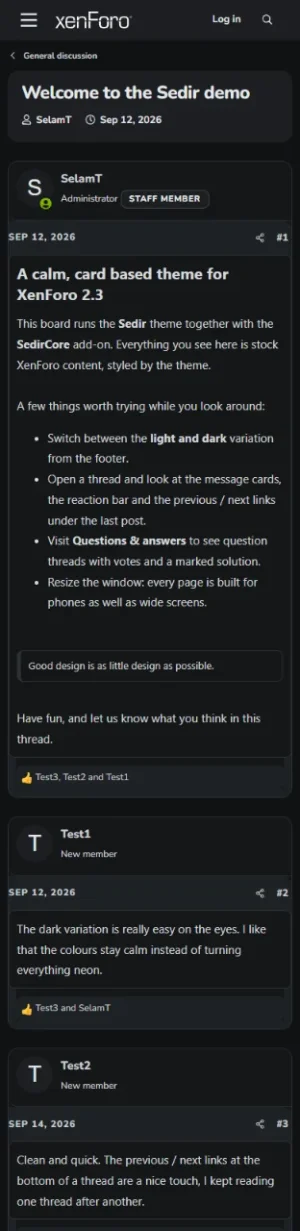 09-mobile-thread-dark.webp
 -
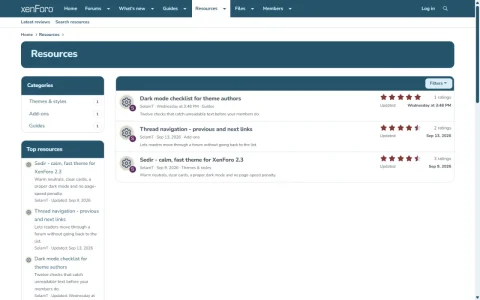 10-resources-list.webp
 -
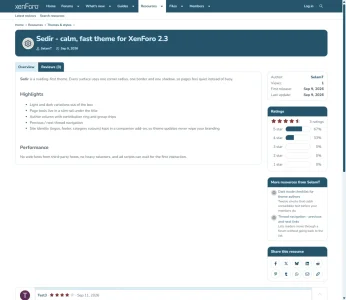 11-resource-view.webp
 -
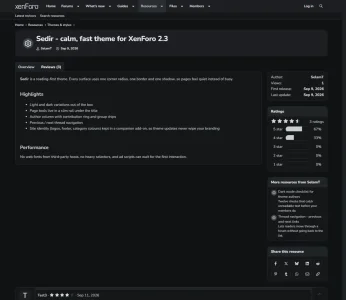 12-resource-view-dark.webp
 -
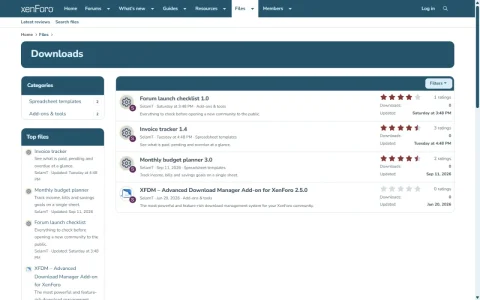 13-downloads-list.webp
 -
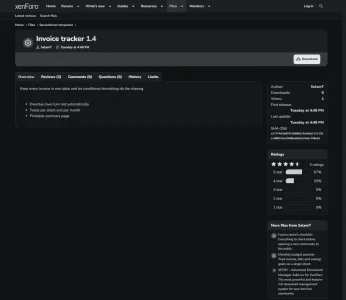 14-download-view-dark.webp
 -
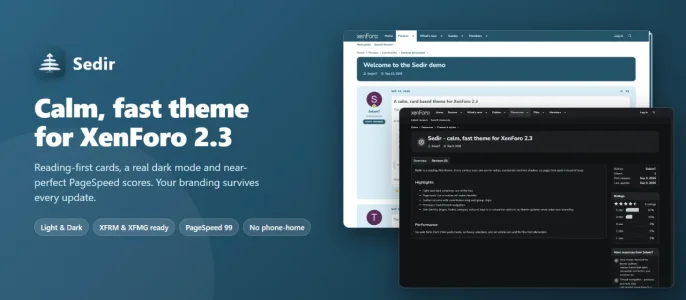 sedir-banner.webp
 -
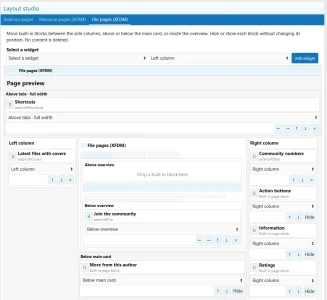 01-layout-studio-xfdm.webp
 -
 02-layout-studio-xfrm.webp
 -
 03-file-page.webp
 -
 04-block-moved-below-card.webp
 -
 05-mobile-two-drawers.webp


