

- Affected version
- 2.3
Seems that the new iCloud password manager hijacks any input with name="username". In the Admin control panel it even obscures the autocomplete dropdown of usernames too. Applying autocomplete="off" to the form or text fields has no effect.
Chrome and Safari on macOS are affected, haven't tested others.
In the screenshot below the username list is active but stays fully obscured.
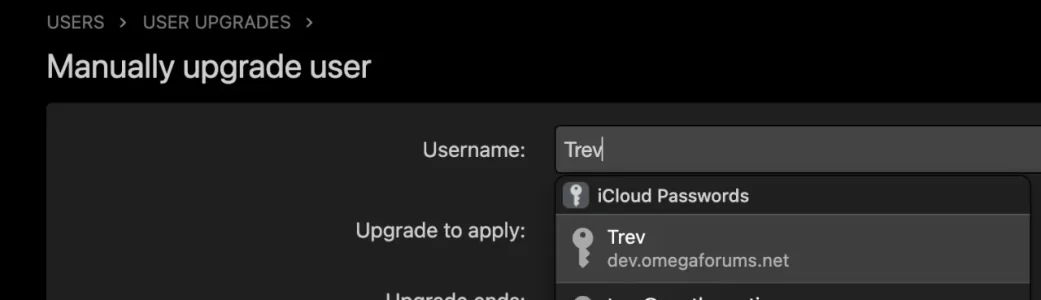
Renaming these fields to anything but "username" resolves all issues, but would require some Xenforo backend changes.
Chrome and Safari on macOS are affected, haven't tested others.
In the screenshot below the username list is active but stays fully obscured.
Renaming these fields to anything but "username" resolves all issues, but would require some Xenforo backend changes.
