Supergatto updated Traffic Counter & Forum Statistics (Real-Time, GeoIP, AMS) with a new update entry:
Version 1.5.1 Release Notes
Read the rest of this update entry...
Version 1.5.1 Release Notes
This update introduces a specific layout improvement for the PRO version, targeting the weekly statistics chart.
Changelog:
Upgrade is recommended for all PRO users to enjoy the improved mobile experience...
- Mobile-Friendly Trend Chart: The 7-Day Trend chart now displays the daily total directly inside the vertical bars. This change ensures better readability and full compatibility when viewing the widget on smartphones and smaller screens.
Read the rest of this update entry...


 What's new?
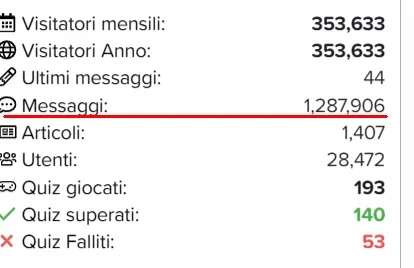
 "Quiz System" Widget Integration


 XenForo 2.3.8 Compatibility Confirmed!
 What this means for you:
 Upgrade Advice
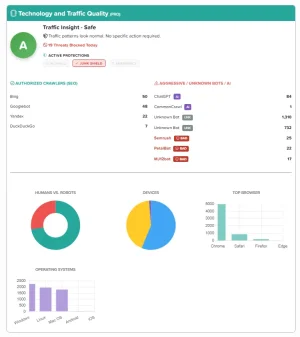
 Bot Intelligence & AI DetectionWe have rewritten the detection engine from scratch. The addon now distinguishes between:
 Traffic...
 Threat Counter: A new indicator in the report page shows exactly how many malicious requests were blocked by the add-on in the last 24 hours.