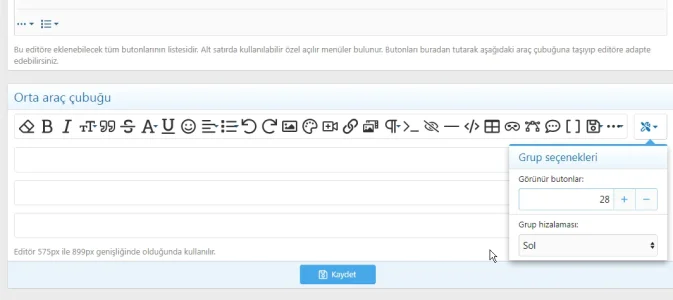
htsumer Active member Licensed customer Oct 11, 2025 #1 When I set the number of buttons visible in the Center Toolbar to 18, there's no problem. However, when I set them all to 28, they scroll as shown in the picture. Is it possible to move them one below the other? Version v2.3.4
When I set the number of buttons visible in the Center Toolbar to 18, there's no problem. However, when I set them all to 28, they scroll as shown in the picture. Is it possible to move them one below the other? Version v2.3.4
htsumer Active member Licensed customer Oct 11, 2025 #2 Okay, problem solved, I moved it to the bottom line and prevented it from overflowing. Upvote 0 Downvote