XF 2.3 How do you change the block header color with variations?

beerForo

Well-known member
Licensed customer
Just getting the hang of variations. I used my Light style and set a Dark variation so I see the two columns in some of the areas like colors, but when you go to Blocks there are no columns. So how do we change the "dark" version?
1727321564141.webp
 
Last edited:
Base those colors on a property that has variations (like the palette color or basic colors, or even a custom property you define yourself).
 
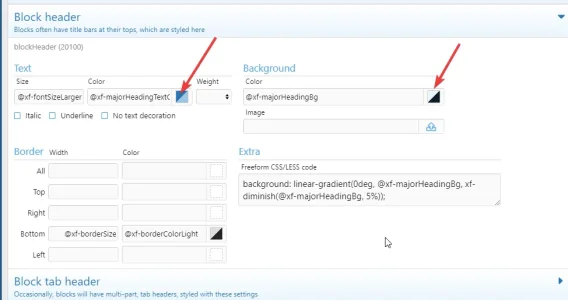
Right now it's using the same color as the Light style. And if I go to the section to change it there are not two columns; no Alternate column.
 
Not all properties will have an alternate column. It sounds like you might be inside of the property (block heading). In the property, by default it calls the colors from Basic colors:

1727324809142.webp


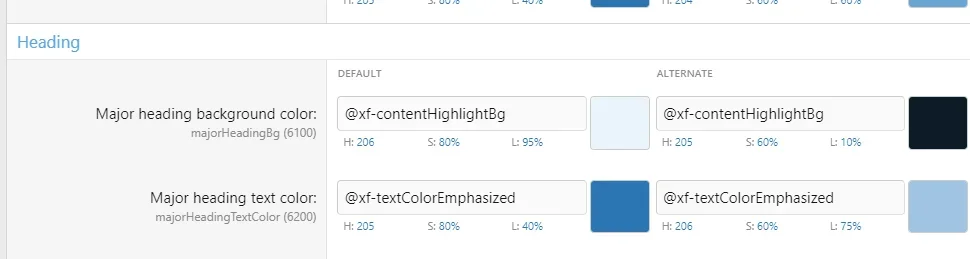
Go to Basic colors:

1727324852101.webp
 
Back
Top Bottom