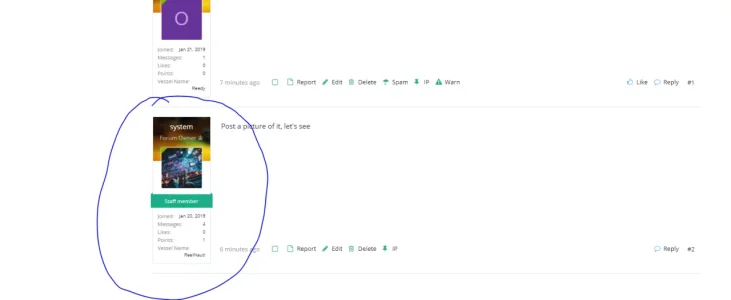
O owen1200003 Member Licensed customer Jan 21, 2019 #1 How can I increase the width of the circled area?
Ozzy47 Well-known member Licensed customer Jan 21, 2019 #2 Navigate to, ACP > Appearance > Styles properties > Messages, then change the "Message user info block width" setting as needed. Upvote 0 Downvote
Navigate to, ACP > Appearance > Styles properties > Messages, then change the "Message user info block width" setting as needed.
O owen1200003 Member Licensed customer Jan 21, 2019 #3 ozzy47 said: Navigate to, ACP > Appearance > Styles properties > Messages, then change the "Message user info block width" setting as needed. Click to expand... Thanks Upvote 0 Downvote
ozzy47 said: Navigate to, ACP > Appearance > Styles properties > Messages, then change the "Message user info block width" setting as needed. Click to expand... Thanks
Ozzy47 Well-known member Licensed customer Jan 21, 2019 #4 Not a problem, glad to help. Upvote 0 Downvote