
![[XFA] MG Media Of The Week](/community/data/resource_icons/10/10922.jpg?1792343416)
- Compatible XF 2.x versions
- 2.3
- Additional requirements
- - XenForo Media Gallery 2.3.0+
- [XFA] Core 1.5.4+
- License
- 1 year - 10€ renew
- Visible branding
- No
Keep your gallery buzzing every single week. Each week your members compete with their best photos and videos: they submit, the community votes, and the winner is crowned automatically with a ribbon, a trophy and even a user upgrade. Run it with a dedicated contest album, let everyone vote for any media in your gallery, or let members enter media from the gallery categories you choose.
It is the weekly sibling of MG Media Of The Month, and the two can run side by side on the same site, each with its own settings, votes, ribbons and widgets.
Perfect for photography communities, art and creative forums, game screenshot galleries, hobby clubs and any community that loves to show off and vote.
 Features
Choose how your contest works
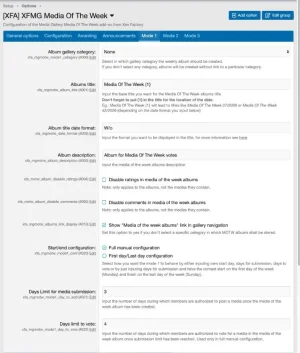
 Weekly album (Mode 1): a dedicated album is created each week where members submit media, followed by a voting phase.
 Open vote (Mode 2): no dedicated album, members vote for any media in the gallery, or only in the categories you pick. The most voted one wins and votes start fresh every week.
 Gallery submissions (Mode 3): no dedicated album either: members submit media from the gallery categories you choose during the submission phase, then the community votes.
 Photos and videos: both are supported in every mode.
 Fully automatic: contests start, change phase and finish on their own.
 Pause button: suspend new contests during a given period with a single option.
 Start day: choose which day of the week the contest begins, or on which day the winner is awarded in the open vote.
Submissions and votes
 Flexible phases: set how long submission and voting last, and even start voting immediately.
 Your kind of schedule: configure everything by hand (start day, days to submit, days to vote), or go simple: only set the submission length and the contest runs from Monday to Sunday.
 Submission limit: choose how many media a member can submit per contest.
 Votes per member: set the maximum number of votes each member can cast.
 Settings kept per contest: edit the configuration for the next contest while one is running, and let selected usergroups adjust a running contest.
 Album category: pick the category where contest albums are created.
 Album notices: show a notice in contest albums, optionally for specific weeks only.
Voting experience
 Votes at a glance: vote counts and vote links on the media page and on the album page.
 Your votes are marked: members see with a text and an icon which media they voted for.
 Who voted: optionally show on the media page who voted for it.
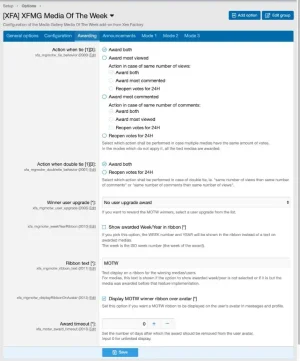
 Tie-break rules: award both, the most viewed, the most commented, or reopen votes for 24 hours, with a second rule if the tie remains.
Winners and rewards
 Winner ribbon: shown on the winning media, with a default text or the week number and year. Its color and corner differ from MG Media Of The Month's ribbon, so both can sit side by side.
 Ribbon on avatars: winners wear a ribbon in messages and on their profile.
 Ribbon duration: choose how many days the ribbon stays displayed.
 User upgrade: award the winner a user upgrade to motivate your members.
 Trophy criteria: give trophies based on the number of Media Of The Week awards.
- Awarded medias page: a dedicated page showing every winning media, linked from the gallery navigation and sidebar.
 Winner notification: an alert for the winner, plus an optional email.
Buzz in your forum
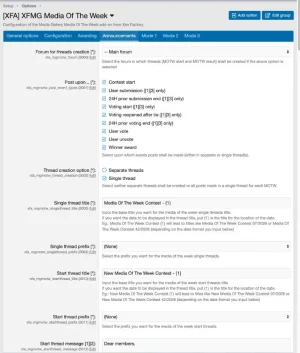
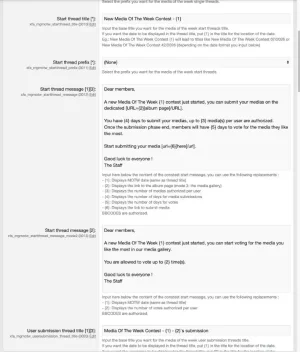
 Contest posts: highlight the contest in a forum on the events you choose: contest start, submissions with the media included, 24 hours before the submission phase ends, voting start, votes and unvotes, votes reopened after a tie, 24 hours before voting ends, and the winner.
 One thread or many: keep a single thread updated all along, or open a new thread for each event.
 Posted by whoever you want: use a dedicated user for each message type, or the member who made the action.
Alerts and widgets
 Vote alerts: media owners are alerted when someone votes or unvotes for their media. Members can turn it off in their preferences.
 Current contest slider: a widget showing the media taking part in the current contest, ordered by date, votes or randomly.
 Winners slider: a widget showing past winners, ordered by date, votes, award date or randomly.
Control for admins
 Usergroup permissions: decide who can submit media, vote and unvote, and who can edit a contest's configuration.
 Storage override: let selected usergroups bypass the gallery storage limit for contest albums.
 Lots of options: tune the contest, the messages and the ribbons without touching a line of code.
 Quick facts
 Requires: XenForo Media Gallery and the free [XFA] Core add-on. MG Media Of The Month is not needed.
- Install: install [XFA] Core first, then MG Media Of The Week. Step by step instructions are in the readme.
 Support: visit the support forum.
 Ready to crown your first weekly winner?
Install the add-on, choose your contest mode, and let your community compete for Media Of The Week.-
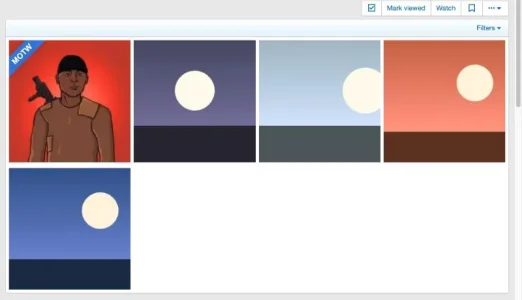 Album_view_awarded.webp
 -
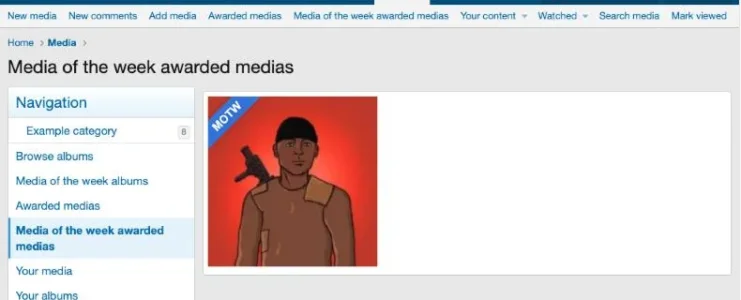 Awarded_medias_page.webp
 -
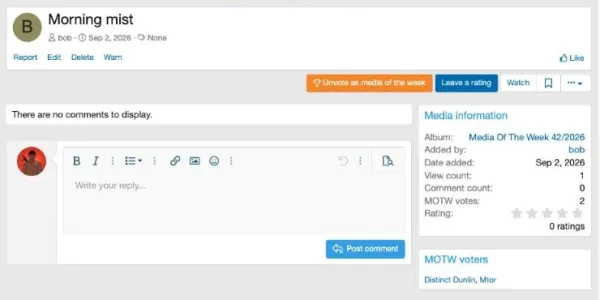 Media_view_unvote.webp
 -
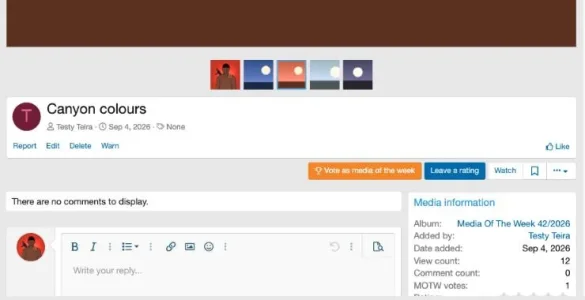 Media_view_vote.webp
 -
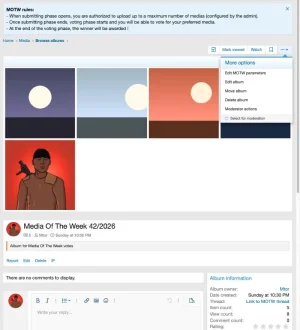 MOTW_album_view__mode_1_.webp
 -
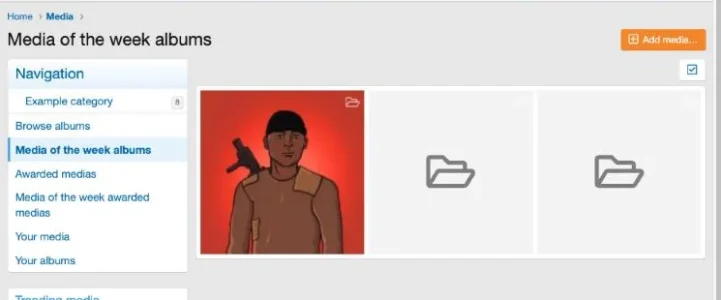 MOTW_albums_list__mode_1_.webp
 -
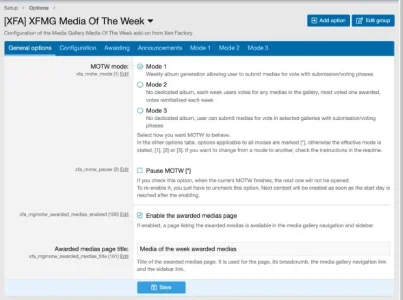 Options_1.webp
 -
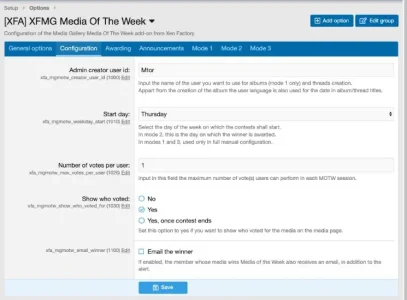 Options_2.webp
 -
 Options_3.webp
 -
 Options_4.webp
 -
 Options_5.webp
 -
 Options_6.webp
 -
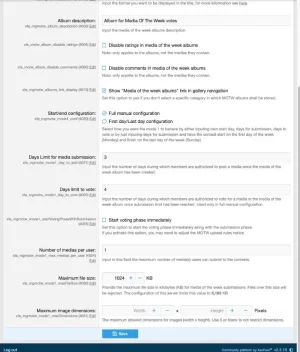 Options_7.webp
 -
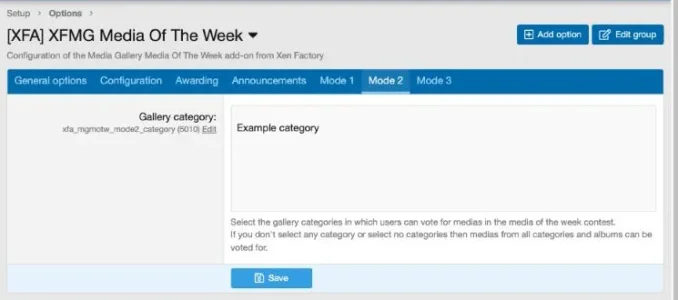 Options_8.webp
 -
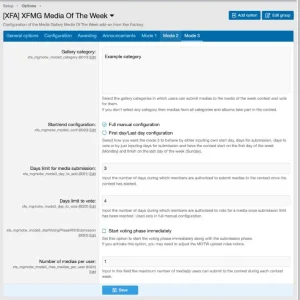 Options_9.webp
 -
 Permissions.webp
 -
 Sidebar_widget_winners.webp
 -
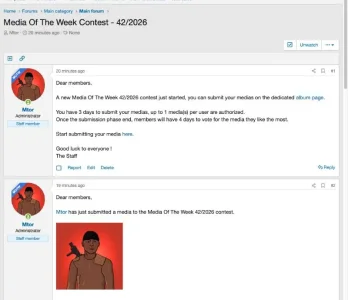 Thread_notifications.webp
![[XFA] RM Marketplace/Shop - XF2](/community/data/resource_icons/6/6064.jpg?1791757902)
![[XFA] RM Marketplace/Shop - XF2 - Cart plugin](/community/data/resource_icons/9/9784.jpg?1745174668)
![[XFA] RM Marketplace/Shop - XF2 - Affiliate system plugin](/community/data/resource_icons/9/9866.jpg?1743350593)
![[XFA] RM Donations - XF2](/community/data/resource_icons/7/7072.jpg?1792622301)
![[XFA] RM Multiple Categories Resources - XF2](/community/data/resource_icons/7/7863.jpg?1792619019)