
You are using an out of date browser. It may not display this or other websites correctly.
You should upgrade or use an alternative browser.
You should upgrade or use an alternative browser.
![[XenCustomize] Online Time Tracker: User Time Spent Statistics & Insights](/community/data/resource_icons/9/9835.jpg?1779055721)
[XenCustomize] Online Time Tracker: User Time Spent Statistics & Insights 2.2.6
No permission to buy ($35.00)
- Author Veer
- Creation date
This update brings important bug fixes reported by @Gemma and other customers. Upgrade now for a smoother experience!
XenCustomize Time Spent Online 2.1.1.2 is here!
New Features & Improvements:
- Added support for both radio button and checkbox field types for the gender field, ensuring time tracking across all formats.
Bug Fixes:
- Fixed an issue where gender-based time tracking failed when using checkboxes in the gender field.
- Resolved empty page issue in location-based time statistics; pagination now works correctly.
- Corrected percentage calculations on paginated location statistics for accurate time distribution.


This update includes important bug fixes reported by @Gemma and @hakyangler. Upgrade now for a smoother experience!
- Fixed
ArgumentCountErrorin a method by ensuring required parameters are passed correctly.- Resolved error when "Time Spent by Location" option is disabled, preventing a call to an undefined method.

This update brings several improvements to how location-based time tracking is displayed and managed. The "Time Spent by Location" section now orders results by total time spent, ensuring a more structured view of the data.
We've also added pagination support to the "Time Spent by Location" section, preventing long lists from overwhelming the page. To further enhance usability, there's a new "Time Spent Statistics by Location" page, which allows you to browse location-based time data more efficiently with pagination.
A new admin option, "Locations per page" (default: 20), gives you control over how many locations are displayed per page. This helps keep the statistics page organized and user-friendly.
- The "Time Spent by Location" section now orders results by total time spent.
- Added limit and pagination support for the "Time Spent by Location" section on the "Time Spent Statistics" page.
- Introduced a new "Time Spent Statistics by Location" page with pagination support for easier browsing of long location lists.
- Added a new admin option: "Locations per page" (default: 20).
If you're enjoying the add-on, and have not rated yet, please consider leaving a rating here or at XenCustomize.com.
Rate & Review

We’re excited to announce version 2.1.0 of XenCustomize Time Spent Online, introducing daily time tracking, a massive upgrade that redefines how user time spent online is tracked. Previously, the addon only tracked total time spent per user, but with this update, we can now track and display daily activity trends - effective from this version forward.
The new Time Spent Statistics Dashboard provides deeper insights into daily activity, helping both users and admins better understand engagement trends like never before. You can now track:
A Smarter Time Spent Statistics Dashboard
Your Time Spent Today vs. Your Average Daily Time

More Admin Control & Customization
New User Group Permission – "Can view time spent statistics," allowing admins to restrict access to the stats dashboard.

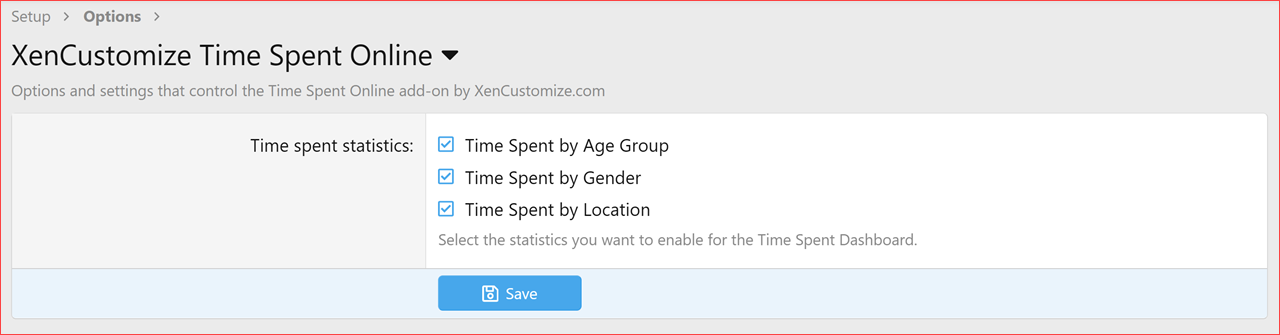
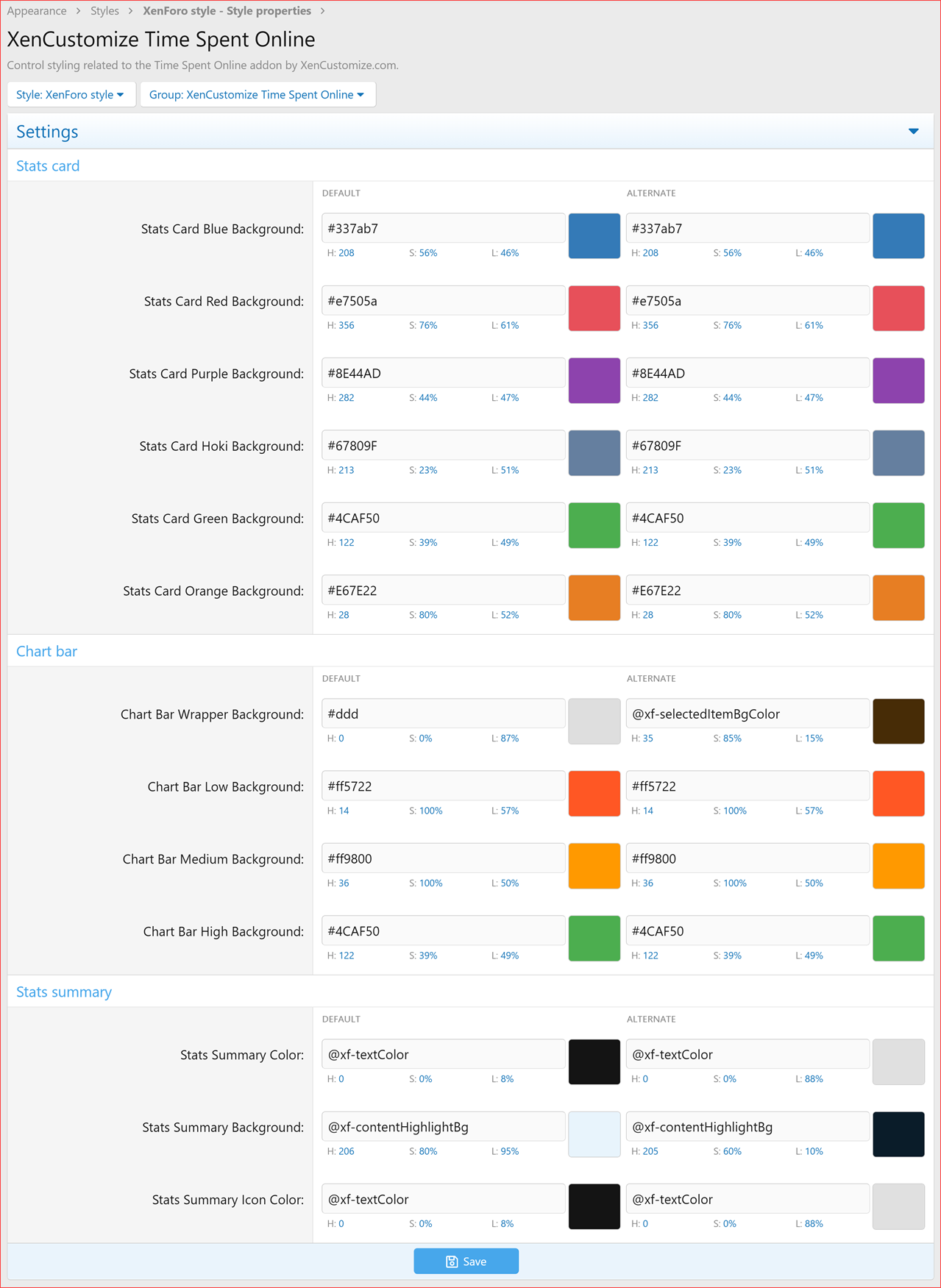
On top of this, we've enhanced engagement analytics by introducing statistics cards and interactive CSS bar charts, making it easier to spot trends and analyze user behavior in a clean, visually appealing way.
Better Visualization with Interactive Charts

With these significant enhancements and future development in mind, the addon price now starts from $35 (previously $27.50). However, existing customers are not affected - this change only applies to new purchases.
Pricing Update
Upgrade now to take advantage of better insights and customization!
If you're enjoying the add-on, and have not rated yet, please consider leaving a rating here or at XenCustomize.com.
- Introduced a detailed front-end Time Spent Overview page showcasing various online activity metrics:
- Community-Wide Average Daily Time
- Your Time Spent Today
- Your Average Daily Time
- Your Online Time Compared to Other Users
- Most Active User Today
- Total Time Spent by the Community Today
- Time Spent by Age Group
- Time Spent by Gender
- Time Spent by Location
Interactive CSS Charts for Better Visualization:
- Implemented bar charts to enhance data representation for:
- Time Spent by Age Group
- Time Spent by Gender
- Time Spent by Location
- Uses color-coded bars to indicate low, medium, and high engagement levels for a more intuitive user experience.
New Navigation Link:
- Added a new sub-navigation link under the "Members" navigation for quick access to the Time Spent Statistics page.
- Fully permission-controlled, accessible only to users with the "Can view time spent statistics" permission.
New User Group Permission:
- "Can view time spent statistics" – Allows admins to control who can access the statistics dashboard.
New Admin Options to enable/disable:
- Time Spent by Age Group
- Time Spent by Gender
- Time Spent by Location
- Stats Cards
- Stats Summary
- Bar Chart Colors
If you're enjoying the add-on, and have not rated yet, please consider leaving a rating here or at XenCustomize.com.
This update brings enhanced time precision, refined formatting, and important bug fixes! Member profiles and tooltips now display seconds for a more detailed view, time formatting in message user info is more compact and accurate, and template logic has been optimized for better performance.
Upgrade now to take advantage of these improvements!
If you enjoy this update, please take a moment to rate the add-on!
- Enhanced Time Display for Profiles:
- Now includes seconds in member profiles and member tooltips for more precise display.
- Refined Time Formatting in Message User Info:
- Now displays up to two largest time units (e.g.,
1yr 1mo,1mo 1d,1d 1h,1h 1s) for a more compact and accurate summary.
- Refactored Template Logic:
- Moved conditional checks from
message_macrostemplate modification to PHP for better maintainability and efficiency.- Regex Fix for Custom Styles:
- Updated the Find regular expression to improve compatibility with custom templates.
- Fixed Missing Phrase:
- Added a missing phrase.

We've just released [XenCustomize] Time Spent Online 2.0.1, bringing a smoother experience with key improvements! This update introduces automatic migration of existing data from [WMTech] Time Spent Online, making transitions effortless.
We've also refined the Forum Statistics widget for better styling support and optimized the time format display by removing unnecessary spaces for a cleaner look (e.g.,5mo 9d 18h 30minstead of5 mo 9 d 18 h 30 min).
Upgrade now to enjoy these enhancements!
Change log
- Added automatic migration of existing data from [WMTech] Time Spent Online.
- Improved template modification of the Forum Statistics widget for better styling support.
- Updated time format display to remove extra spaces (e.g.,
5mo 9d 18h 30minstead of5 mo 9 d 18 h 30 min).