

- Compatible XF 2.x versions
- 2.3
- Additional requirements
- Prizma Media Gallery 1.6.1 or a later 1.x version (required; Unseen Showcase shows Prizma's media; 1.6.3 or later for Prizma's own banners in the cover header)
PHP 8.0 or newer
- License
- Commercial licence: one licence per live forum.
- Updates duration
- 6 months of updates and support included. Then renews automatically at €10 + VAT every 6 months; cancel any time. Unseen Showcase keeps working if you cancel.
- Visible branding
- No
See the six live showcases
Open the demo forum's Showcase tab: six showcases built from one Prizma gallery, each with its own layout and header.
Open the demo forum's Showcase tab: six showcases built from one Prizma gallery, each with its own layout and header.
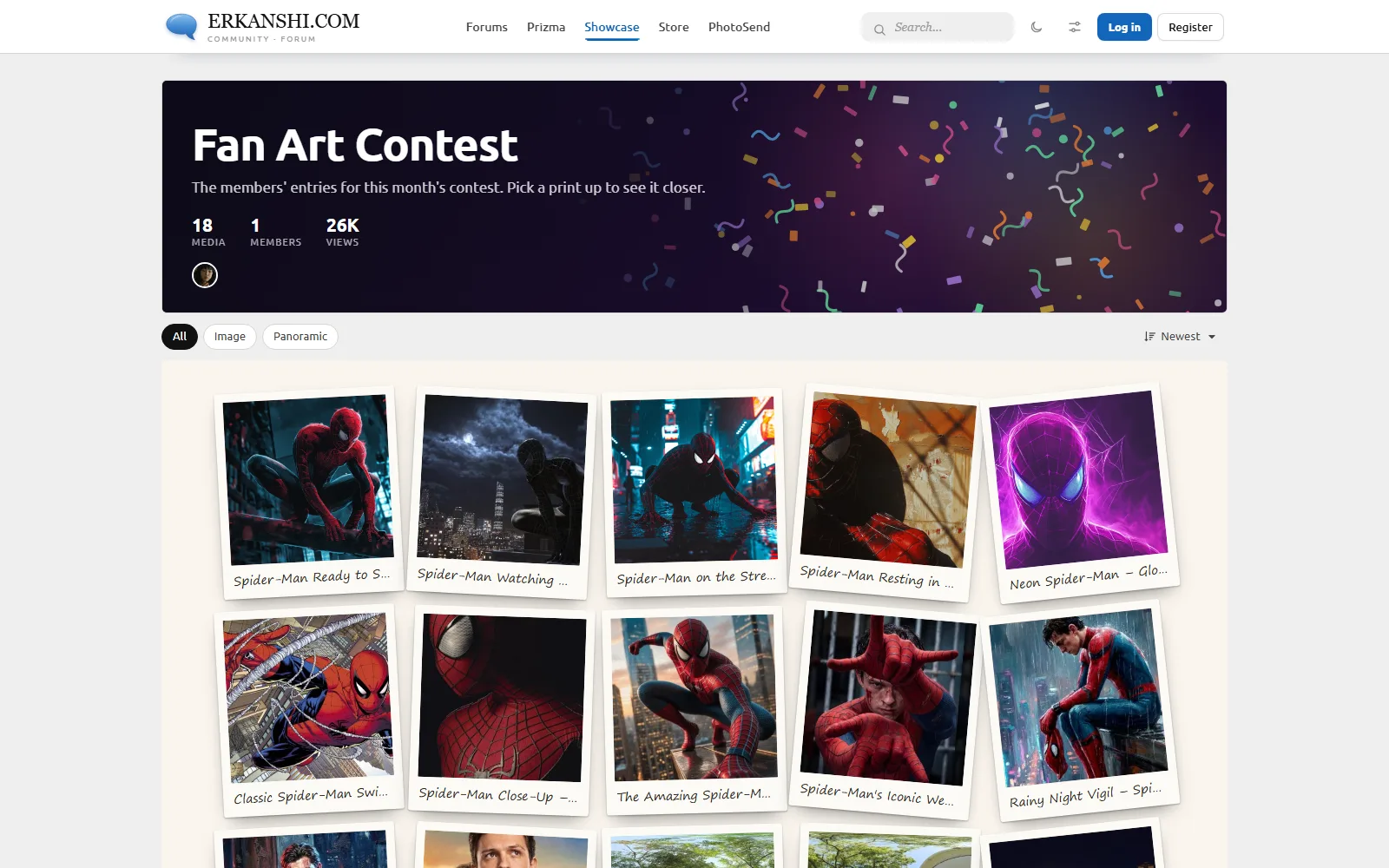
Prizma is where your members' media lives. Unseen Showcase adds the exhibition: pages you curate from that gallery around one idea — a contest's entries, a hall of fame, a cinema for your videos, your newest uploads — each with its own address, its own look and its place in the main navigation.
Highlights
- Pages you curate. Any mix of Prizma categories, albums, collections (including Prizma 1.7.5's smart collections) and members, narrowed down to the media types you want. Pinned media come first, then the rest in the order you choose: newest, oldest, most viewed, top rated, random (changes daily) or a collection's own order.
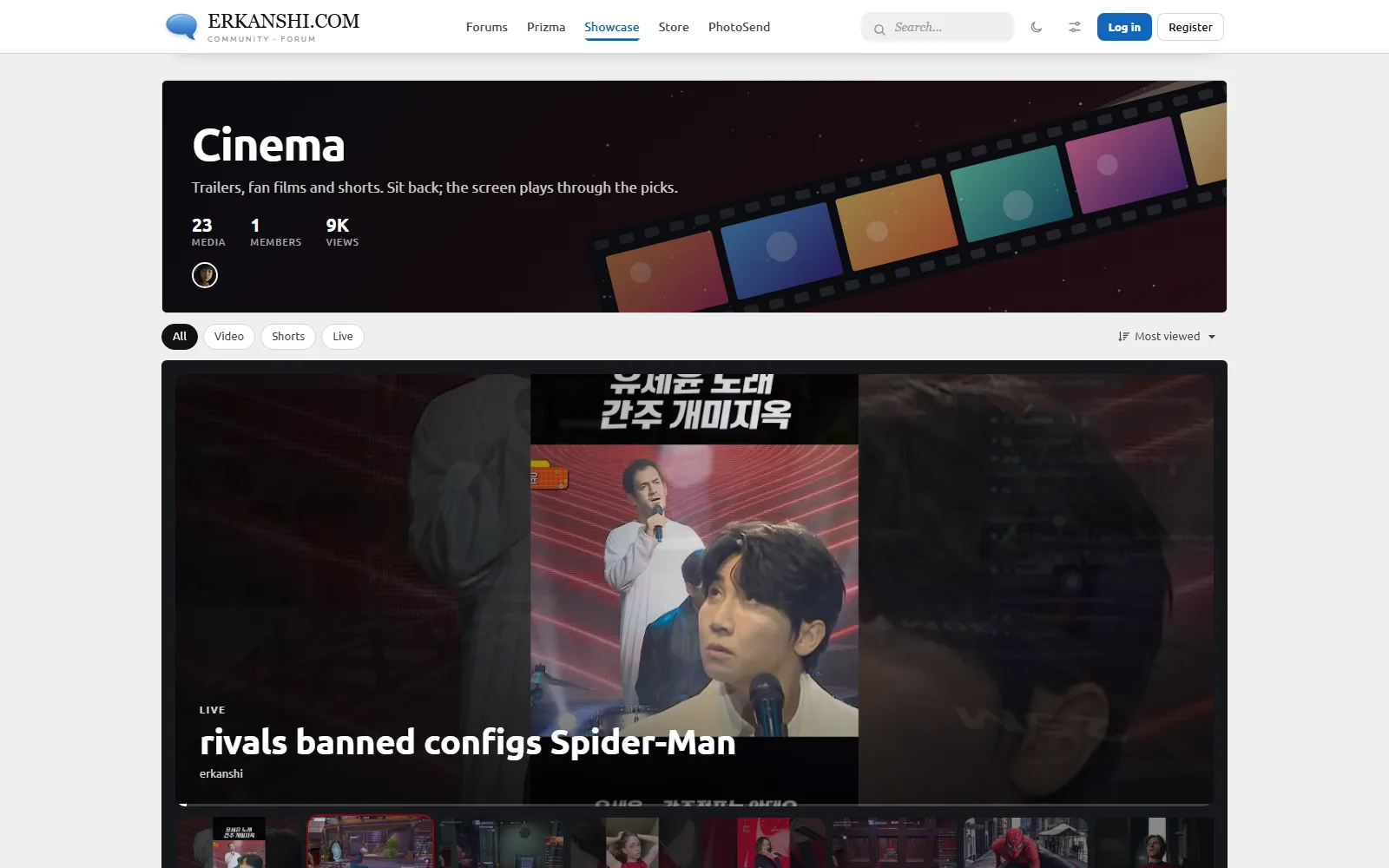
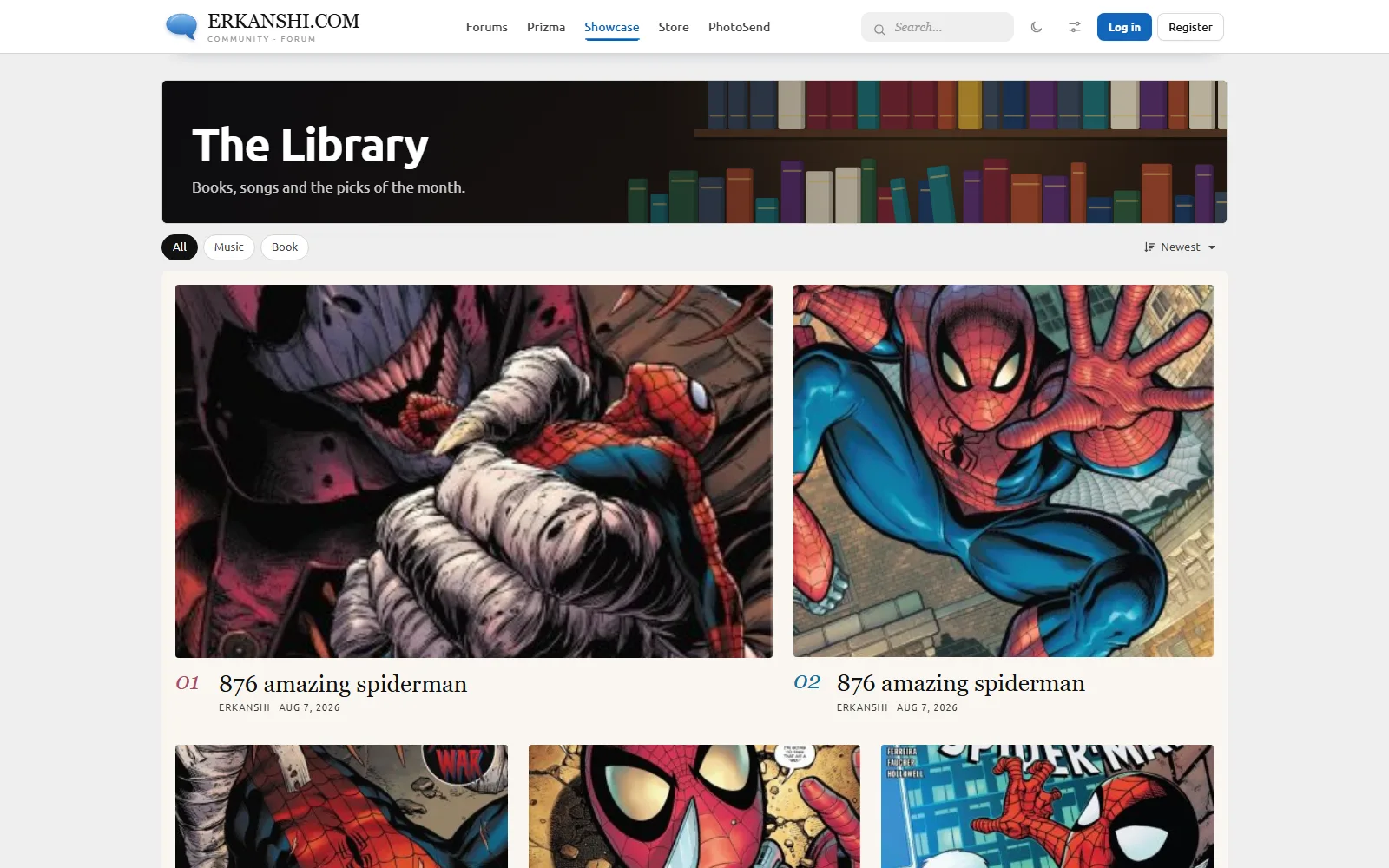
- Fourteen layouts. Grid, justified rows, masonry, bento mosaic, center hero, editorial, polaroid, accordion, coverflow, spotlight, marquee and 3D wall, plus honeycomb and diamond as special designs.
- Eighteen ready-made looks. Start from one, change anything, and save your own looks to reuse on other showcases.
- A cover header. Media, member and view counts and the faces of the people who contributed, over a collage of the showcase's own media, your own image, one of 18 built-in banners or one of Prizma's banners.
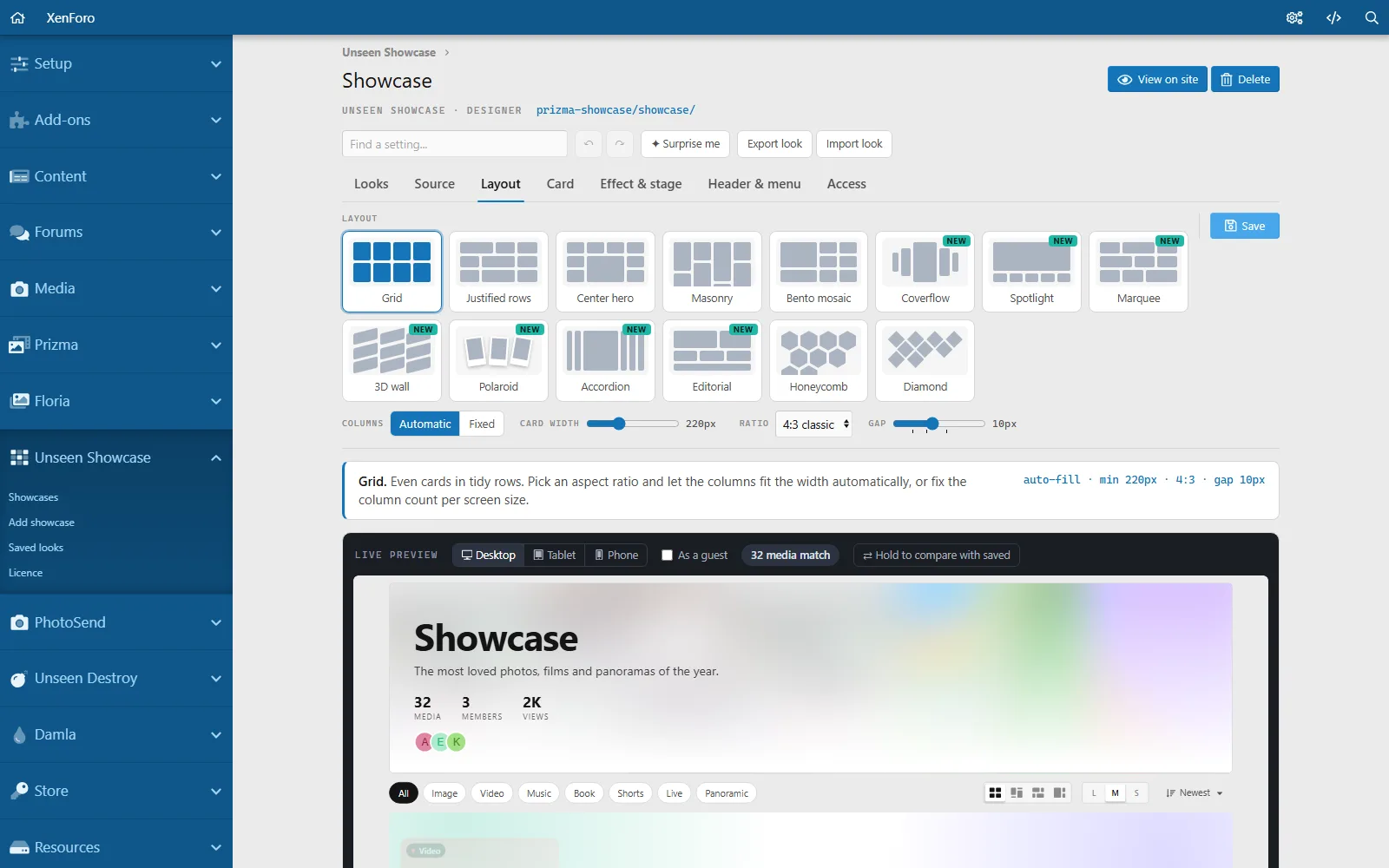
- Designed with a live preview. Every showcase is designed in the admin control panel next to a preview you can switch between desktop, tablet and phone sizes, and view as a guest would see it.
- Only what a visitor may see. Private, unlisted and NSFW media never appear, and every visitor only sees what their own Prizma permissions allow.
- In your navigation. Your showcases share one tab in the main navigation; each can be switched on or off, scheduled with a start and an end date, or limited to user groups.
- For visitors. If you allow it, visitors can switch the view and the card size, filter by media type (only the types that showcase has) and change the sort order. A card opened in Prizma's pop-up viewer flies into it and back when it closes.
- Calm by design. Moving layouts pause on hover and on keyboard focus, and everything stays still for visitors who ask their system for reduced motion.
Screenshots
Wall of Fame — The 3D wall layout.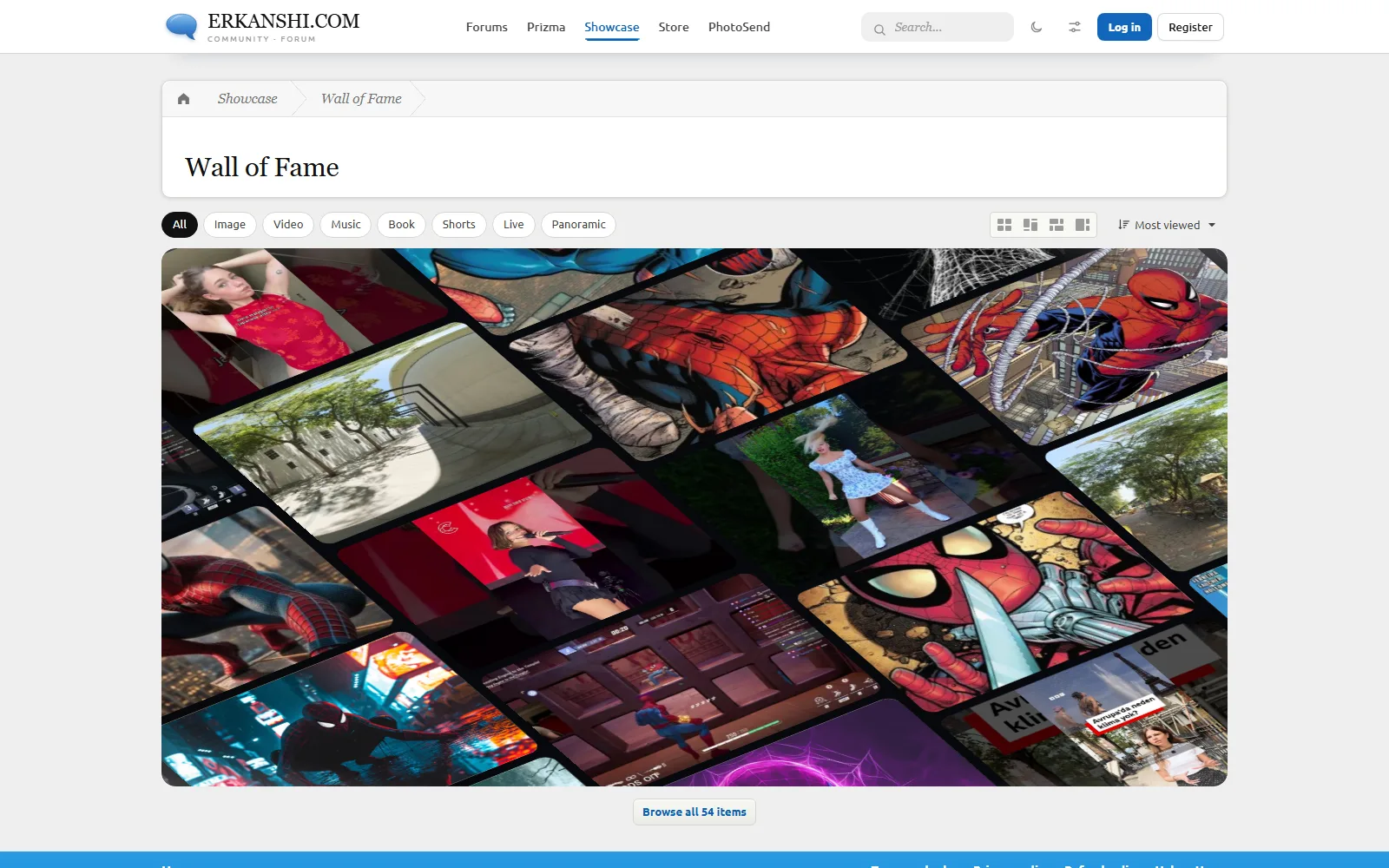
Hall of Heroes — The coverflow layout with captions on the image, under a built-in banner.

Cinema — The spotlight layout: one large pick with the others in a strip below.
New this week — Marquee rows that drift by and pause on hover, with frosted-glass captions.

The Library — The editorial layout with numbered captions below each picture.
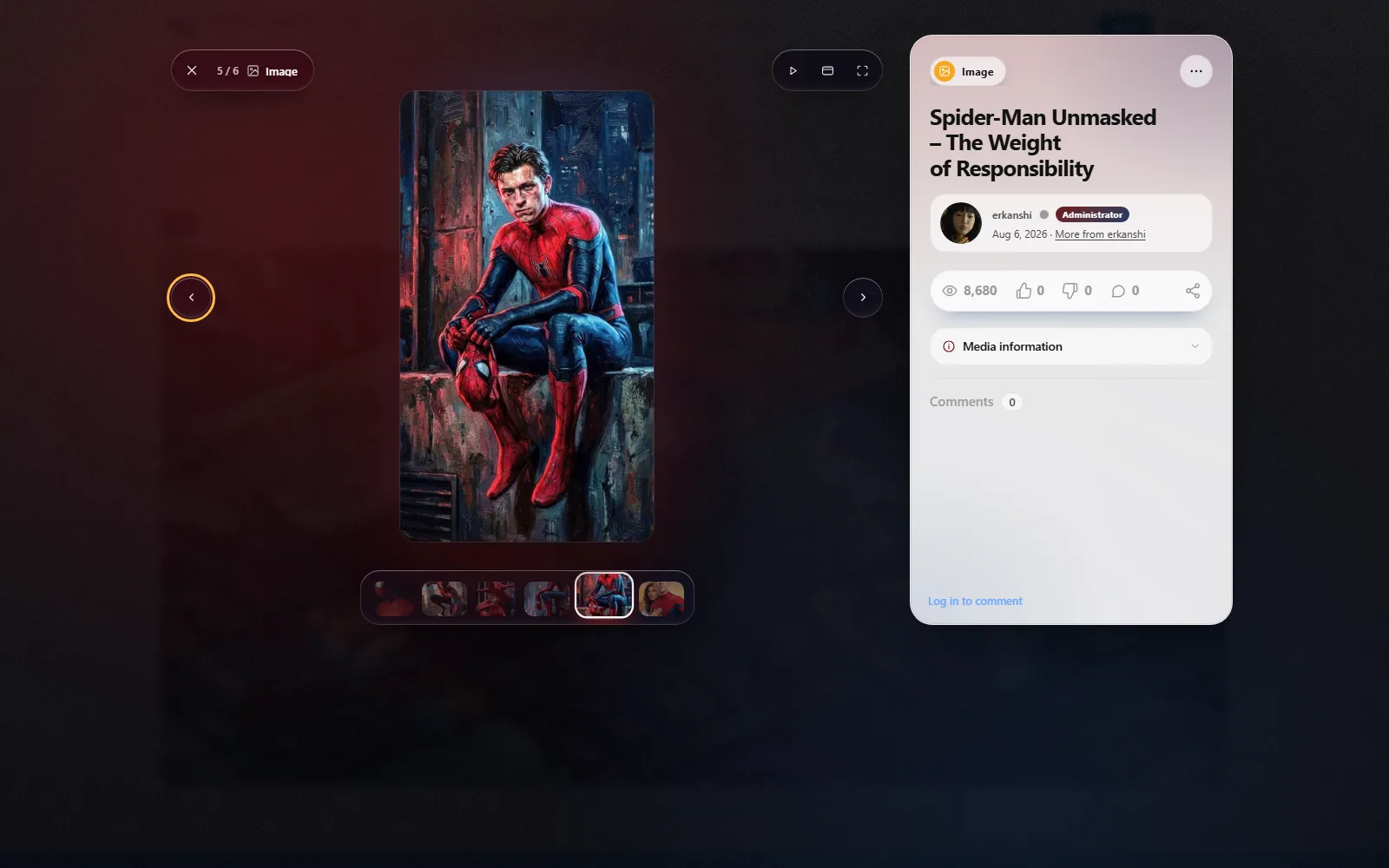
Prizma's viewer — A card from Wall of Fame open in Prizma's pop-up viewer.
The designer — Every setting next to a live preview in the admin control panel.
How it looks
- Seven hover effects: Aura (a soft glow in each photo's own colour), Tilt, Focus, gentle zoom, lift, shine and colour on hover
- Captions as frosted glass, on hover, below the image, always on the image, or hidden; three entrance animations (rise, focus in, pop)
- Header backdrops: a collage of the showcase's own media, your own image (JPEG, PNG, WebP or GIF, up to 8 MB), one of 18 built-in banners (photography, cinema, music, books, games, sports, travel and more) or one of Prizma's banners
- Showcases stay inside your style's normal page width, next to your forum's own header and footer
The designer
The designer can search its own settings, undo and redo, try a random ready-made look with "Surprise me", compare your changes with the saved version, and export or import a look. A new showcase starts with three steps: what to show, pick a look, name and save. While you pick sources it tells you how many media match.Navigation and access
- The showcase tab opens the first showcase in your order and uses its menu name; when there is more than one, the tab's menu lists the showcases you set to appear in the navigation that the visitor can see
- When the opening showcase is switched off or not yet started, the next one takes its place
What you get
- Every feature above — there is no paid tier
- A fresh installation creates one showcase, "Showcase", with your whole gallery in the Classic look, so a Showcase tab appears in the navigation straight away; every group that can view your forum can view showcases
- English plus eleven language packs: Chinese (Simplified), Dutch, French, German, Italian, Japanese, Korean, Portuguese (Brazil), Spanish, Swedish and Turkish. They hold Unseen Showcase's own texts and do not install automatically: import each one over your existing language of that kind (Appearance → Languages → Import, overwrite or import as its child)
Performance
Images load lazily and every card reserves its space, so the page does not jump while it loads. On boards with a cache backend, each showcase's media list and header counts are cached (5 minutes by default, adjustable per showcase). Publishing, deleting, moving, hiding or NSFW-flagging media, album privacy changes and permission changes clear that cache straight away; view counts, ratings and collection changes refresh when the cache time runs out.
Limits worth knowing
- Unseen Showcase is in Alpha (0.3.5, tested with Prizma 1.7.6). Features may still change in the next releases, which come as free updates while your update period runs.
- A showcase draws from at most 2,000 media: the first 2,000 in its sort order (for Random, the newest 2,000, shuffled). Pages, the header's media count and the match count stop at 2,000.
- Up to 24 pinned media per showcase, entered by their media IDs.
- Unseen Showcase displays media; it has no voting or entry forms of its own.
- Without a cache backend, the media list is read from the database on every page view, and visitors are not offered the "Top rated" order.
- Your own header image is resized and saved again, so an animated GIF may show as a still image.
- Prizma's own banners in the cover header need Prizma 1.6.3 or later; the 18 built-in banners work with any supported Prizma.
Requirements
- A XenForo licence for the board you install it on
- XenForo 2.3.0 or newer
- PHP 8.0 or newer
- Prizma Media Gallery 1.6.1 or a later 1.x version (1.6.3 or later for Prizma's own banners in the cover header)
Pricing
€20 excluding VAT, a one-off licence for one live forum, with 6 months of updates and support included. After that, updates and support renew automatically at €10 excluding VAT every 6 months — the first charge is 6 months after purchase, and you can cancel any time. Unseen Showcase keeps working if you cancel. VAT is added at checkout where it applies. Payments are handled by Paddle, our Merchant of Record.
Licence verification (external requests)
Unseen Showcase works fully without a licence key. Once you enter a key under Unseen Showcase → Licence, the add-on contacts erkanshi.com when you save the key or press Check now, and then once a week (scheduled task). It sends: your licence key, the product's short name, a random ID generated on your board, your board URL and board title, the installed versions of Unseen Showcase, XenForo and PHP, and a one-time random value. The Licence page lists the same fields. Nothing is sent during installation or uninstallation, and nothing is locked if our server cannot be reached.
Installing
Upload the contents of the upload folder to your forum root and install Unseen Showcase from Admin control panel → Add-ons. Prizma 1.6.1 or a later 1.x version must be installed and active first. Language packs are in src/addons/Erkan/PrizmaShowcase/translations/.
Upgrading from Prizma Showcase: it is the same add-on under its new name, so upload the files and upgrade it as usual. Your showcases, settings, showcase addresses and licence key stay as they are. If you imported a language pack, import it again over the same language (Appearance → Languages → Import, overwrite that language) so the new name shows in your language too.
Support
Ask in the Unseen Showcase support forum on erkanshi.com and mention your XenForo, Prizma and Unseen Showcase versions, and a link to the showcase.
- Related resources


