
![[SC] Social Links](/community/data/resource_icons/10/10811.jpg?1790195321)
- Compatible XF 2.x versions
- 2.3
- Additional requirements
- PHP 7.2+
- License
- Creative Commons license
- Updates duration
- Free for life!
- Visible branding
- No
Showcase your community’s social profiles and external destinations with a clean, flexible XenForo widget.
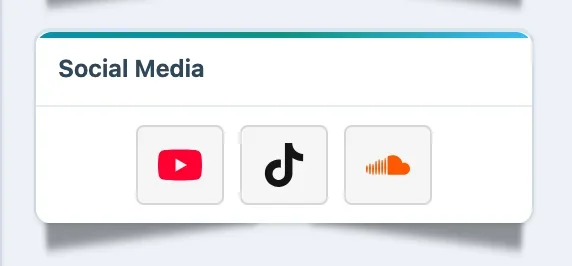
[SC] Social Links adds a native XenForo widget that lets administrators display social media profiles, community links, creator pages, stores, streaming platforms, and other external destinations anywhere XenForo supports widgets.
Social Links uses XenForo’s built-in widget system. Each widget instance can have its own title, layout, alignment, icon size, and set of social links, giving administrators much more control over where and how social profiles are displayed.
It is lightweight, easy to configure, and designed to work naturally with XenForo’s existing widget positions.
Features
- Native XenForo widget integration
- Appears in ACP under Appearance → Widgets
- Add Social Links to any compatible XenForo widget position
- Create multiple Social Links widget instances
- Configure each widget independently
- Custom widget heading
- Show different social links in different widget locations
- Icons-only layout
- Icons with labels layout
- Vertical list layout
- Left alignment
- Center alignment
- Right alignment
- Small icon size
- Medium icon size
- Large icon size
- Responsive layout
- Clean compact presentation
- Lightweight front-end implementation
Supported Social Links
Configure any combination of:
- YouTube
- TikTok
- SoundCloud
- X / Twitter
- Snapchat
- Telegram
Only the links you configure are displayed.
Multiple Widget Instances
Because Social Links uses XenForo’s native widget system, you are not limited to one global group of links.
For example, you can create:
Forum Sidebar
- YouTube
and a separate:
Resource Manager Widget
- Discord alternative link
- Telegram
- SoundCloud
Each instance can have its own heading, layout, alignment, icon size, and social URLs.
Flexible Placement
Place the widget wherever your XenForo installation provides compatible widget positions, including areas such as:
- Forum overview
- Forum sidebar
- Above or below forum content
- Resource Manager pages
- Member-related pages
- Other add-on or theme widget positions
Available positions depend on the XenForo installation and installed add-ons.
Per-Widget Configuration
Each Social Links widget can be configured with:
- Widget heading
- Display layout
- Alignment
- Icon size
- YouTube URL
- TikTok URL
- SoundCloud URL
- X / Twitter URL
- Facebook URL
- Instagram URL
- Snapchat URL
- Telegram URL
- WhatsApp URL
This keeps configuration tied directly to the widget instead of forcing all social links into one global ACP option set.
Ideal For
- Community social profiles
- Music communities
- Gaming communities
- Creator forums
- Brand communities
- Store and marketplace forums
- YouTube channels
- TikTok profiles
- Instagram pages
- Facebook communities
- SoundCloud profiles
- Telegram groups
- WhatsApp communities
- External community destinations
License validation:
This add-on requires a valid license and may contact Superchunes to verify activation. Please review the license terms before purchase.
Easy Setup
After installation:
ACP → Appearance → Widgets → Add widget → [SC] Social Links
Choose a widget position, configure the links you want to display, save, and the widget is ready to use.
Requirements
- XenForo 2.3.7 or newer
![[SC] Chatbox](/community/data/resource_icons/10/10698.jpg?1790193989)
![[SC] Redacted](/community/data/resource_icons/10/10921.jpg?1792339641)
![[SC] Forum Statistics](/community/data/resource_icons/10/10756.jpg?1789066236)
![[SC] DBTech eCommerce QoL Improvements](/community/data/resource_icons/10/10863.jpg?1791054840)
![[SC] Disable Rightclick](/community/data/resource_icons/10/10812.jpg?1790195753)