
![[SC] DBTech eCommerce QoL Improvements](/community/data/resource_icons/10/10863.jpg?1791054840)
- Compatible XF 2.x versions
- 2.3
- Additional requirements
- * DragonByte eCommerce 5.3.0+
* PHP 8.2+
- License
- Creative Commons license
- Updates duration
- 1 Month Free Updates // $5 Renewal
- Visible branding
- No

A more polished store with purchase alerts, wishlists, better product pages, and easier downloads.
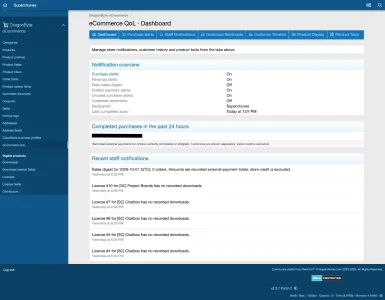
DBTech eCommerce QoL Improvements brings useful store, customer and staff tools together in one add-on. Follow purchases from a dedicated ACP dashboard, help customers find the downloads available to them, add a price-tracking wishlist, and improve how products are presented.
Feature list
- Purchase bell alerts and optional staff emails
- Retroactive purchase recovery and delivery history
- Retry controls for missing notifications
- Reversal, stalled payment and daily sales notices
- Never-downloaded purchase alerts and optional customer reminders
- My Downloads dashboard with license and update status
- Wishlist with pricing-option price-drop alerts
- Changes since last download and renewal previews
- Customer purchase timeline with username autocomplete
- Per-release XenForo, PHP and dependency labels
- Product duplication into an unlisted draft
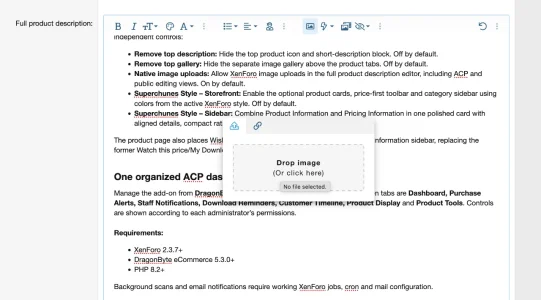
- Native product-description image uploads
- Optional top description and gallery removal
- Optional storefront and polished pricing sidebar layouts
- Seven-tab eCommerce QoL admin dashboard
Purchase alerts and recovery
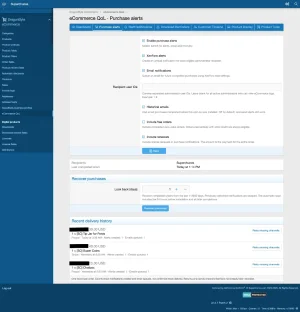
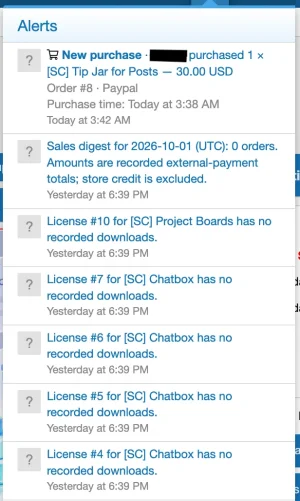
Get XenForo bell alerts and optional emails when an eligible DBTech eCommerce order completes. Each alert identifies the buyer, products, quantities, amount and purchase time, with links to the purchase and order details.
A fresh installation checks purchases from the preceding 24 hours. You can also run a manual recovery for older completed orders. Previously delivered notifications are skipped, and historical emails remain off unless you enable them.
The Purchase Alerts tab includes recipient settings, recent delivery history, counts of alerts created and emails queued, and a control to retry missing notification channels. You can choose whether free orders and renewals qualify.
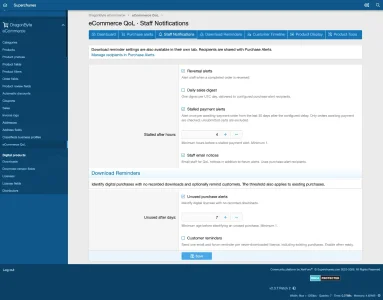
More useful staff notifications
- Order reversals: Know when DBTech marks an order reversed.
- Stalled payments: Flag orders still awaiting payment after your chosen number of hours.
- Daily sales digest: Review the previous UTC day’s sales, with currencies reported separately.
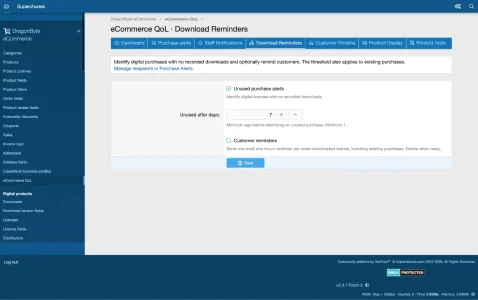
- Never-downloaded purchases: Identify qualifying digital purchases with no recorded download after your chosen number of days.
- Optional customer reminders: Send a forum alert and email about an unused purchase. Customers can opt out of these reminder emails without turning off forum reminders.
Staff Notifications brings all eight QoL notice settings into one form. Download Reminders also has its own focused tab for the three related settings.
Better tools for customers
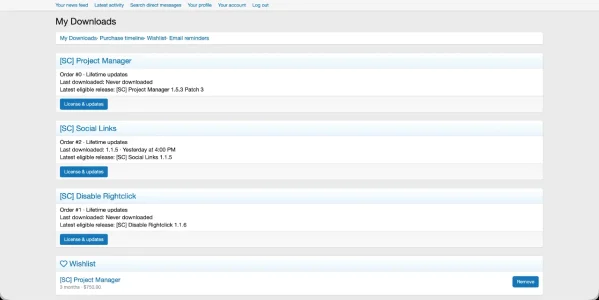
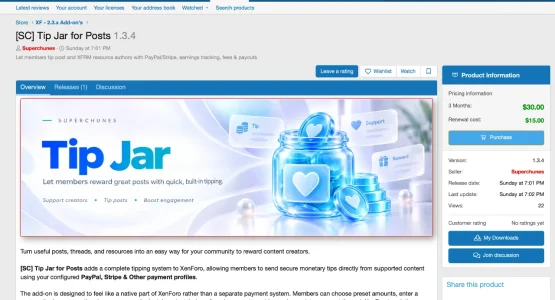
My Downloads gives customers one place to review licensed products, update entitlement, their last download and the latest release available to each license. A My Downloads button also appears in the product information sidebar below Your licenses.
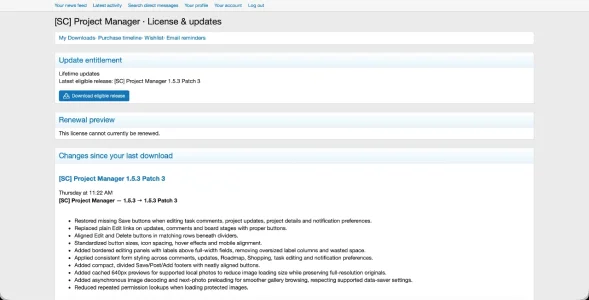
Individual license details show lifetime or expiration status, eligible releases and changes since the customer’s last recorded download. A renewal preview shows the current default renewal price and projected entitlement date; DBTech checkout determines the final total.
The Wishlist heart button appears with the product’s other actions. Customers can save a specific pricing option, find it in My Downloads → Wishlist, and receive a XenForo alert if its store price drops. Watched items can be removed at any time. DBTech’s separate Watch/Unwatch action keeps its existing behavior.
Customer history and product management
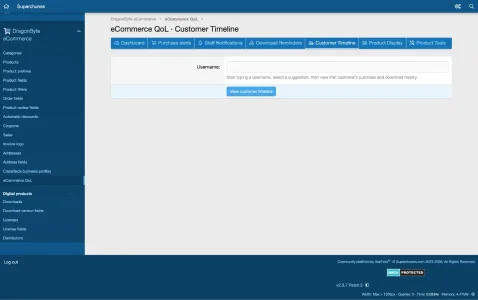
The Customer Timeline tab lets staff start typing a username and select a customer using autocomplete. Timelines present purchases, renewals, upgrades, downloads, license transfers and reversals with readable product names, dates, amounts and downloaded release versions where known. Customers can also view their own activity.
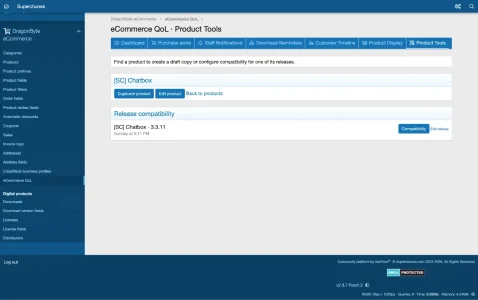
Add seller-supplied XenForo version, PHP version and dependency labels to individual product releases. These appear on release pages and relevant download cards as information for buyers; they do not change download permissions.
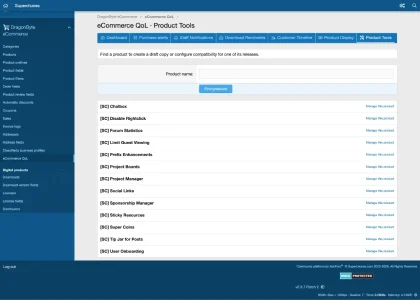
The Duplicate product tool creates an unlisted, moderated draft with a new title and unique license prefix. It copies supported product settings, pricing, field mappings, shipping zones and welcome-email configuration. Customer purchases, licenses, reviews, releases and uploaded files are not copied. Images embedded in the source description must be uploaded again before the draft is published.
Product Display options
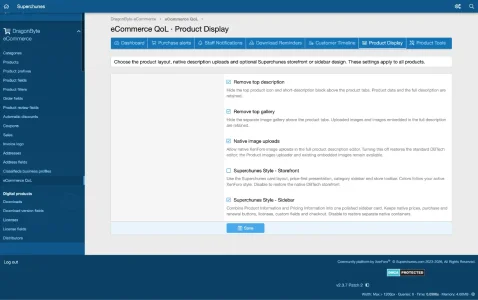
The Resale edition starts with native XenForo and DBTech eCommerce styling. Its Product Display tab offers five independent controls:
- Remove top description: Hide the top product icon and short-description block. Off by default.
- Remove top gallery: Hide the separate image gallery above the product tabs. Off by default.
- Native image uploads: Allow XenForo image uploads in the full product description editor, including ACP and public editing views. On by default.
- Superchunes Style – Storefront: Enable the optional product cards, price-first toolbar and category sidebar using colors from the active XenForo style. Off by default.
- Superchunes Style – Sidebar: Combine Product Information and Pricing Information in one polished card with aligned details, compact ratings and green prices. Off by default.
The product page also places Wishlist in the action row and My Downloads in the information sidebar, replacing the former Watch this price/My Downloads text bar.
One organized ACP dashboard
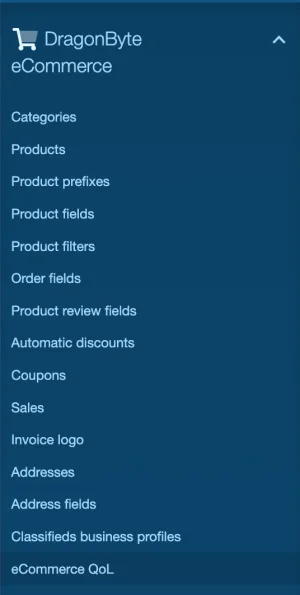
Manage the add-on from DragonByte eCommerce → eCommerce QoL. Its seven tabs are Dashboard, Purchase Alerts, Staff Notifications, Download Reminders, Customer Timeline, Product Display and Product Tools. Controls are shown according to each administrator’s permissions.
Third Party Disclaimer
This is an independent third-party add-on for DragonByte eCommerce. It is not affiliated with, endorsed by, or supported by DragonByte Technologies. DragonByte eCommerce is required and sold separately.
Requirements:
- XenForo 2.3.7+
- DragonByte eCommerce 5.3.0+
- PHP 8.2+
Version: 1.0.1 Beta 1. Test on a staging installation before production use.
-
 1.webp
 -
 2.webp
 -
 3.webp
 -
 4.webp
 -
 5.webp
 -
 6.webp
 -
 7.webp
 -
 8.webp
 -
 ss1.webp
 -
 ss2.webp
 -
 ss3.webp
 -
 ss4.webp
 -
 ss5.webp
 -
 ss6.webp
![[SC] Chatbox](/community/data/resource_icons/10/10698.jpg?1790193989)
![[SC] Redacted](/community/data/resource_icons/10/10921.jpg?1792339641)
![[SC] Forum Statistics](/community/data/resource_icons/10/10756.jpg?1789066236)
![[SC] Disable Rightclick](/community/data/resource_icons/10/10812.jpg?1790195753)
![[SC] Social Links](/community/data/resource_icons/10/10811.jpg?1790195321)