- Compatible XF 2.x versions
- 2.3
- Updates duration
- 1 year license
- Visible branding
- No
** Free for existing customers **
Demo available to registered users. Simply start a thread or reply to any existing thread.
Blatchy Saved Replies
Save it once. Send it forever.
Overview
Give every member their own personal canned-reply library, accessible directly from the editor toolbar. Whether they're answering common questions, posting standardized announcements, or sending the same welcome message to new members, your users save anything they type once and reuse it anywhere a XenForo editor appears — posts, conversations, profile posts, signatures, and any other content type that uses the rich-text editor.
How it works
That's the entire workflow. Highlight, save, reuse.
Features
Drop-in compatible with any XenForo 2.3 style. No template edits required after install.
Requirements
XenForo 2.3 or higher.
Demo available to registered users. Simply start a thread or reply to any existing thread.
Blatchy Saved Replies
Save it once. Send it forever.
Overview
Give every member their own personal canned-reply library, accessible directly from the editor toolbar. Whether they're answering common questions, posting standardized announcements, or sending the same welcome message to new members, your users save anything they type once and reuse it anywhere a XenForo editor appears — posts, conversations, profile posts, signatures, and any other content type that uses the rich-text editor.
How it works
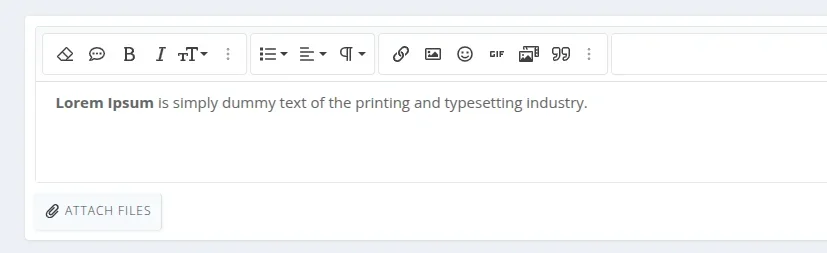
- Highlight text in any editor.
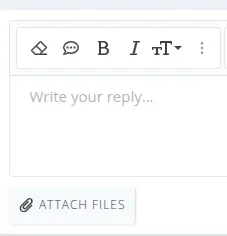
- Click the Saved replies button (a chat-bubble icon in the editor toolbar).
- Give it a title and click Save — the highlighted content becomes a new saved reply.
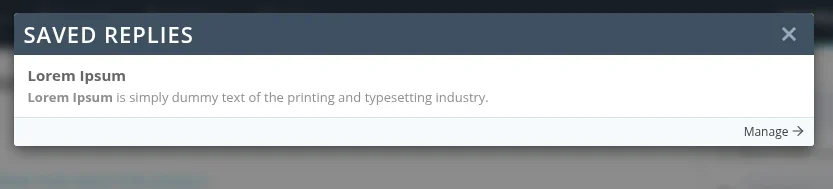
- Reuse it anywhere — open the saved replies overlay from any editor and click any reply to insert it at the cursor.
That's the entire workflow. Highlight, save, reuse.
Features
- One-button toolbar integration — adds a single chat-bubble icon to the editor toolbar via XenForo's standard editor button manager. Drag it to any toolbar from the ACP exactly like a built-in button.
- Save selection only — only the user's highlighted text gets saved, never the entire editor contents.
- One-click insertion — clicking any saved reply drops it cleanly at the cursor position. Works in both rich-text and BB code source views.
- Formatted previews — the picker shows each saved reply with full formatting (bold, italic, links, line breaks) so users can recognize the right one at a glance.
- Per-user library — every member maintains their own private collection. No admin curation required.
- Most-used first — the picker orders replies by usage count, so frequent ones rise to the top.
- Built-in management page at Your account → Saved replies for renaming, editing, and deleting.
- Permission-gated — control which user groups get access via standard XenForo permissions.
- Configurable per-user limit — set a maximum number of saved replies per user (default 50).
- Master switch to disable the feature site-wide without uninstalling.
Drop-in compatible with any XenForo 2.3 style. No template edits required after install.
Requirements
XenForo 2.3 or higher.