

- Compatible XF 2.x versions
- 2.3
- Additional requirements
- XenFrame
- Updates duration
- $15.00 / 12 mo. renewal
- Visible branding
- Yes, but removable without payment
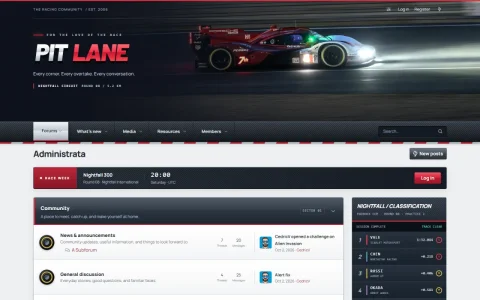
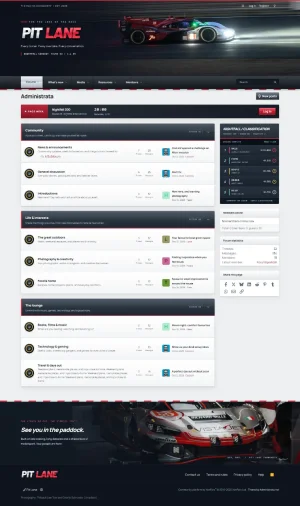
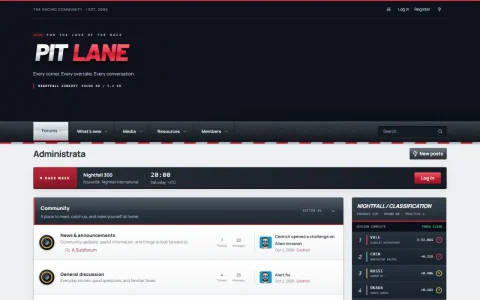
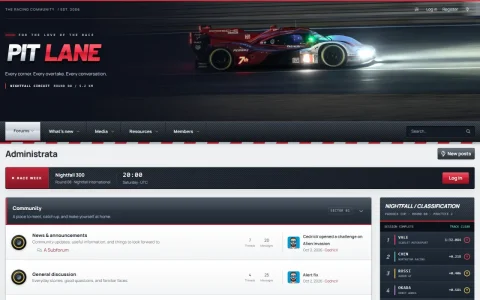
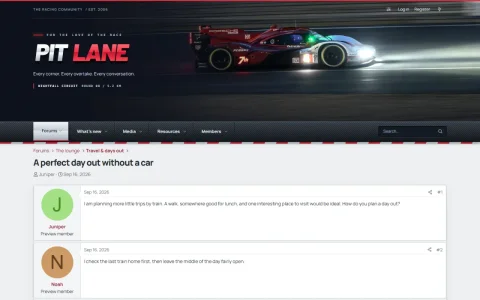
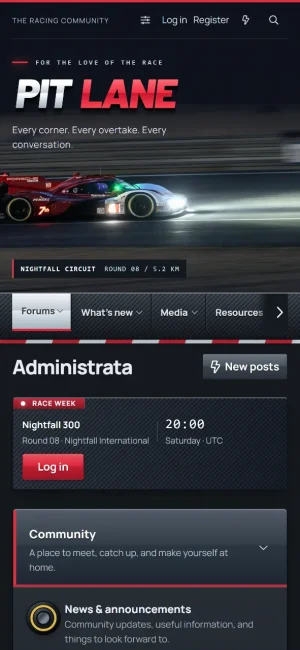
Pit Lane is a motorsport community style for XenForo 2.3: a night-race photo header with the chrome-and-red "PIT LANE" wordmark, a carbon-fibre navigation bar on red-and-white kerbs, graphite category bars with tyre forum markers, and a garage photo in the footer.
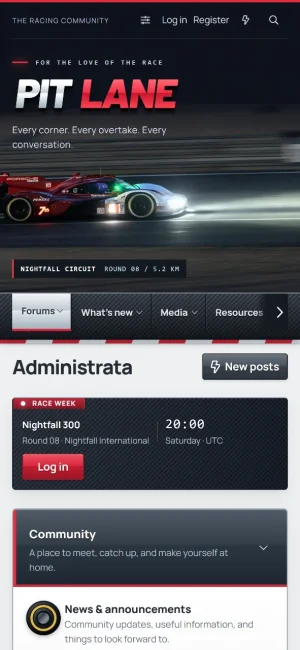
The forum index carries two widgets: a Race week strip above the forum list with the event, the round, the start time and a start-a-thread button, and a Classification timing tower at the top of the sidebar. Categories sit on graphite bars with a red edge and a "Sector" badge, forum markers are tyres (soft red for new posts, medium yellow when read, hard white for links), and sidebar blocks are clean white cards with a graphite title row.
The style keeps XenForo's native functionality intact while giving the forum list, threads, the editor, profiles, members, search, navigation, account menus, overlays, sidebar and footer a coordinated appearance.
Demo
Customization
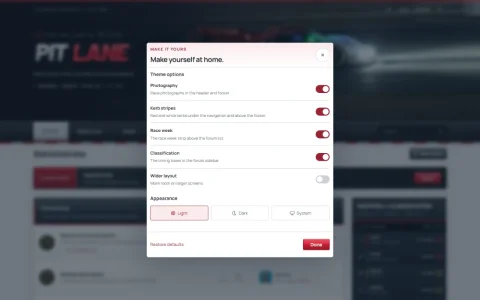
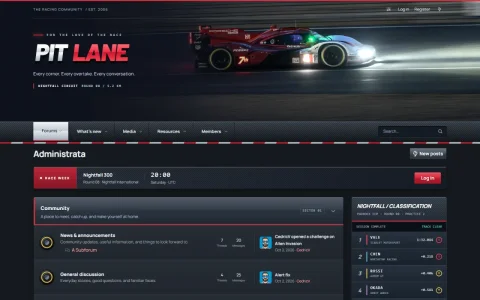
Members can switch between light, dark and system appearance, hide the photos or the kerb stripes, hide the Race week strip or the timing tower, and use a wider layout on large screens, all from the customizer in the header. Every text on the header, the widgets and the footer, the timing rows (one driver per line), the logo and the photographs can be changed under Style properties > Pit Lane, without editing a template. Each widget can also be switched off for everyone there.
Common settings such as fonts, colours and layout continue to use XenForo's native style properties.
Compatibility
Pit Lane has been tested on XenForo 2.3.13 on desktop and mobile layouts, in light and dark mode, for guests and members. It is a child style of the free XenFrame add-on, which provides the customizer and is included in the download; install XenFrame first, then import the style.
The photos, the tyre and kerb artwork, the logo and the Manrope font (SIL Open Font License) are included in the style. Nothing is loaded from other sites.
The forum index carries two widgets: a Race week strip above the forum list with the event, the round, the start time and a start-a-thread button, and a Classification timing tower at the top of the sidebar. Categories sit on graphite bars with a red edge and a "Sector" badge, forum markers are tyres (soft red for new posts, medium yellow when read, hard white for links), and sidebar blocks are clean white cards with a graphite title row.
The style keeps XenForo's native functionality intact while giving the forum list, threads, the editor, profiles, members, search, navigation, account menus, overlays, sidebar and footer a coordinated appearance.
Demo
Customization
Members can switch between light, dark and system appearance, hide the photos or the kerb stripes, hide the Race week strip or the timing tower, and use a wider layout on large screens, all from the customizer in the header. Every text on the header, the widgets and the footer, the timing rows (one driver per line), the logo and the photographs can be changed under Style properties > Pit Lane, without editing a template. Each widget can also be switched off for everyone there.
Common settings such as fonts, colours and layout continue to use XenForo's native style properties.
Compatibility
Pit Lane has been tested on XenForo 2.3.13 on desktop and mobile layouts, in light and dark mode, for guests and members. It is a child style of the free XenFrame add-on, which provides the customizer and is included in the download; install XenFrame first, then import the style.
The photos, the tyre and kerb artwork, the logo and the Manrope font (SIL Open Font License) are included in the style. Nothing is loaded from other sites.
-
 01-index.webp
-
 02-index-full.webp
-
 03-customizer.webp
-
 04-dark.webp
-
 05-photography-off.webp
-
 06-wide.webp
-
 07-thread.webp
-
 08-phone.webp
-
 09-phone-dark.webp


