

- Compatible XF 2.x versions
- 2.3
- Updates duration
- 1 year
- Visible branding
- Yes
INFDEV Rap Battles allows you to have 1 vs 1 rap battles on your forum, with a battle enabled poll, that records win/losses when a participant wins, mods will be able to set up battles with more than 1 participant, hidden votes can be enabled to keep voting more fair, and opponents can't see your verse/audio until they have submitted.
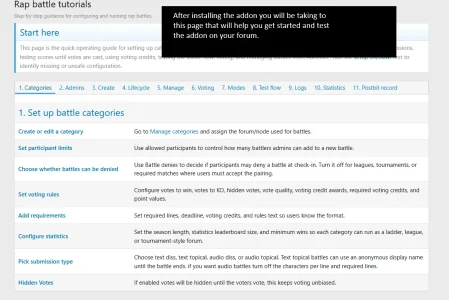
Here is the basic flow of how the battle system works.
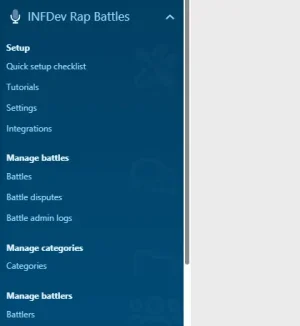
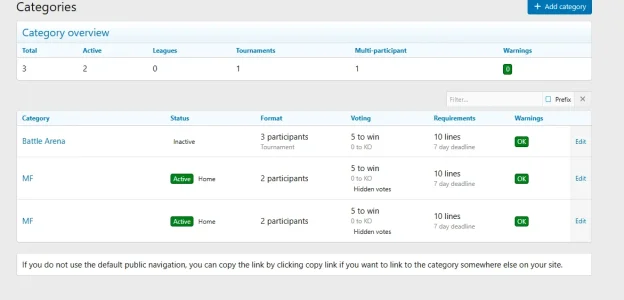
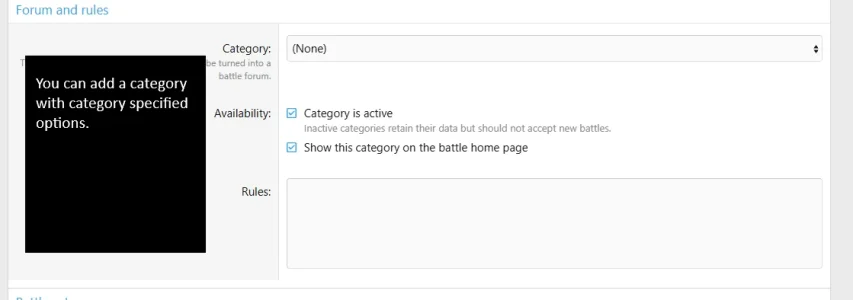
Enable a battle category
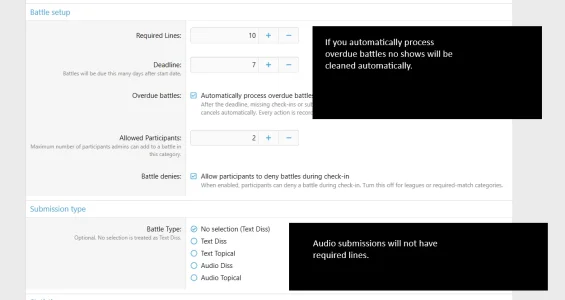
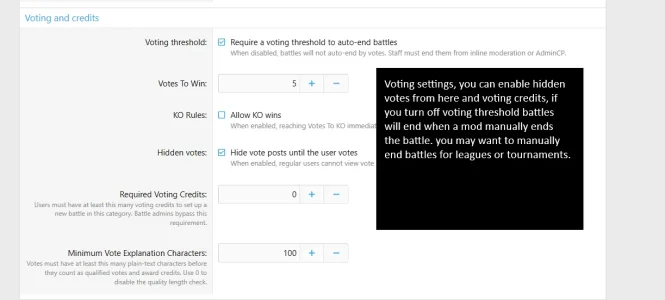
The first step is to make a battle category, you select which forum is applicable to this category, and configure the settings, like hidden votes.
Start a battle as a regular user
If you are a regular user and start a battle, there will be voting credits, if you do not have enough voting credits, you cannot start anymore battles, there is category based settings to turn this on or off.
Regular users can only start battle threads inside of battle forums the post thread button will be hidden for regular users so only battles will be in battle threads.
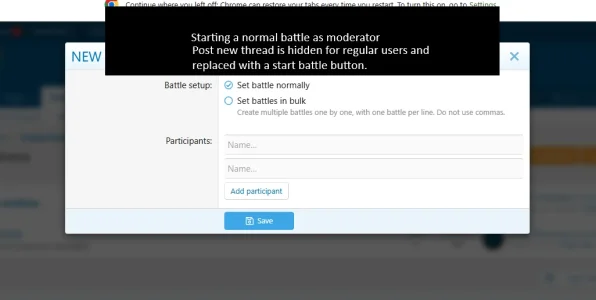
Start a battle as a moderator.
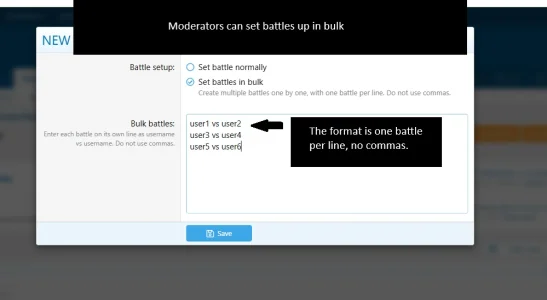
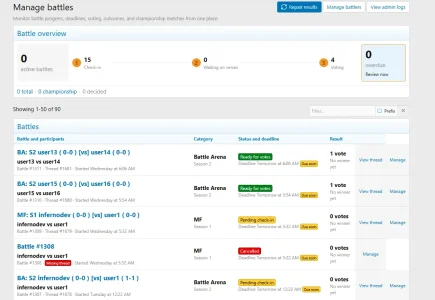
If you are a moderator and start a battle, you can start a normal battle, which will be 1 vs 1, or you can add another participant, you're allowed up to as many participants as the category allows, if you start a battle in bulk, you can create all battles, in one form.
Battle previews
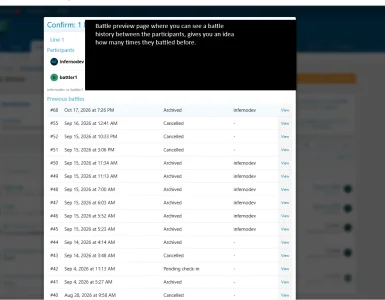
After you start the battle, you will be giving a preview of the battle, as well as history between the participants so you can see how many times they have battled before, this is useful for battle leagues so you don't have the same battles.
Accept/Deny
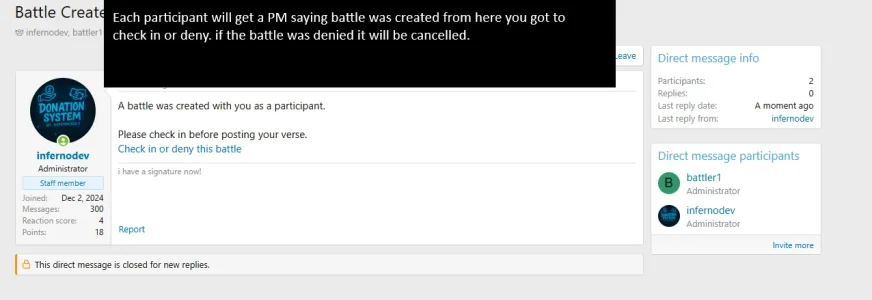
After the battle is created, all participants in the battle have to accept before anyone can submit, so once the battle is created each participant in the battle will get a PM or an Alert inviting them to the battle, from here they can check in or deny, the category settings will also allow you to turn off denies so users will only be able to check in, this is useful for leagues because in leagues you don't want the user to be able to deny.
Submissions
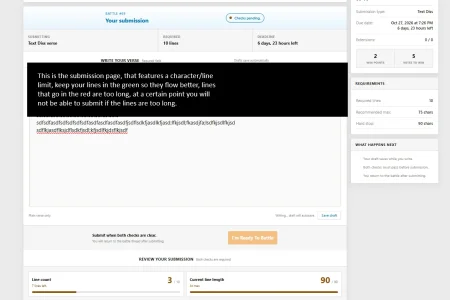
Once the battle is accepted you can now work on your submission, your opponent won't see your submission until they have submitted, the submission page features a character, line limit hard stops, that keeps lines at a respectful length so your lines/bars do not get too long, so there will not be any text battle verses with long bars.
Voting
Voters will have to explain there vote, and they cannot see the votes above them until they have voted, this keeps the voting fair, some times people will just vote based on the votes above them.
Statistics
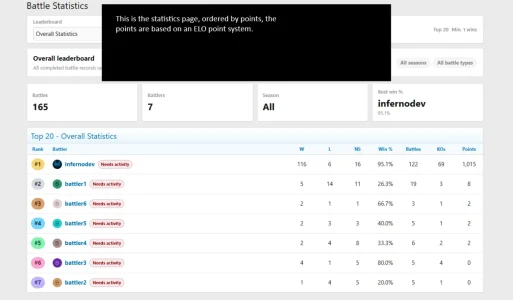
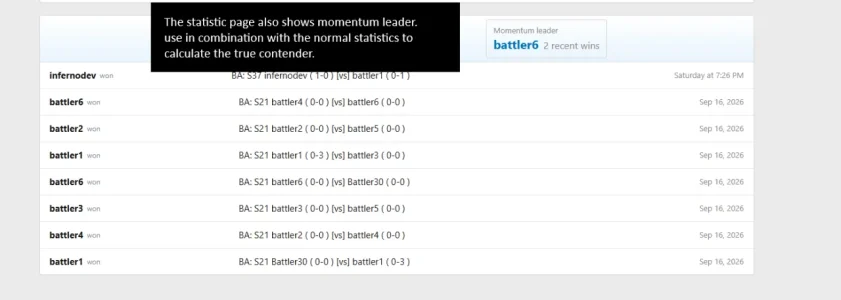
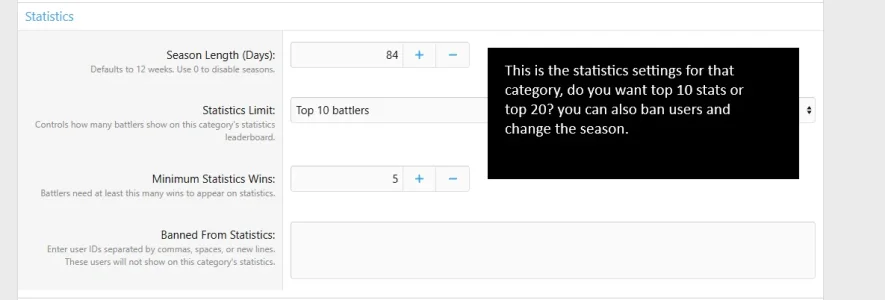
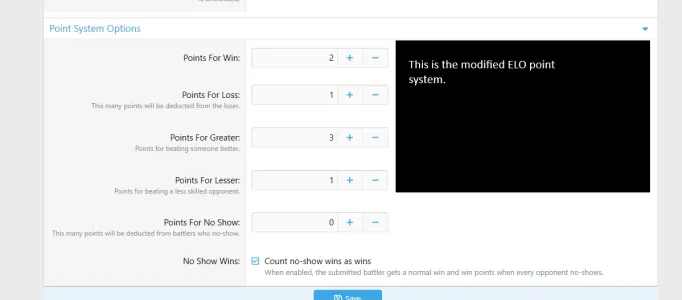
Statistics are based on seasons, and are ordered by battle points, you get more points for beating someone better than you, this is a modified ELO point system, if you no show you also lose points, you also get less points if you beat someone with less points than you, this keeps the statistics accurate, on the statistics there is also a momentum leaderboard, so you can use the official leaderboard and the momentum leaderboard, for championship match ups.
Records in postbit
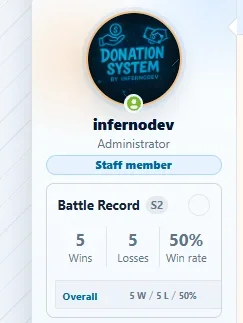
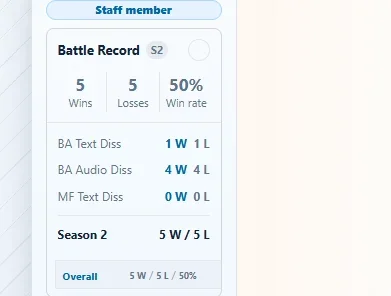
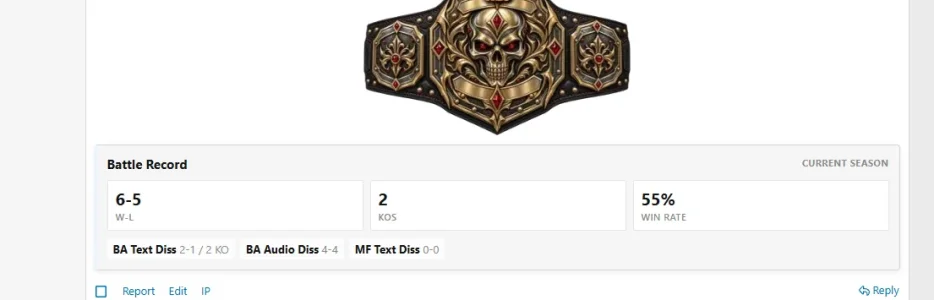
Battle records automatically show in postbit, the postbit battle records are also based on season, and you can click on it to get a breakdown of all the categories, or you can force this record to be an overall record.
Records in signature
Battle records automatically show in signature, with an account perference option to allow users to switch between a postbit/signature battle record display.
Cron Entries
This version of the battle system has cron entries that will help you keep battle sections clean, one of the most useful cron entries is the overdue battles entry that will automatically clean no show battles, and update points based on that. There is also a cron to make sure the seasons are updated correctly.
- Invite reminders: Resends the check-in invite once, about 24 hours after the original invite, if the participant still hasn’t checked in or declined.
- Deadline reminders: Sends a one-time PM to checked-in participants who haven’t submitted, within 24 hours of the battle deadline.
- Overdue battles: Processes battles that passed their deadline, such as marking missing participants as no-shows, and updates points accordingly.
- Season rollover: Advances categories whose season duration has elapsed.
- Completed battle archiving: Archives completed battles according to the addon’s archive rules. this is just a clean up measure as battles should automatically be archives after the battle is over.
The battle system is integrated with the forum champions and hall of fame addon (coming soon) if you have the championship addon you can create championship matches and the winner will automatically be rewarded the championship right after winning the battle, if there is a dispute you can undo this, the championships are automatically added to signatures after they win the championship battle, if they are current champion and win, their successful defenses will automatically be updated.
The hall of fame integration, is if you have that addon when it's released, if they win the hall of fame battle, the battle thread is added to their hall of fame threads, it doesn't mean they are hall of fame yet, but the way our hall of fame system works is you need so many hall of fame threads to be eligible for nominations.
The file says basic but there is full premium features on this battle system, we plan to release an advanced version at a later time that will be included with your purchase.
-
 screenshot-1.webp
 -
 screenshot-2.webp
 -
 screenshot-3.webp
 -
 screenshot-4.webp
 -
 screenshot-5.webp
 -
 screenshot-6.webp
 -
 screenshot-6a.webp
 -
 Screenshot-6b.webp
 -
 screenshot-7.webp
 -
 screenshot-8.webp
 -
 screenshot-9.webp
 -
 screenshot-10.webp
 -
 screenshot-11.webp
 -
 screenshot-12.webp
 -
 screenshot-13.webp
 -
 screenshot-14.webp
 -
 screenshot-15.webp
 -
 screenshot-17.webp
 -
 update-screenshot-3.webp


