- Compatible XF 2.x versions
- 2.3
- Additional requirements
- XenForo 2.3.12+
PHP 7.2+
JavaScript enabled
- License
- Eggy Commercial Licence
- Visible branding
- No
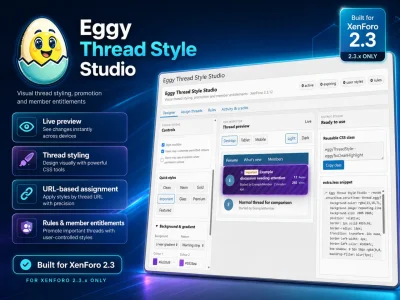
Eggy Thread Style Studio
Visual thread styling, promotion and member-controlled appearances for XenForo 2.3.
Make important threads actually stand out
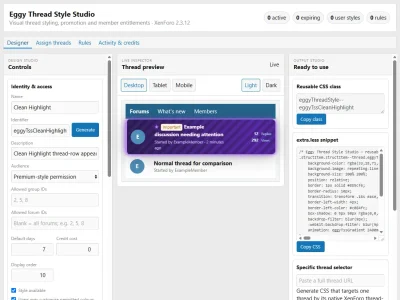
Eggy Thread Style Studio gives you a visual designer for creating distinctive XenForo thread appearances without manually building the CSS.
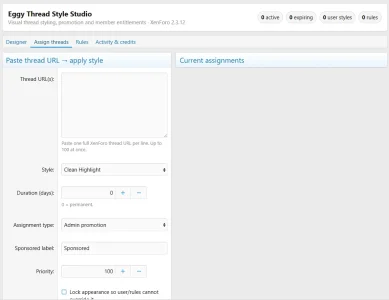
Design the appearance, watch it update through a live XenForo preview, then apply it directly to a thread simply by pasting its full URL.
It can be used for:
- Important announcements
- Featured discussions
- Marketplace listings
- Premium or VIP threads
- Staff notices
- Events
- Sponsored content
- Seller promotions
- User Upgrade benefits
And you're not restricted to neon.
Create clean highlights, gradients, glass effects, warning styles, premium appearances, subtle borders, glow effects and much more.
Paste a thread URL. Choose a style. Done.
You don't need to find XenForo thread IDs manually.
Paste a complete thread URL such as:
Code:
https://example.com/threads/my-important-thread.1234/Thread Style Studio resolves the native XenForo thread, verifies it and lets you apply your selected appearance.
The native thread ID is stored after resolution, so moving or renaming the thread does not break the assignment.
Live visual designer
Changes appear immediately while you design.
Preview your thread across:
- Desktop
- Tablet
- Mobile
- Light backgrounds
- Dark backgrounds
A normal XenForo thread is shown alongside your styled version so you can immediately see the difference.
Advanced thread styling
Available controls include:
- Solid and transparent backgrounds
- Multi-colour gradients
- Patterns and warning stripes
- Borders and accent strips
- Rounded thread rows
- Shadows
- Glow effects
- Glass-style effects
- Thread-title styling
- Metadata styling
- Replies and Views panel styling
- Optional animation
Included Quick Styles provide editable starting points including:
Clean · Neon · Gold · Important · Glass · Premium · Featured
Every preset remains editable.
Let members style their own threads
Thread Style Studio can optionally add a member-facing Thread Styles area.
Administrators decide exactly who can use it.
Permitted members can select one of their eligible threads or paste its URL, choose an administrator-approved appearance and preview it live before applying it.
Depending on permissions, administrators can allow:
- Preset selection
- Custom permitted colours
- Animation
- Personal saved styles
- Permanent or temporary styling
Members never receive unrestricted CSS access.
Turn styling into a membership benefit
Because access is permission controlled, Thread Style Studio can be used alongside XenForo User Upgrades.
For example:
Registered
No thread styling.
Premium
Up to 3 styled threads with selected Premium presets.
VIP
More active styles, custom colours and animation.
This makes custom thread appearances useful as a visible membership or marketplace benefit.
Rules and automatic styling
Thread appearances don't need to be assigned manually.
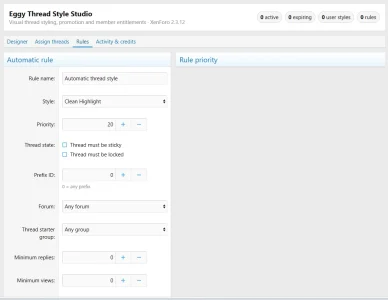
Create rules based on conditions such as:
- Sticky status
- Thread prefix
- Forum
- Author user group
- Reply activity
- View activity
Rules use configurable priorities so conflicting conditions remain deterministic.
Manual administrator assignments can override automatic rules where required.
Temporary promotion
Styles can be permanent or time limited.
This makes the system suitable for things such as:
- 7-day featured listings
- Temporary Marketplace promotions
- VIP seller benefits
- Event promotion
- Sponsored threads
Expired assignments automatically return to their normal appearance.
Administrator control
Administrators retain control over:
- Who can style threads
- Whether users may only style their own threads
- Which forums permit styling
- Available styles
- Colour customisation
- Animation permissions
- Maximum active styled threads
- Maximum duration
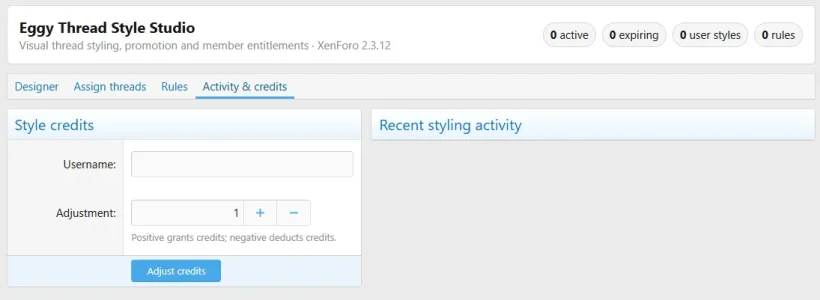
- Style credits
- Locked staff appearances
- Rule priorities
Staff can also review assignment and activity history.
Reusable CSS output
The Admin CP designer also generates a reusable CSS class and matching
extra.less output.This makes the designer useful even when you simply want to create thread-row styling manually.
Compatibility
- XenForo 2.3.12+
- Current XenForo 2.3 release only
Installed under:
Code:
Admin CP → Eggy Tools → Thread Style StudioStyle it. Highlight it. Promote it.
Paste the thread URL, preview the result and apply it.
Eggy Thread Style Studio — $5.00 USD
- Related resources
- You may also be interested in:
- Eggy Prefix & Banner Styler — Visually design XenForo thread prefixes, user banners, user titles, buttons and reusable CSS with live previews.
- Eggy Forum Icon Maker — Create and prepare consistent forum, navigation and resource artwork from the XenForo Admin CP.