

- Compatible XF 2.x versions
- 2.2
- 2.3
- Additional requirements
- PHP8.0+
- Visible branding
- No
Introduction
All-in-one statistics add-on that transforms your forum's engagement data into a visually rich, interactive display. Whether placed as a widget on your forum list, embedded in a sidebar, or showcased on its own dedicated page, the statistics block gives your members a reason to explore, compete, and participate.
Features
Members (3 tab types)
Resources (6 tab types) — requires XenForo Resource Manager (XFRM)
Resource Authors (1 tab type) — requires XFRM
Media (6 tab types) — requires XenForo Media Gallery (XFMG)
Media Albums (4 tab types) — requires XFMG
Installations
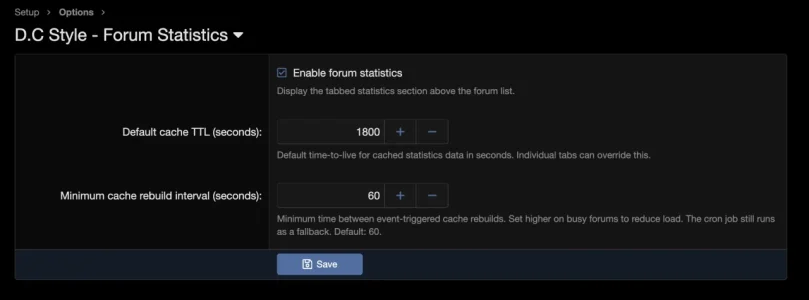
You're all set. The statistics block will begin populating immediately using cached data, with automatic refreshes every 30 minutes and on relevant content changes.
All-in-one statistics add-on that transforms your forum's engagement data into a visually rich, interactive display. Whether placed as a widget on your forum list, embedded in a sidebar, or showcased on its own dedicated page, the statistics block gives your members a reason to explore, compete, and participate.
Features
Content Types & Sorting Options
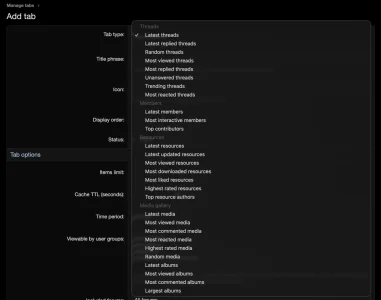
Threads (8 tab types)- Latest threads
- Latest replied threads
- Random threads
- Most viewed threads
- Most replied threads
- Unanswered threads
- Trending threads
- Most reacted threads
Members (3 tab types)
- Newest members
- Most interactive members
- Top contributors
Resources (6 tab types) — requires XenForo Resource Manager (XFRM)
- Latest resources
- Latest updated resources
- Most viewed resources
- Most downloaded resources
- Most liked resources
- Highest rated resources
Resource Authors (1 tab type) — requires XFRM
- Top resource authors, sortable by 5 scopes: resource count, download count, reaction score, view count, and average rating
Media (6 tab types) — requires XenForo Media Gallery (XFMG)
- Latest media
- Most viewed media
- Most commented media
- Most reacted media
- Highest rated media
- Random media
Media Albums (4 tab types) — requires XFMG
- Latest albums
- Most viewed albums
- Most commented albums
- Largest albums
Layout Modes
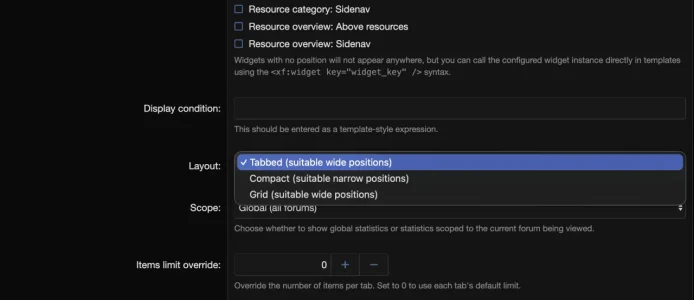
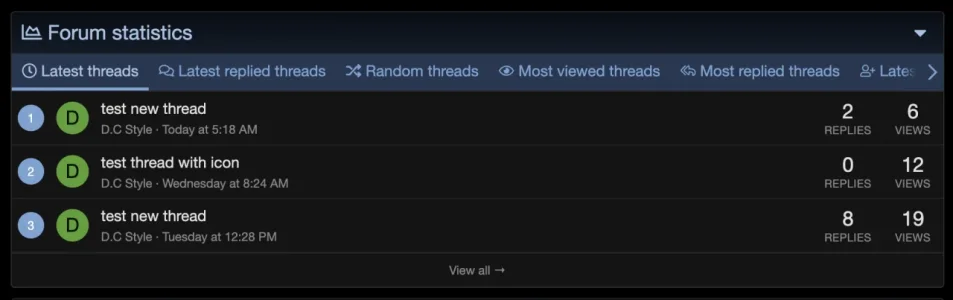
Three layout modes to fit any page position:- Tabbed — Tabbed interface with lazy-loaded content. Ideal for above-the-fold placement on the forum list or a dedicated page.
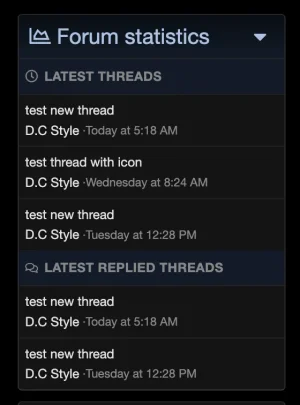
- Compact — Stacked, streamlined view designed for sidebar placement.
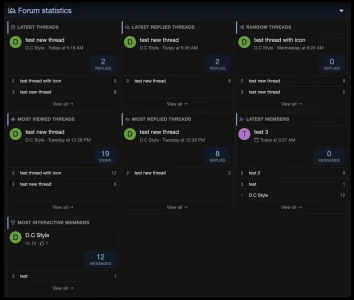
- Grid — CSS grid layout with a hero card, configurable columns (2-4 on desktop, 1-2 on tablet), and responsive breakpoints.
Widget & Standalone Page
- Ships as a standard XenForo widget — place it anywhere the widget system allows.
- Includes a dedicated standalone page at /forum-stats/ with paginated "View All" for each tab.
Admin Features
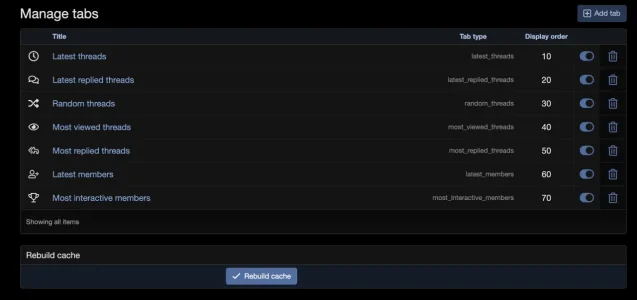
- Drag-and-drop tab ordering — reorder tabs visually from the admin panel.
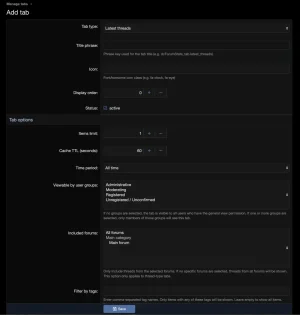
- Per-tab configuration — item limit, cache TTL, time period filter (all time / last 24h / 7 days / 30 days / etc.), forum or category scope, tag filtering, and user group visibility.
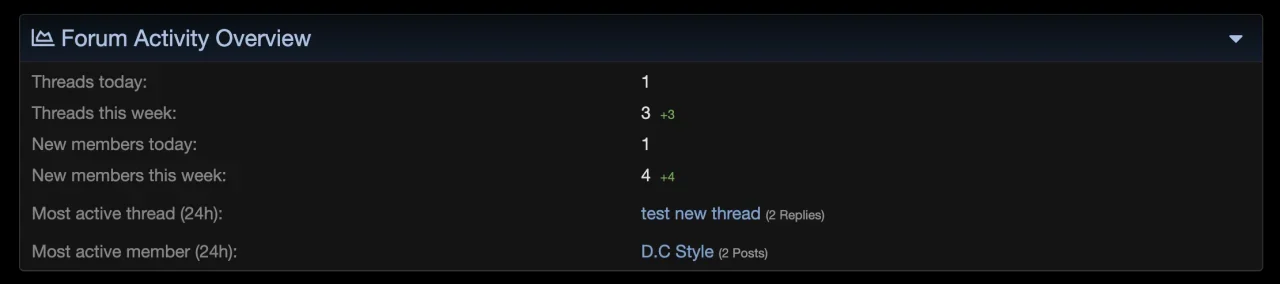
- Admin dashboard card — a quick-glance statistics card injected into the Admin CP home page showing live counts (threads and members today/this week, most active thread and member).
- Manual cache rebuild — one-click button to force-refresh all cached data.
Performance & Caching
- SimpleCache-based with per-tab configurable TTL.
- Event-driven cache invalidation — cache is rebuilt automatically when threads, users, resources, or media change, with built-in throttling to prevent stampedes.
- Cron rebuild every 30 minutes as a safety net.
- Lazy-loaded tabs — only the currently active tab loads data on initial render; switching tabs triggers an AJAX fetch.
Permissions & Visibility
- Global canView permission controls whether a user group can see the statistics block at all.
- Per-tab user group visibility lets you show different tabs to different audiences.
- Thread-based tabs respect XenForo's node-level viewing permissions — members never see threads from forums they cannot access.
UX & Frontend
- Unread badge tracking — new items since the user's last visit are highlighted via localStorage.
- AJAX load-more pagination — browse deeper into any tab without a full page reload.
- Responsive design — adapts to mobile, tablet, and desktop with dedicated breakpoints.
- No jQuery — built entirely with vanilla JavaScript, fully compatible with XenForo 2.3+.
Installations
Requirements
- XenForo 2.2.0 or later
- PHP 8.0+
- (Optional) XenForo Resource Manager (XFRM) — for resource and resource author tabs
- (Optional) XenForo Media Gallery (XFMG) — for media and media album tabs
Steps
- Install the add-on — In the Admin CP, navigate to Add-ons > Install/upgrade from archive (or use Install from directory if you uploaded manually). Alternatively, install via CLI:
php cmd.php xf:addon-install DC/ForumStats - Place the widget — Go to Admin CP > Appearance > Widgets and add a new widget. Select [D.C Style] Forum Statistics as the widget definition, choose your preferred position (e.g., Forum list: Above content), and configure layout mode and grid options.
- Configure tabs — Navigate to Admin CP > D.C Style - Forum Statistics -> Manage tabs to manage your statistics tabs. Add, reorder, enable/disable, and configure each tab's settings — including item limits, cache duration, time period, content scope, and user group visibility.
- Set permissions — Under Admin CP > Users > User group permissions, grant the Can view forum statistics permission to the user groups that should see the block.
You're all set. The statistics block will begin populating immediately using cached data, with automatic refreshes every 30 minutes and on relevant content changes.
-
 1770987014549.webp
 -
 1770987022481.webp
 -
 1770987027958.webp
 -
 1770987035872.webp
 -
 1770987041613.webp
 -
 1770987052747.webp
 -
 1770987058304.webp
 -
 1770987062531.webp
 -
 1770987318546.webp


