[DD] Node Icons & Tools

[DD] Node Icons & Tools 1.5.12

No permission to download
With that code works fine
It seems you have an issue with the style, the nodeicon.less is empty. Please check if t here is any issue.

For a quickfix add this temporary to your extra.less

CSS:
.node-icon {
    .cv6-node--img,
    svg.cv6-node--img.replaced-svg,
    img.cv6-node--img {
        max-width: 48px !important;
        max-height: 48px !important;
        width: auto !important;
        height: auto !important;
    }
}

I have a soluition in mind and will try to deploy a new version later this week.
 
Hoffi updated [DD] Node Icons & Tools with a new update entry:

Version 1.5.9

Fixed
  • Inline SVG Dimension Explosion: Stripped intrinsic width and height attributes in svg.js before injection to ensure SVGs scale responsively within their node container bounds.
  • Node Icon Sizing & CSS Robustness: Added explicit max-width: @xf-cv6DisplayIconSize;, max-height: @xf-cv6DisplayIconSize;, and auto dimensions to .node-icon, .cv6-node--img...

Read the rest of this update entry...
 
Okay, found a potential Issue. Thank you for your patience. Next Patch Level coming today.
 
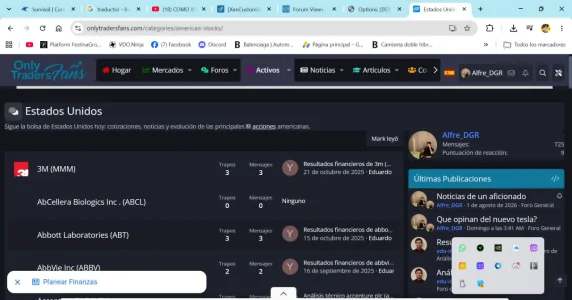
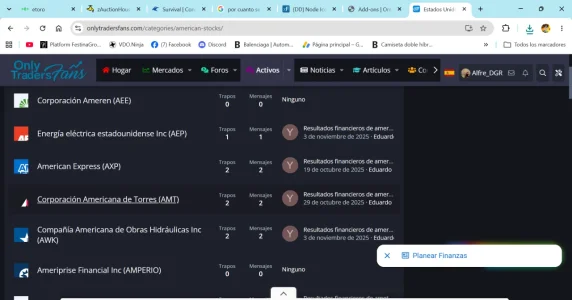
Thank you so much for being so quick with the fix—you’re incredible! Following the latest update, everything is now the same size; however, the photos are no longer centered within the icon.

1793387266195.webp
 
Hoffi updated [DD] Node Icons & Tools with a new update entry:

Version 1.5.12

Final SVG Fix.

Added
  • Page Search Result Node Icon: Added support for displaying custom Page node icons (FontAwesome, raster images, and inline SVGs) or the configured default page icon in XenForo search results (search_result_page), replacing the default question-mark avatar.
  • Default Icon for Pages Option: Added option cv6DefaultIconPage (default: fa-file-alt) in AdminCP Options group...

Read the rest of this update entry...
 
Back
Top Bottom