How can I force Dark mode for all users and disable theme variation switching?

LuciferGR

Member
Licensed customer
Hello,

I’m using latest xf 2.3 and I’m trying to configure my custom style so that Dark mode is always used for everyone.

My setup is:

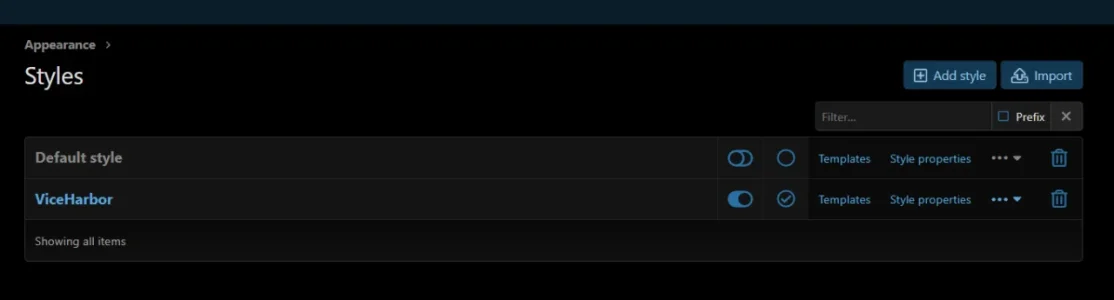
  • I have the default XenForo style, but I do not use it.
  • I created my own custom style.
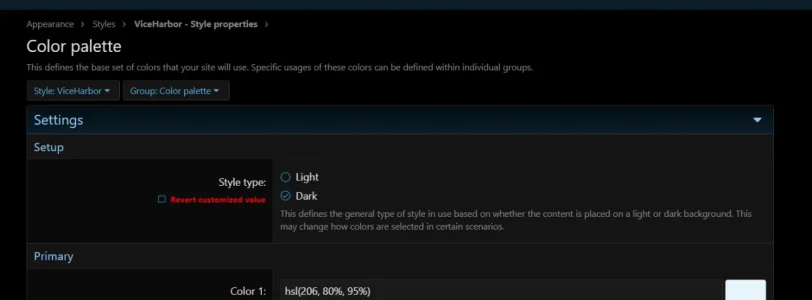
  • The custom style is designed specifically for Dark mode.
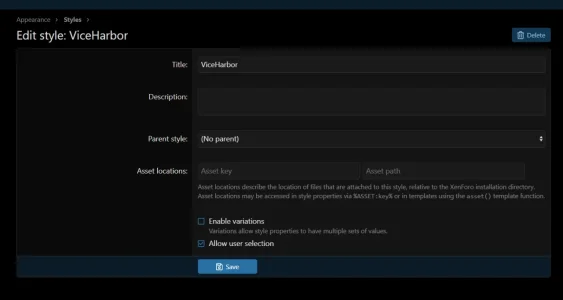
  • I do not want users or guests to be able to switch between Default / Alternate (Light / Dark) variations.
  • I want the site to always use the Dark variation for everyone.

I have tried different combinations of the style variation settings, including disabling variations, but I cannot get the result I want. When I disable variations, XenForo seems to use the Default variation instead of the Dark/Alternate one, which changes the appearance of my custom style.

What is the correct way in XenForo 2.3 to force the Dark variation for all users and guests.

Thanks in advance
 
If you mean I should disable every other style and keep only my custom style with Dark mode enabled, I already tried that and still didn’t get the result I want.


What I’m trying to achieve seems very simple: one custom style, Dark mode only, and no option for users to change it.


So either XenForo has made this unnecessarily complicated, or I’m simply missing something obvious. At this point I honestly don’t understand what combination of settings I’m supposed to use.


Also, do official XenForo staff members answer questions here? I’d really like to know what the intended/official way of doing this is.
 
Your Admin account will have all style options available, regardless of what you have set for your members. Do your testing as a guest and with a "dummy" account that only has base user permissions set.
 
1786899097169.webp
1786899167815.webp

1786899215073.webp

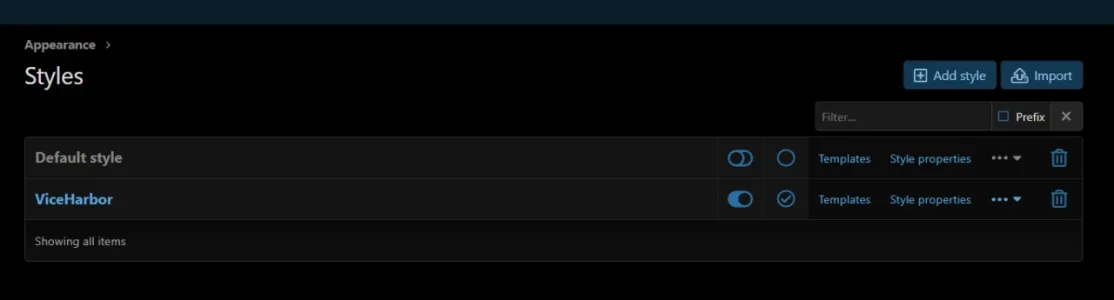
Yes, of course. I am testing it as a guest from a different browser.
 

Attachments

  • 1786899071886.webp
    1786899071886.webp
    10.5 KB · Views: 3
It should not be too difficult to have variations disabled and make your custom style have dark backgrounds and light text.
 
It should not be too difficult to have variations disabled and make your custom style have dark backgrounds and light text.

That’s exactly what I want, but my custom style is already fully designed using the Alternate/Dark variation.

If I disable variations, XenForo uses the Default variation and the design changes.

Is there a proper way to make my existing Alternate variation become the Default variation without manually copying every Color palette, Basic colors and other style property value one by one?

I just want to keep the exact appearance I currently have in Alternate, disable variations, and make that the only style users can see.
 
Year 2026: i pay for XenForo, only to find out there’s no native setting to force a default dark theme for everyone and disable the theme selector.
What a joke. 🤡
 
Is there a proper way to make my existing Alternate variation become the Default variation without manually copying every Color palette, Basic colors and other style property value one by one?
That’s what I would do. then disable variations. It’s basically designing a custom style that happens to be dark.
 
Last edited:
and disable the theme selector.
You can disable the theme selector. If there is only one theme available for users there will be no theme selector. If it’s a dark theme and variations are disabled as above then that seems to be what you want.
 
Thanks guys. I ended up writing a small add-on that simply forces Dark mode for everyone and removes the theme/variation selector completely.
That solved it much faster than trying to untangle the variation system.

You can close the thread XenJoke 😄
 
Year 2026: i pay for XenForo, only to find out there’s no native setting to force a default dark theme for everyone and disable the theme selector.
What a joke. 🤡

Thanks guys. I ended up writing a small add-on that simply forces Dark mode for everyone and removes the theme/variation selector completely.
That solved it much faster than trying to untangle the variation system.

You can close the thread XenJoke 😄

The solution here would really be just to design a dark only style and not allow variations. That's entirely possible with XenForo.

This add-on also works well to force a specific variation: https://xenforo.com/community/resources/style-variation-default.9504/
 
Lmao, The classic 'it’s so easy but I won't explain how' forum expert. It’s so 'easy' that literally everyone else in this thread suggested either copying palettes manually or using third-party add-ons
But those are the easy ways. Making a custom dark theme is as easy as making any theme. The color palette makes it super easy and intuitive
 
Back
Top Bottom